
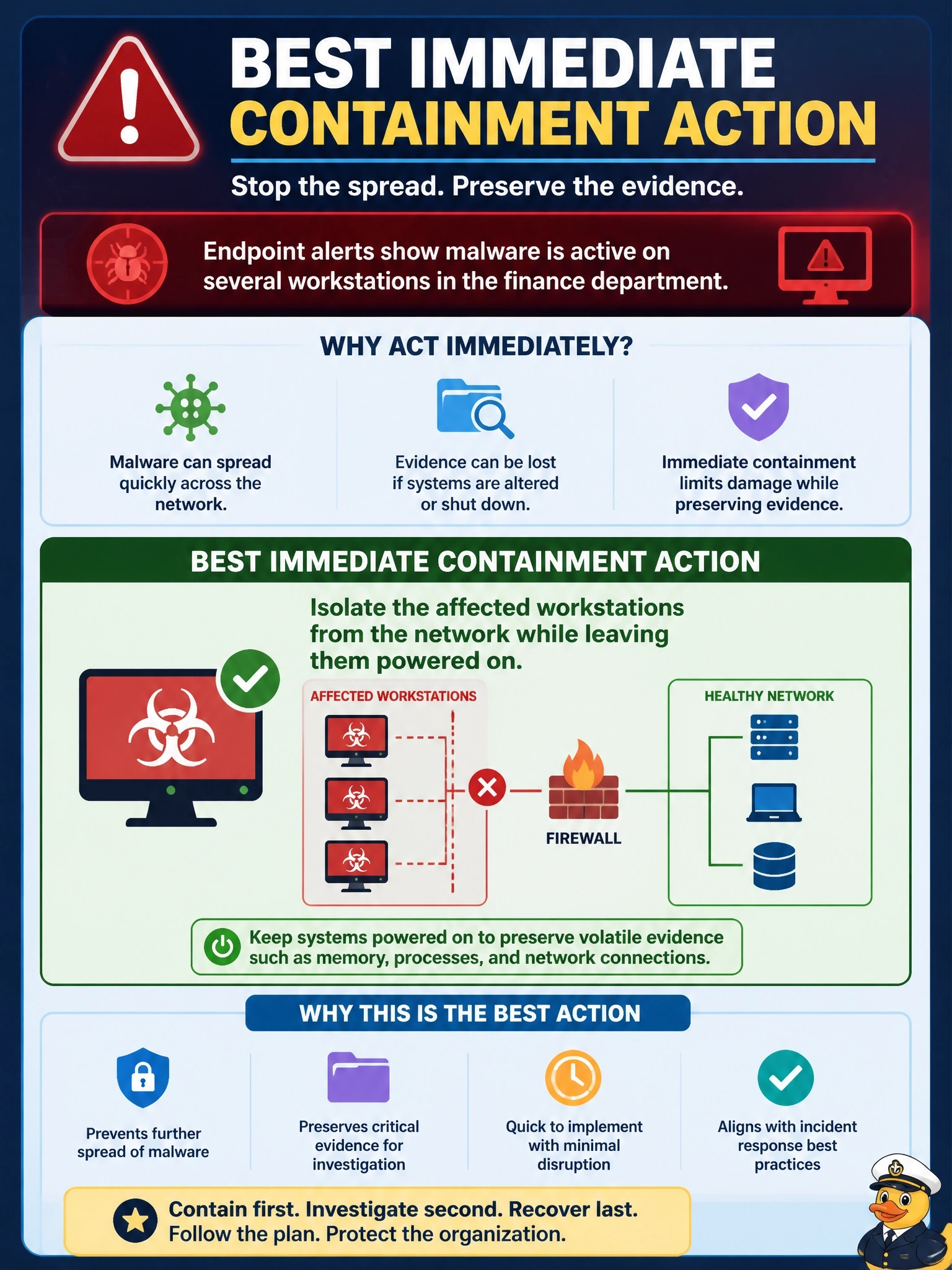
Endpoint alerts show that malware is active on several workstations in the finance department. The incident response plan requires evidence to be preserved for investigation. What is the BEST immediate containment action?
Select an answer to reveal the explanation.
Short Explanation
Think of it as quarantining a patient: you move them to an isolation ward, you don't end the examination. Network isolation stops the spread and keeps the memory evidence intact. Pulling the plug feels decisive, but it throws away what investigators need.
Full Explanation
Containment aims to limit damage and stop spread while preserving the ability to investigate. Network isolation of the affected workstations, using endpoint tools, switch controls or quarantine segments, cuts the malware's ability to spread and communicate with its operators while the devices remain powered on, so memory, running processes and network state are preserved for collection. Powering off the workstations does stop execution, but it destroys volatile evidence and may trigger destructive behaviour, conflicting with the plan's preservation requirement. Reimaging immediately is an eradication and recovery step taken before scope and root cause are understood, and it erases the evidence needed to determine how the infection occurred and whether other systems are affected. Allowing users to continue working while waiting for a vendor signature leaves active malware with network access, permitting spread and possible data theft for an unknown period. Exam caveat: where malware is causing immediate destruction, such as encryption of shared data, the balance can shift towards faster disconnection, but isolation is generally preferred to power-off. Operational check: confirm isolation is verified, volatile evidence is captured before reimaging and the affected device list is reconciled with telemetry for other hosts.