
A biomedical infusion pump is swapped for a replacement unit and plugged into the same wall jack that worked fine for the old pump, but the new pump gets no network connectivity at all and the switch port's link light stays off. Other ports on the same switch are unaffected. What is the most likely explanation?
Select an answer to reveal the explanation.
Short Explanation
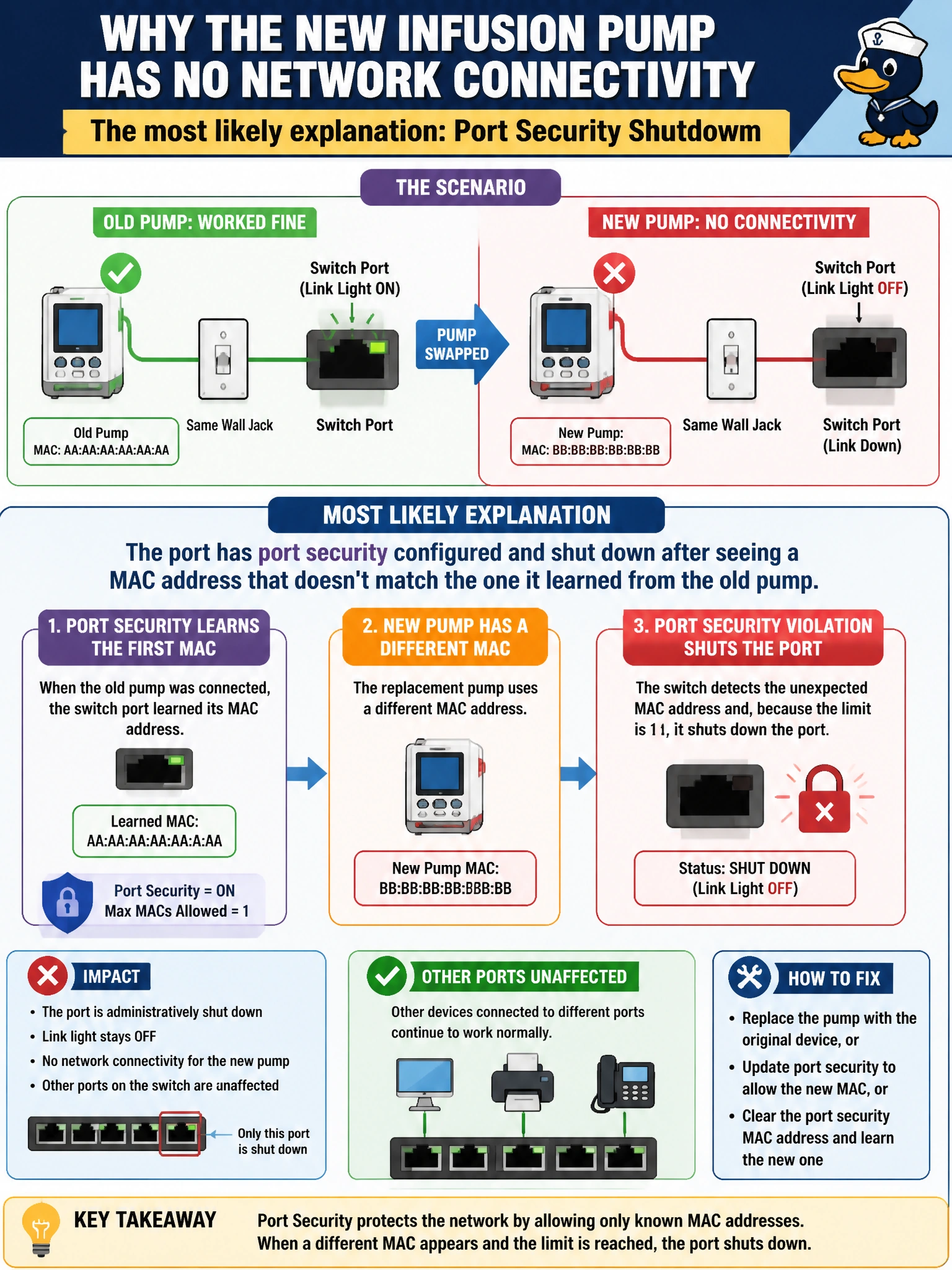
Swap the device and the port suddenly refuses to talk — that's the classic fingerprint of port security. The switch memorized the old pump's MAC address, and the new one shows up as an intruder rather than a replacement.
Full Explanation
Port security locks a switch port to one or a small number of learned MAC addresses, and when a violation action is set to shut the port down, plugging in a device with a different MAC than the one previously learned causes the port to go into an error state with no link at all, exactly matching a dead link light on only that one port. Because the problem is isolated to a single port rather than every port on the switch, an uplink failure is ruled out — that would take down every device on the switch or stack, not just one jack. A DHCP scope mismatch would still allow the port to link up and negotiate Ethernet, since DHCP happens after Layer 1 and Layer 2 connectivity is already established; it would produce a device with no IP address, not a dead link light. A crossover cable concern misapplies an old limitation: virtually all modern switch ports support auto-MDI/MDI-X and will link up over a straight-through cable regardless, so cable type alone would not explain a total loss of link on a jack that worked moments earlier. The fastest confirmation is checking the switch port's status for an err-disabled or security-violation state and comparing the pump's MAC address against what port security has learned or sticky-configured for that port, then clearing the violation or re-authorizing the new MAC as appropriate.