
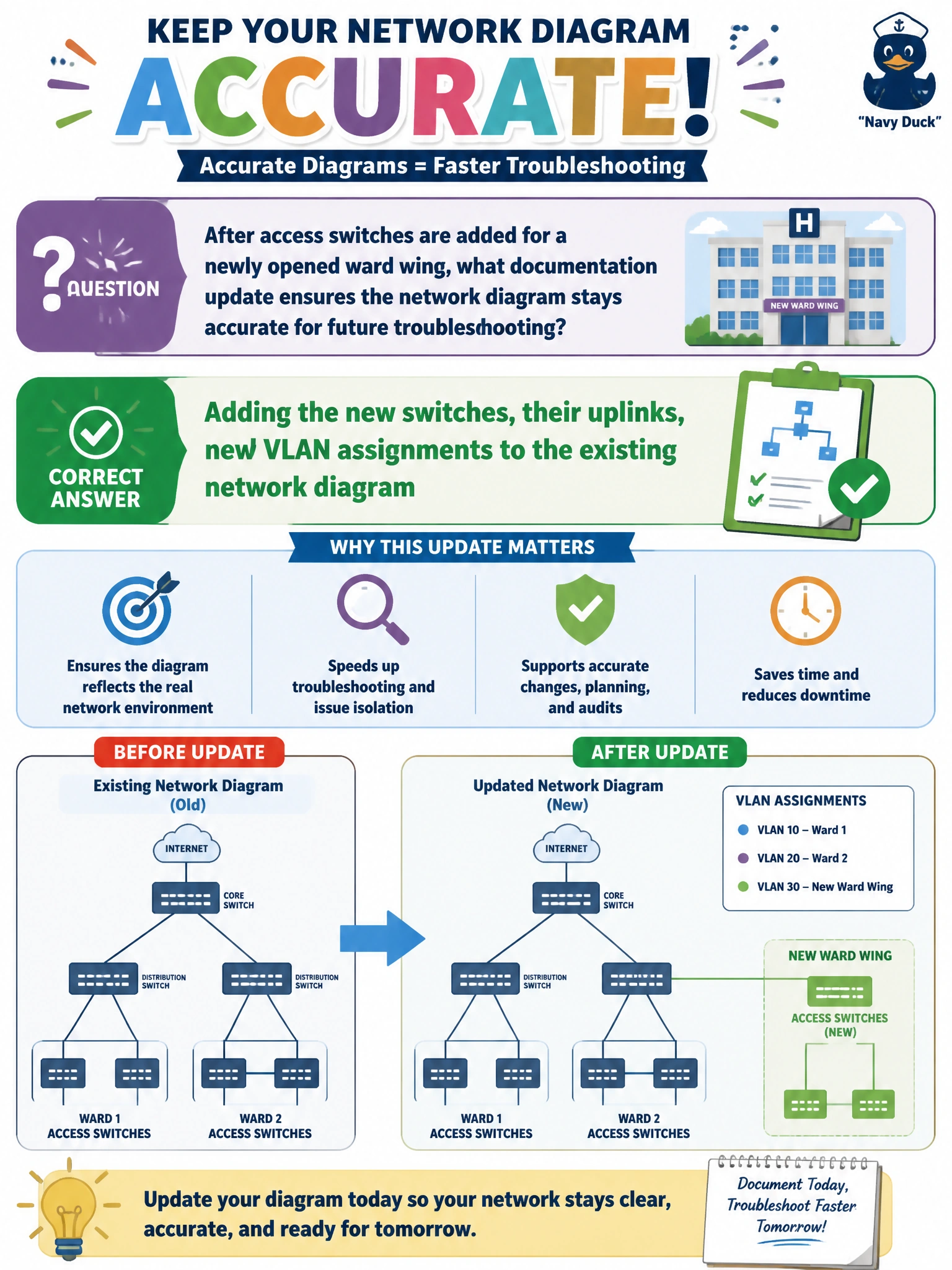
After access switches are added for a newly opened ward wing, what documentation update ensures the network diagram stays accurate for future troubleshooting?
Select an answer to reveal the explanation.
Short Explanation
A network diagram is only as useful as it is current — like a map that stops showing new roads the moment they're paved. Adding the new ward's switches, their uplinks, and VLAN assignments keeps that map matching reality. Skip the update and the next person troubleshooting a problem is working from an outdated picture of the network.
Full Explanation
A network diagram exists to give anyone troubleshooting or planning a change an accurate picture of physical and logical topology, so adding newly installed switches, their uplink connections, and their VLAN assignments preserves that accuracy for the campus as a whole, not just the new wing. This matters directly during an incident: a technician responding to a connectivity problem months later relies on the diagram reflecting what's actually deployed, not what existed before the expansion. Assuming no update is needed because the switches already work confuses physical installation with documentation — a switch can be fully functional and completely invisible to anyone reading an outdated diagram, which is exactly the gap that causes wasted time during troubleshooting. Renaming the diagram file without touching its content changes nothing about what information it conveys and does nothing to reflect the new equipment. Deleting older, established wings from the diagram removes accurate information about parts of the network that are still very much in production, which makes the documentation less complete and less useful, not more current. A caveat: as-built accuracy also depends on updating the diagram promptly, since a change made today and documented months later leaves a window where the diagram is wrong. As an operational check, have a second person compare the updated diagram against the physical installation to confirm nothing was missed.