
The hospital wants visiting family members to get free internet access from the lobby and waiting areas, but wants those visitors to first agree to an acceptable-use policy before their device is allowed online. Which wireless feature is designed for exactly this workflow?
Select an answer to reveal the explanation.
Short Explanation
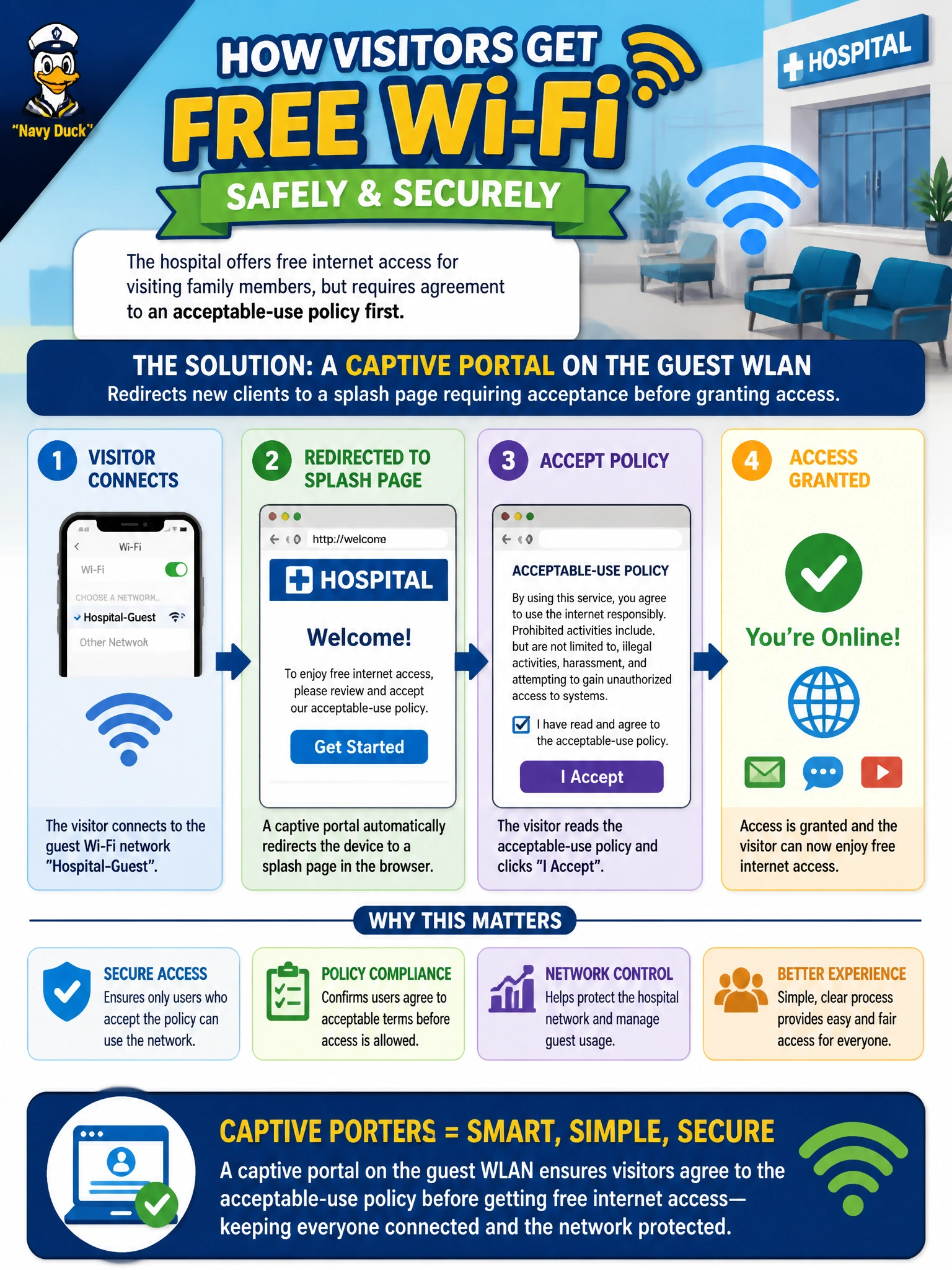
Think of it like a hotel lobby Wi-Fi: you connect, a page pops up, and only after you click 'agree' does the internet actually open up. That's a captive portal — it intercepts a new guest's first web request and holds it until they accept the terms.
Full Explanation
A captive portal works by intercepting a newly-associated client's first HTTP(S) request and redirecting it to a splash page — typically hosted by the controller/Central — where the visitor must click through an acceptable-use notice (or otherwise interact with the page) before general internet access is granted. This matches the requirement precisely: association to the WLAN alone isn't enough, an explicit acknowledgment step is enforced first. A hidden SSID only changes whether the network name is broadcast in beacons; it does nothing to gate access behind an agreement, and family members would need to already know the exact name, which conflicts with 'walk-up' guest access. A single shared pre-shared key controls who can join the WLAN at all, but once someone has the key they're straight onto the network with no acceptance step in between. A MAC-based intrusion prevention policy is a security control aimed at blocking unauthorized devices, not a mechanism for presenting terms to legitimate guests. A caveat: captive portals typically only intercept unencrypted or redirectable traffic, so some apps that don't open a browser session may appear stuck until the guest opens a browser manually. Operational check: from a fresh guest device, confirm the splash page appears before any other site loads, and that declining or ignoring it blocks further access.