
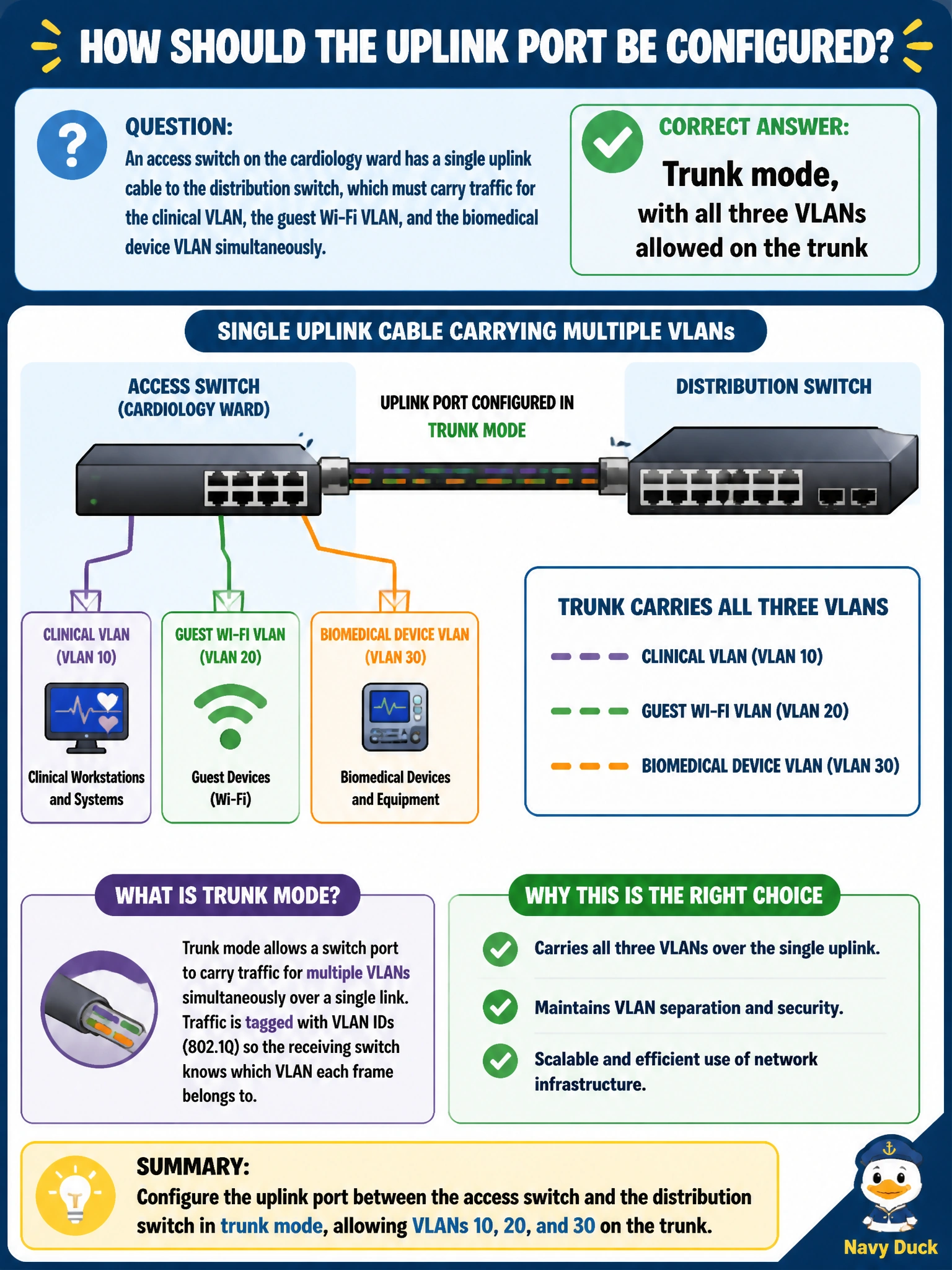
An access switch on the cardiology ward has a single uplink cable to the distribution switch, which must carry traffic for the clinical VLAN, the guest Wi-Fi VLAN, and the biomedical device VLAN simultaneously. How should this uplink port be configured?
Select an answer to reveal the explanation.
Short Explanation
One cable, three separate conversations — that's what a trunk port is built for. Tagging each VLAN as it crosses the uplink lets the distribution switch tell them apart and keep the guest, clinical, and biomedical traffic from mixing.
Full Explanation
A single physical link that must carry multiple VLANs' worth of traffic needs trunk mode with each required VLAN explicitly allowed, since trunking is the mechanism that tags frames so downstream switches know which broadcast domain each frame belongs to. Access mode carries exactly one VLAN per port, so pinning the uplink to only the clinical VLAN would silently drop guest and biomedical traffic destined for the other segments — it cannot represent three VLANs on one untagged link. Manually bonding three separate access ports to fake per-VLAN separation ignores the fact that only a single uplink cable exists in this scenario, and even with multiple cables that approach wastes ports and still needs trunking logic to scale. Configuring only a native VLAN and leaving the rest 'untagged' misunderstands trunk behavior: a trunk has one native (untagged) VLAN at most, and every other VLAN that needs to cross it must be explicitly tagged and allowed, not left off the allowed list. Caveat: keep the trunk's allowed-VLAN list as narrow as the three needed VLANs rather than allowing all VLANs, which limits unnecessary broadcast spread across the hospital network. Operational check: verify on both ends of the link that the same VLANs appear in the trunk's allowed list and that the native VLAN matches.