
One Terraform configuration for an order service must be deployed to dev, stage and prod in HCP Terraform. Each environment needs its own state, its own variable values and its own approval settings, while the code stays identical. How should the workspaces be organized?
Select an answer to reveal the explanation.
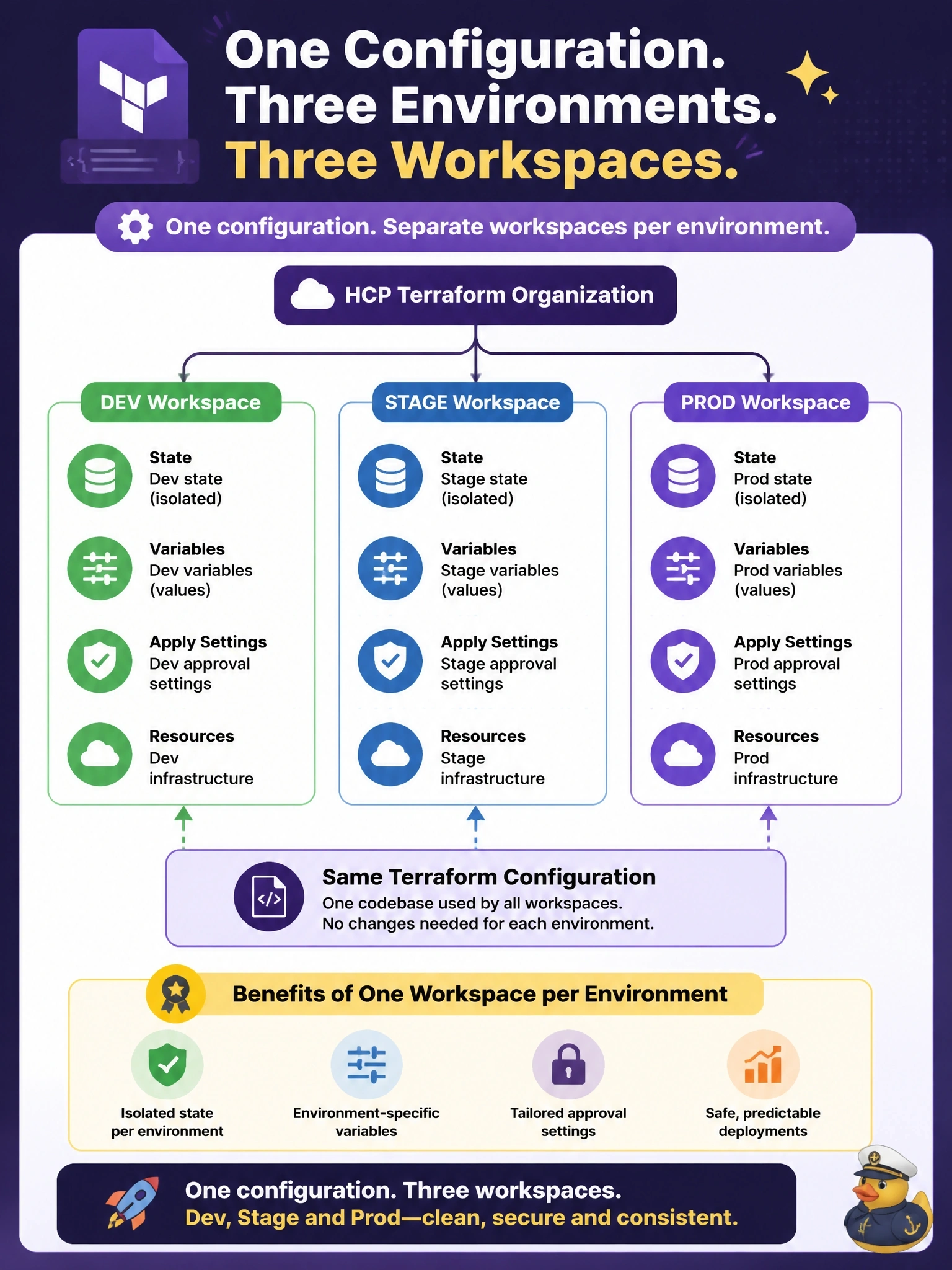
Short Explanation
In HCP Terraform, a workspace is the unit that owns state, variables and settings, so you give each environment its own. Same recipe, three separate kitchens. The trap is thinking CLI workspaces inside one HCP workspace give you that split.
Full Explanation
An HCP Terraform workspace holds one state, its own Terraform and environment variables, its run history and its settings such as auto-apply, Terraform version and team access. Deploying the same configuration to several environments is therefore done with one workspace per environment, all pointing at the same repository or configuration, often with a naming pattern such as order-dev, order-stage and order-prod. Each environment then has isolated state, its own variable values or variable sets, and its own approval rules, so prod can require manual apply while dev auto-applies. HCP Terraform workspaces are not the same as Terraform CLI workspaces: inside a workspace connected through the cloud block, terraform workspace commands select among HCP Terraform workspaces rather than creating extra state files within one, so they cannot carve one workspace into three environments. Copying the configuration into three repositories invites drift between environments, and pointing three copies at a single state would make each apply overwrite the others. Switching an environment variable while keeping one state stores all three environments in the same state file, so a dev change could destroy prod resources and one lock would block every environment. Exam caveat: projects and variable sets help when many services follow this pattern. Operational check: confirm each environment workspace shows its own state versions and that a dev apply leaves the prod state serial unchanged.