
A developer committed prod.auto.tfvars containing a third-party API key to the main branch of a shared repository, and the commit was pushed an hour ago. Which response best addresses the exposure?
Select an answer to reveal the explanation.
Short Explanation
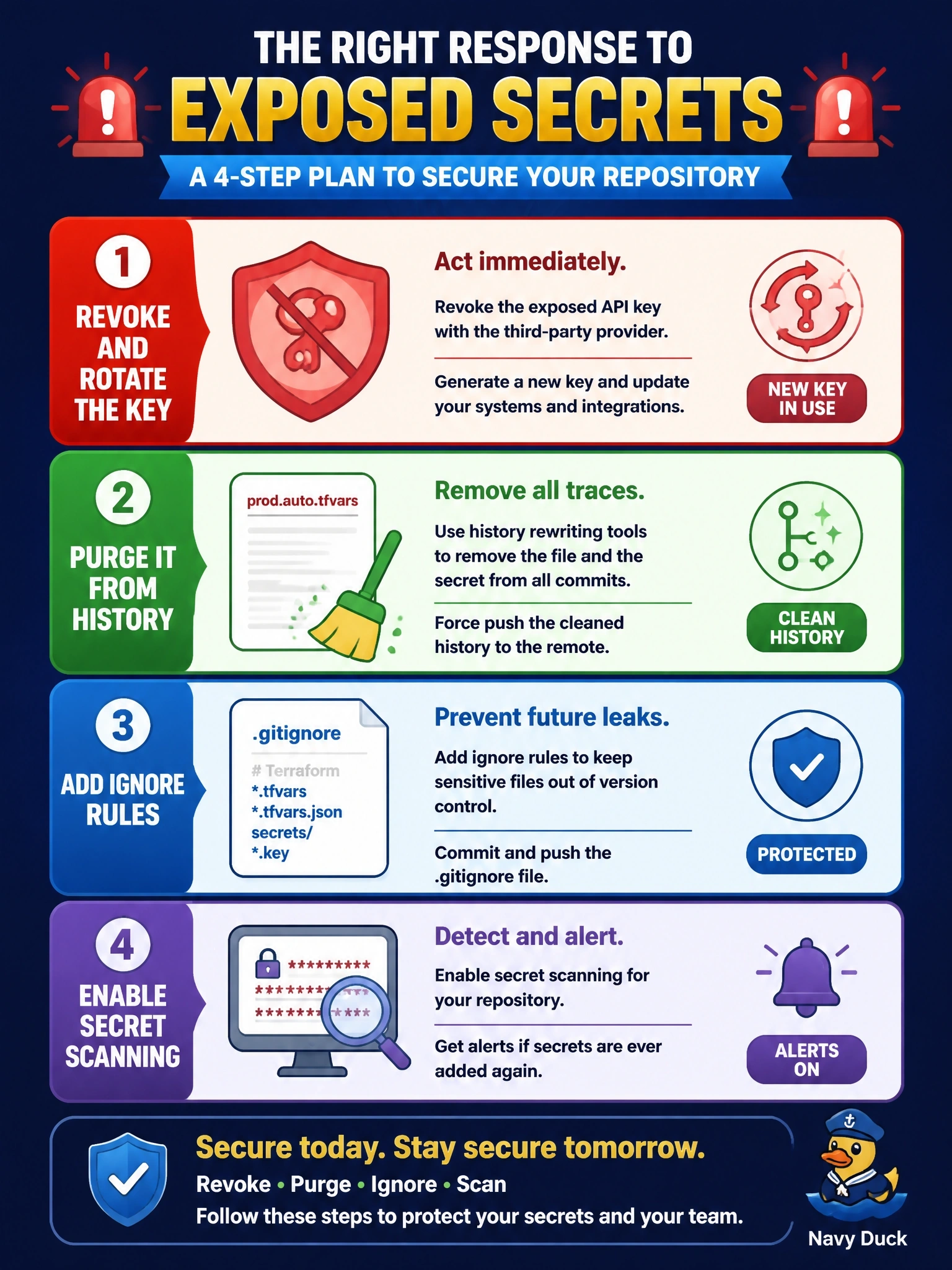
Once a secret hits a shared remote, you have to assume someone copied it; cleanup after the fact doesn't un-ring the bell. So you kill the key first, then scrub history, then stop it happening again with ignore rules and scanning. The trap is thinking a delete commit or a history rewrite makes the old key safe.
Full Explanation
A credential pushed to a shared remote must be treated as compromised, because clones, forks, CI caches and mirrors may already hold the commit. The first action is to revoke the key at the provider and issue a replacement, delivered through a secrets manager, an HCP Terraform sensitive variable or an ephemeral source rather than a committed file. History is then purged with a tool such as git filter-repo, and prevention follows: ignore rules for secret-bearing tfvars files, pre-commit hooks, and secret scanning on the repository. Deleting the file in a new commit leaves the key in every earlier commit, where anyone with read access can retrieve it. The sensitive argument only redacts values in Terraform output; it has no effect on what Git stored. Rewriting history without rotation shrinks the exposure window but cannot recall copies already made, so the key remains usable by whoever took it. Exam caveat: HashiCorp guidance is to keep secrets out of version control entirely, using environment variables, workspace variables or ephemeral values instead of committed definition files. Operational check: confirm the old key is rejected by the provider, search the repository history for the key string, and verify scanning alerts on a test commit.