
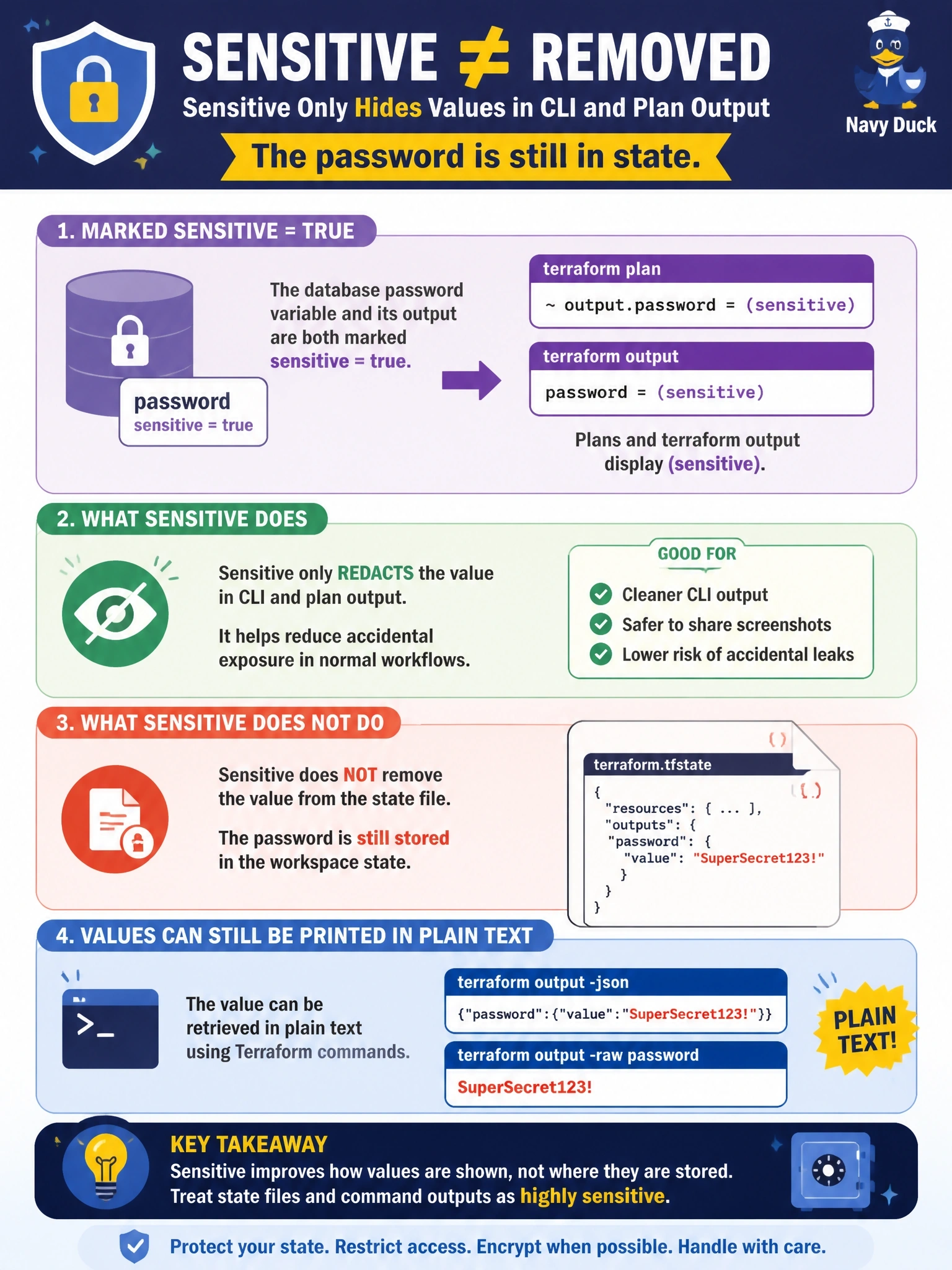
A database password variable and its output are both marked sensitive = true, and plans and terraform output now display (sensitive). A security reviewer asks whether this means the password is no longer stored in the workspace state. What is the accurate answer?
Select an answer to reveal the explanation.
Short Explanation
Marking something sensitive is like putting a sticky note over it on the screen; the original's still sitting in the filing cabinet. Your state still holds the password in plain text. The trap is thinking sensitive equals encrypted or not stored; for that you need ephemeral values or write-only arguments.
Full Explanation
The sensitive argument on variables and outputs tells Terraform to redact the value in plan output and in normal CLI output, showing (sensitive) instead. It does not change what Terraform persists: values used by resources and root outputs are still written to state, and with local state that file is plain text. The documentation also notes that terraform output with -json or -raw displays sensitive values in plain text, and requesting a sensitive output by name prints its value as well. The reviewer should therefore treat the state as containing the password and protect it with remote storage, encryption at rest, access controls and audit logging. Terraform does not encrypt individual sensitive values with its own key; any encryption at rest is provided by the backend or platform storing the whole state. Sensitive values are not stripped from state, and plan files can contain them too, which is why saved plans must also be protected. The claim that sensitive outputs can only be read from raw state is wrong, because the output command reveals them on request. Exam caveat: to keep a secret out of state and plan entirely, use ephemeral values and write-only arguments, or have the resource fetch the secret from a manager at runtime. Operational check: pull the state in a secure session and search for the password's attribute to confirm it is present, then decide whether to move to a write-only argument.