
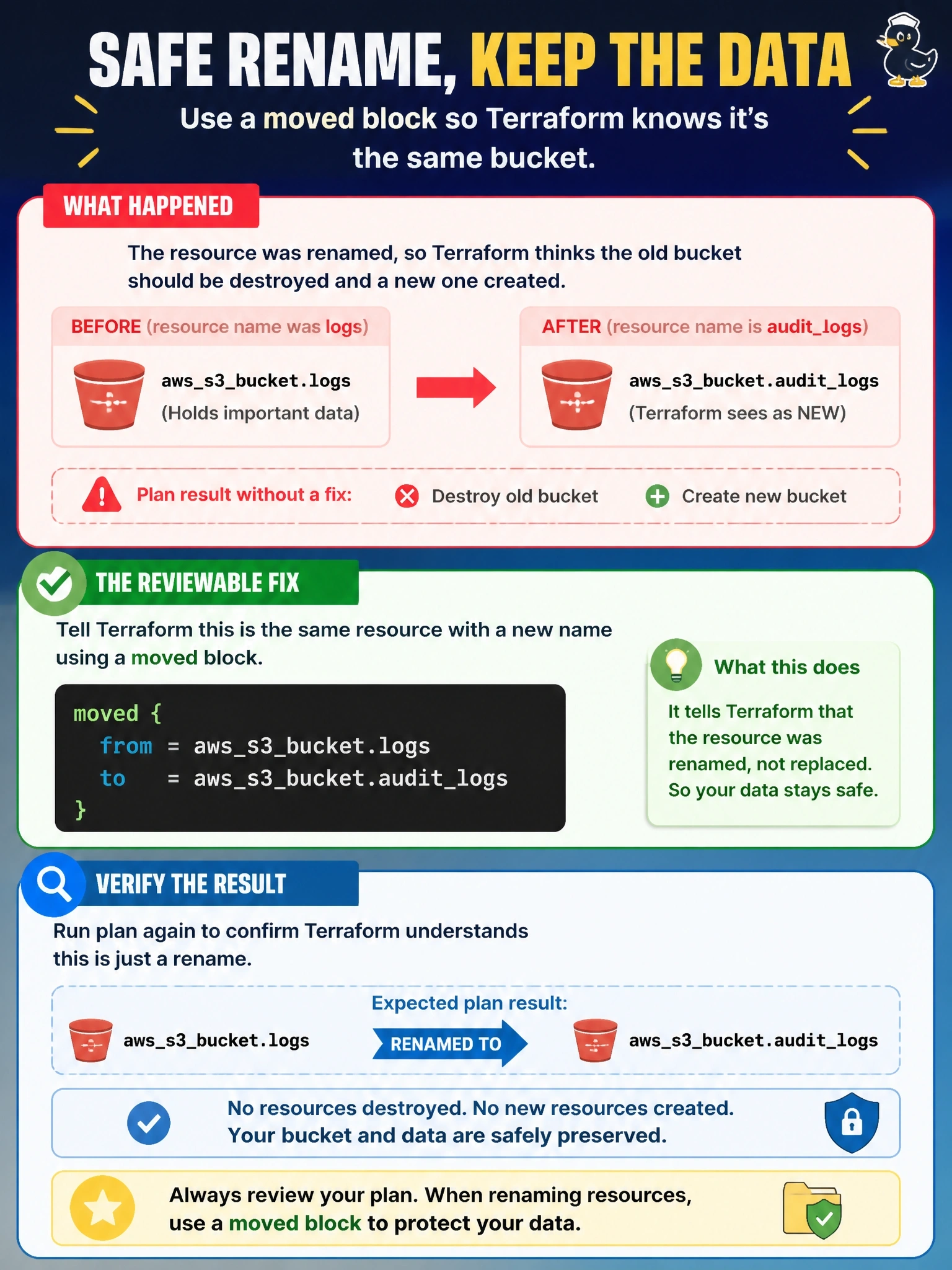
A teammate renamed resource "aws_s3_bucket" "logs" to resource "aws_s3_bucket" "audit_logs" during a cleanup, and the plan now shows the bucket being destroyed and a new one created. The bucket holds data that must be kept. What is the reviewable fix?
Select an answer to reveal the explanation.
Short Explanation
When you rename a resource in code, it's like changing a name tag without telling the receptionist: Terraform thinks the old guest left and a new one arrived. A moved block is your note that says 'same guest, new name'. The trap is prevent_destroy, which only makes the plan fail instead of fixing the mapping.
Full Explanation
Terraform identifies objects in state by resource address, so changing a resource label looks like deleting the old address and declaring a new one. A moved block records the address change in configuration: before planning, Terraform checks state for an object at the from address and rebinds it to the to address, so the plan shows a move and no destroy. Because it lives in code, the change is reviewed in a pull request and applied through the normal workflow, unlike terraform state mv. The prevent_destroy lifecycle argument would make the plan error when it tries to destroy the bucket, which protects the data but does not tell Terraform the objects are the same; the plan still cannot succeed. The -replace option forces replacement of an object at an address, so it would produce exactly the destroy and create the team wants to avoid. Importing the bucket to the new address while the old address still holds it in state leaves two resource instances bound to one real bucket, and the old address would then be planned for destruction. Exam caveat: moved blocks also handle moves into modules and count to for_each conversions, and shared modules should keep historical moved blocks for their callers. Operational check: add the block, run terraform plan, and confirm the output says the bucket has moved with zero to destroy.