
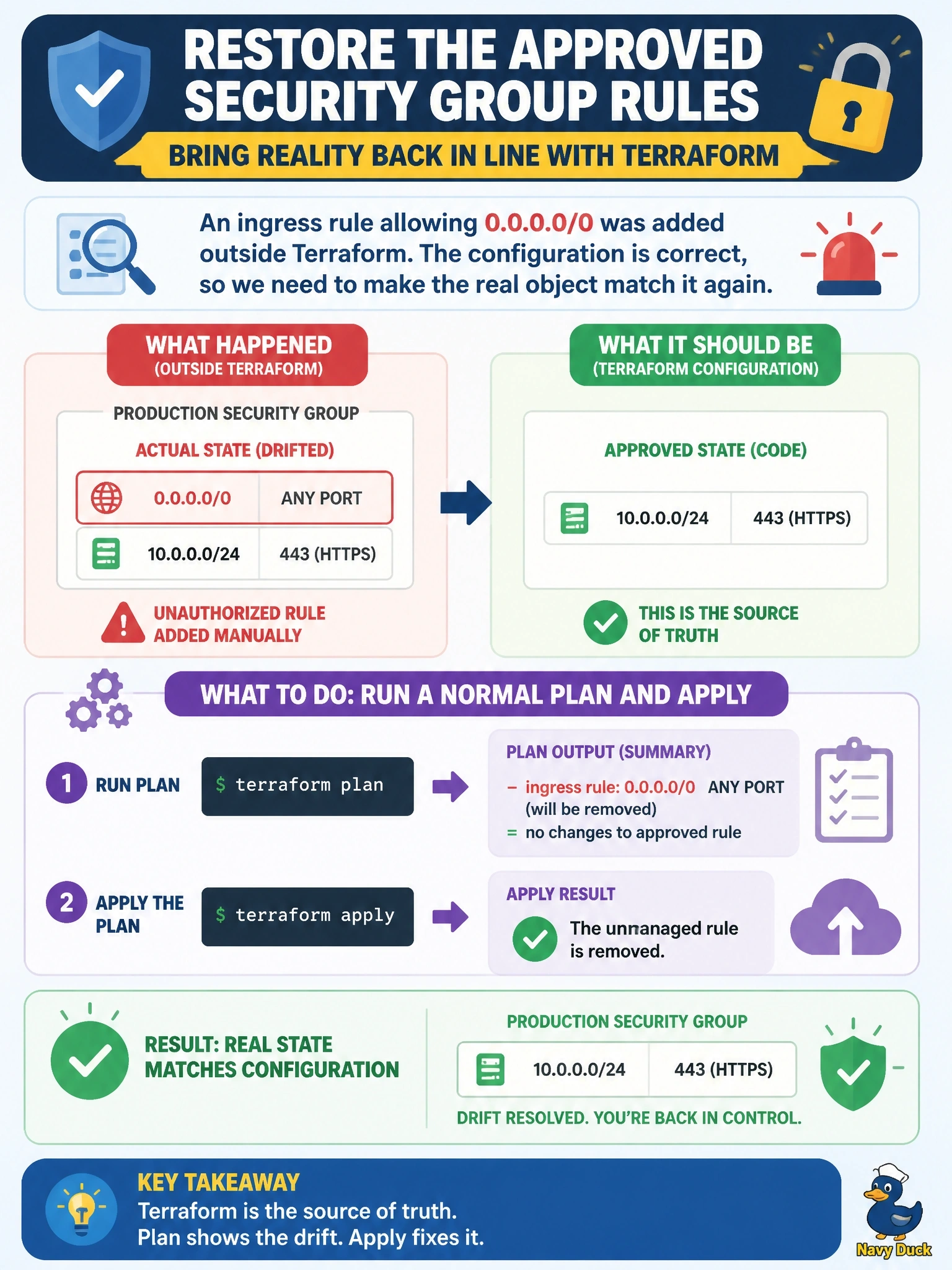
A refresh-only plan shows that an ingress rule allowing 0.0.0.0/0 was added to a production security group outside Terraform. The change was unauthorized, and the Terraform configuration is still correct. Which action restores the approved rule set?
Select an answer to reveal the explanation.
Short Explanation
Drift is a fork in the road: either reality is wrong or your code is. Here the code is right, so a normal plan and apply pushes reality back into line. The trap is the refresh-only apply, which would bless the bad rule by writing it into state.
Full Explanation
Terraform's normal planning mode refreshes state, compares the real objects with the configuration, and proposes whatever actions make the infrastructure match the configuration. When an unauthorized change has been made, a standard plan therefore shows an update that removes the extra rule, and applying it reverts the drift. This is the correct remediation whenever the configuration represents the approved intent. Refresh-only apply does the opposite job: it accepts the external change into state and never modifies infrastructure, so it cannot remove the rule. Adding the attribute to ignore_changes tells Terraform to stop proposing updates for it, which hides the exposure and leaves the open rule in place permanently. Import is for adopting an existing object under a resource address; importing the rule would put it under management with configuration describing it, which keeps the rule rather than removing it. Exam caveat: Terraform can only revert drift in attributes and objects it manages, so a change to something it does not track never appears in a plan at all. Operational check: review the plan to confirm only the unauthorized rule is removed, apply it, and investigate who changed the console so access can be tightened.