
You are configuring a GitHub Copilot agent and need to add a custom MCP server that exposes a database query tool. Your agent definition file currently has no tools section. Which configuration block correctly adds the MCP server so the agent can discover and call the database tool?
Select an answer to reveal the explanation.
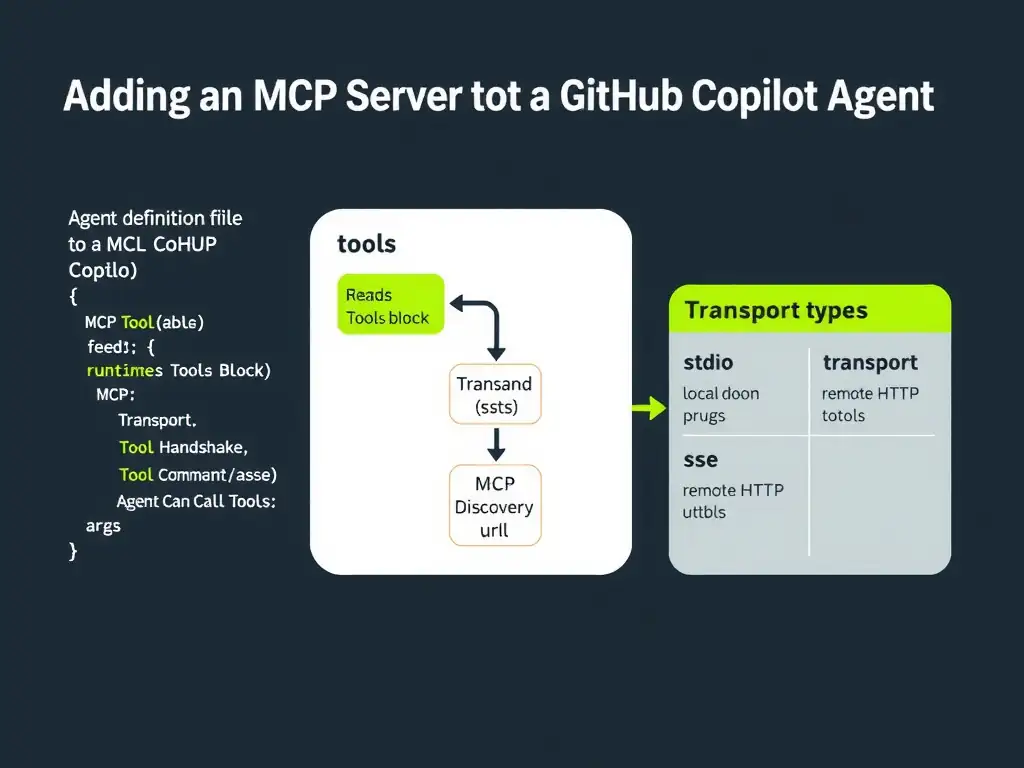
Short Explanation
Think of an MCP server like a power strip — you plug it into the agent with a tools block containing an mcp entry. You specify the server name, transport (stdio or sse), and the command or url needed to launch or connect. The other approaches describe fictional mechanisms that don't exist in the GitHub Copilot agent spec.
Full Explanation
GitHub Copilot agents use a structured definition file (typically copilot-agent.yml or equivalent) to declare the tools they can access. When adding an MCP (Model Context Protocol) server, the correct approach is to include a tools section with an mcp array entry. Each entry requires at minimum: a name (how the agent refers to the server), a transport specifier (stdio for a locally spawned process or sse for a server-sent events HTTP endpoint), and either a command/args array (for stdio) or a url (for sse) so the runtime knows how to start or connect to the server. The configuration that adds a plugins section listing the MCP server URL under external_tools, then restarts the agent runner, is incorrect because there is no plugins or external_tools key in the Copilot agent definition spec. This terminology belongs to other plugin ecosystems (e.g., VS Code extensions), not MCP configuration. The configuration that adds a tools section with an mcp entry specifying the server name, transport type, and the command or url used to launch or connect to the server is correct. The tools block with an mcp entry is the canonical way to register an MCP server. The runtime reads this at startup, spawns or connects to the server, introspects the available tools via the MCP handshake, and makes them callable by the model. The configuration that adds an extensions key referencing the MCP server's npm package name and expects the Copilot runtime to install and register it automatically is incorrect. While MCP servers can be distributed as npm packages, the agent does not auto-install packages from an extensions key. The operator must install the server separately and then configure it in the tools section. The configuration that registers the MCP server in the repository's CODEOWNERS file under a [tools] header so GitHub grants the agent access is incorrect. CODEOWNERS is a GitHub repository feature for code review ownership; it has no role in agent tool configuration or permissions. Understanding this syntax is foundational because every other MCP-related configuration task — allow lists, remote endpoints, registries — builds on top of having a correctly declared MCP server entry in the tools block.