
A security engineer is reviewing Windows Defender Exploit Guard settings. Which feature prevents untrusted DLLs from being loaded from UNC paths, protecting against DLL injection from network shares?
Select an answer to reveal the explanation.
Short Explanation
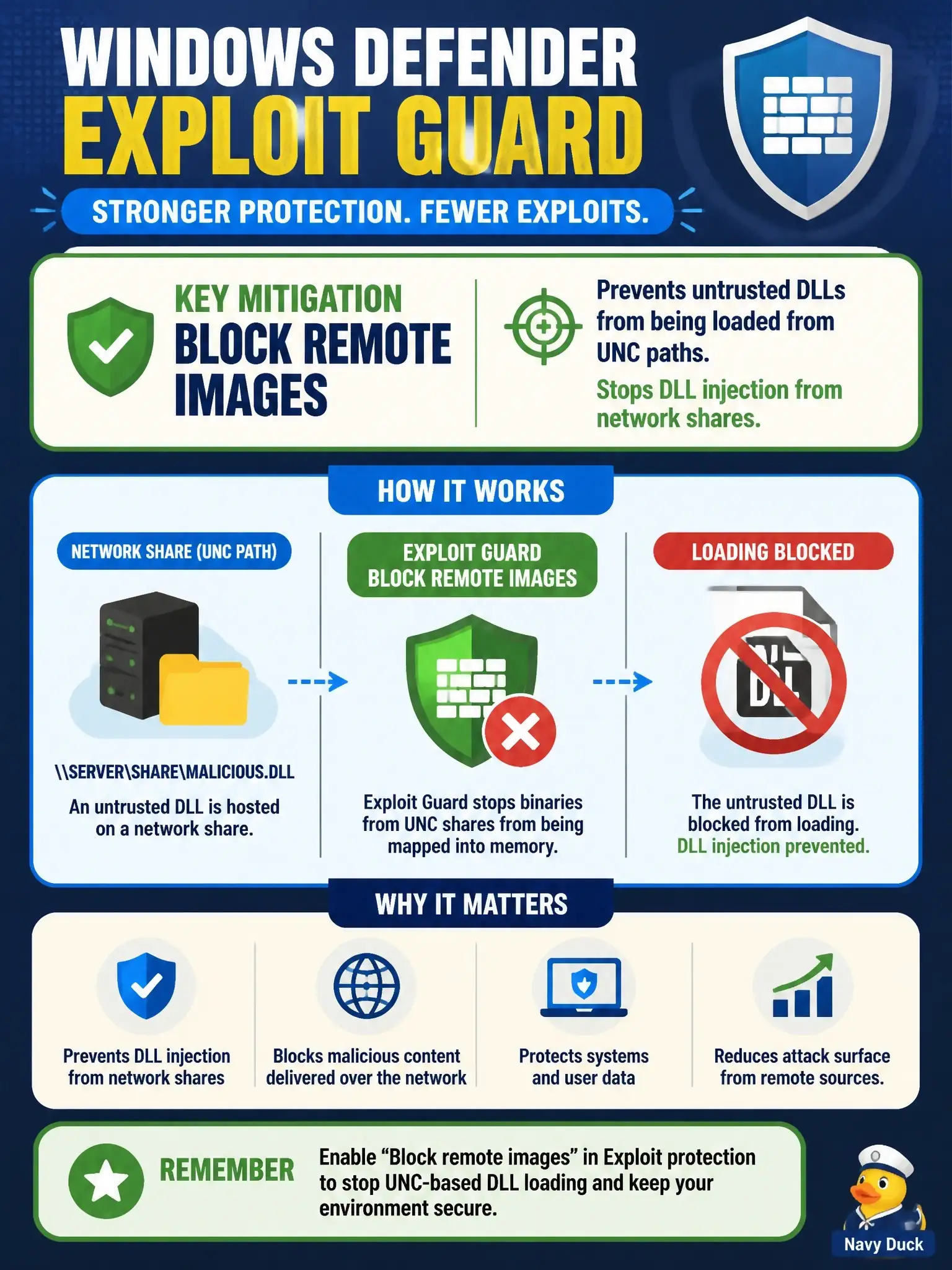
Picture a bouncer who won't let in anyone arriving from another building: that's Block remote images. It's an Exploit protection mitigation that refuses to map a DLL or other binary into memory when it lives on a remote device like a UNC share. Controlled Folder Access, Network Protection and Control Flow Guard all guard different doors.
Full Explanation
Exploit protection in Windows Defender Exploit Guard includes a mitigation called Block remote images, which prevents a process from loading image files hosted on a remote device such as a UNC share. It is enforced by the memory manager, which refuses to map the remote file into memory and returns an access-denied status, so a DLL planted on an attacker-controlled share never executes in the process. It can be set system-wide or per application, and applications that legitimately load plug-ins from network paths will break under it. Controlled Folder Access is wrong because it stops untrusted processes from modifying files in protected folders, a ransomware defense that says nothing about where a DLL is loaded from. Network Protection is wrong because it blocks outbound connections to malicious domains and IP addresses rather than governing image loads. Control Flow Guard is wrong because, although it is also an Exploit protection mitigation, it validates indirect call targets to resist memory-corruption exploits and does not check a module's location. An exam caveat is that Attack Surface Reduction rules target behaviors like Office macros and obfuscated scripts and include no rule for remote DLL loads. To verify, enable the mitigation for a test process and watch the Exploit protection event log when it tries to load a DLL from a share.