
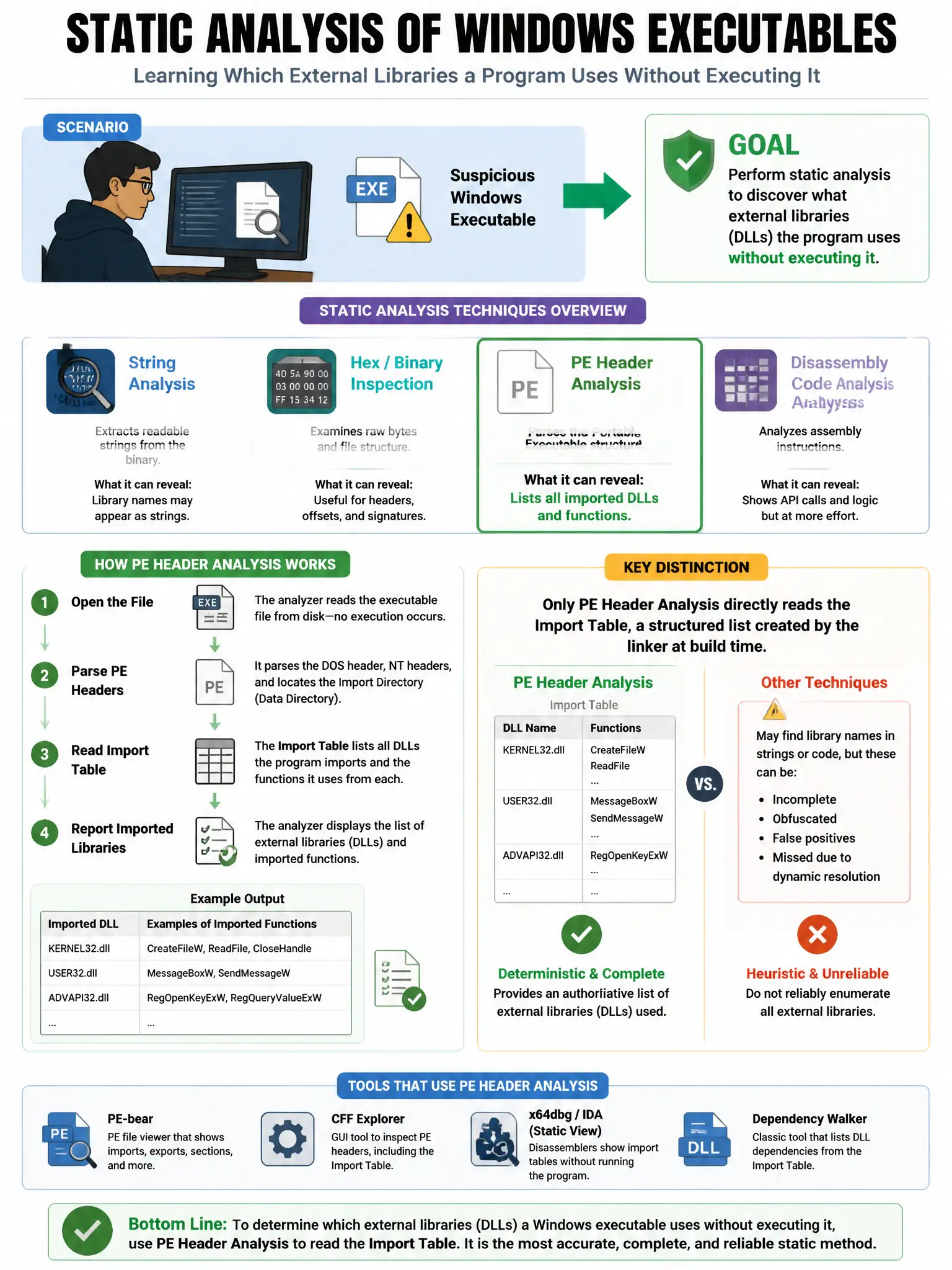
An analyst is examining a suspicious Windows executable and wants to perform static analysis without executing it. Which technique provides information about what external libraries and functions the binary calls?
Select an answer to reveal the explanation.
Short Explanation
Here's the deal — examining the PE Import Address Table gives you the DLLs and functions the binary imports, so you see capabilities without running it. Imports like CreateRemoteThread, VirtualAllocEx, and WriteProcessMemory point to injection, WinInet/WinHTTP points to C2, and CryptEncrypt points to ransomware. Sandboxing would run the file, which isn't static analysis.
Full Explanation
Examining the PE Import Address Table is correct because it lists all external DLLs and functions the binary uses; imports like CreateRemoteThread, VirtualAllocEx, and WriteProcessMemory suggest injection; WinInet/WinHTTP suggests C2 communication; CryptEncrypt suggests ransomware — all without executing the file. The sandbox option is wrong because sandbox analysis involves executing the binary, while the question asks for static analysis without execution. The strings option is wrong because strings analysis is static and useful but shows readable strings, not structured import information about specific API functions called. The digital signature/CRL option is wrong because certificate validation verifies the publisher's signature but does not reveal the binary's functional capabilities.