
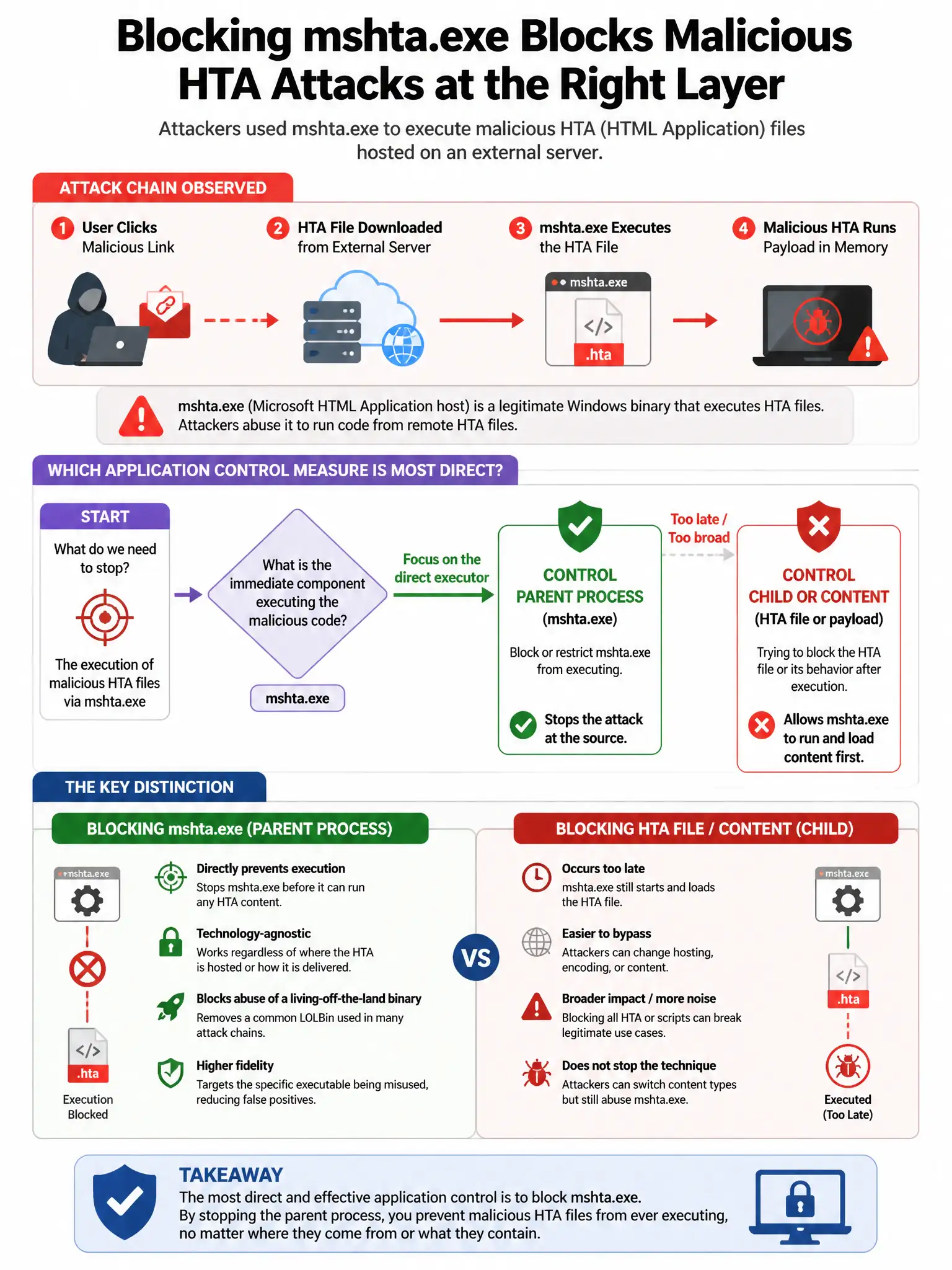
A security team discovers that attackers used 'mshta.exe' to execute malicious HTA (HTML Application) files hosted on an external server. Which application control measure most directly prevents this?
Select an answer to reveal the explanation.
Short Explanation
You need to block mshta.exe with AppLocker or WDAC because it's a built-in Windows tool attackers use to run malicious HTA files, and most environments don't need it. That stops the execution directly instead of just watching the download.
Full Explanation
Blocking mshta.exe via AppLocker or WDAC rules is correct because mshta.exe is a Windows built-in that executes HTA files and has been heavily abused by attackers for LOLBin-based malware delivery; blocking it via application control prevents this technique in environments where HTA files have no legitimate business purpose. Enabling TLS inspection on the web proxy is wrong because it provides visibility into the download but does not prevent mshta.exe from executing HTA content if it reaches the endpoint. Requiring all users to run as non-administrators is wrong because mshta.exe execution does not require administrative privileges; a standard user can execute HTA files. Enabling Windows Defender SmartScreen for all file downloads is wrong because SmartScreen checks file reputation but can be bypassed; an application control block of mshta.exe is more reliable.