
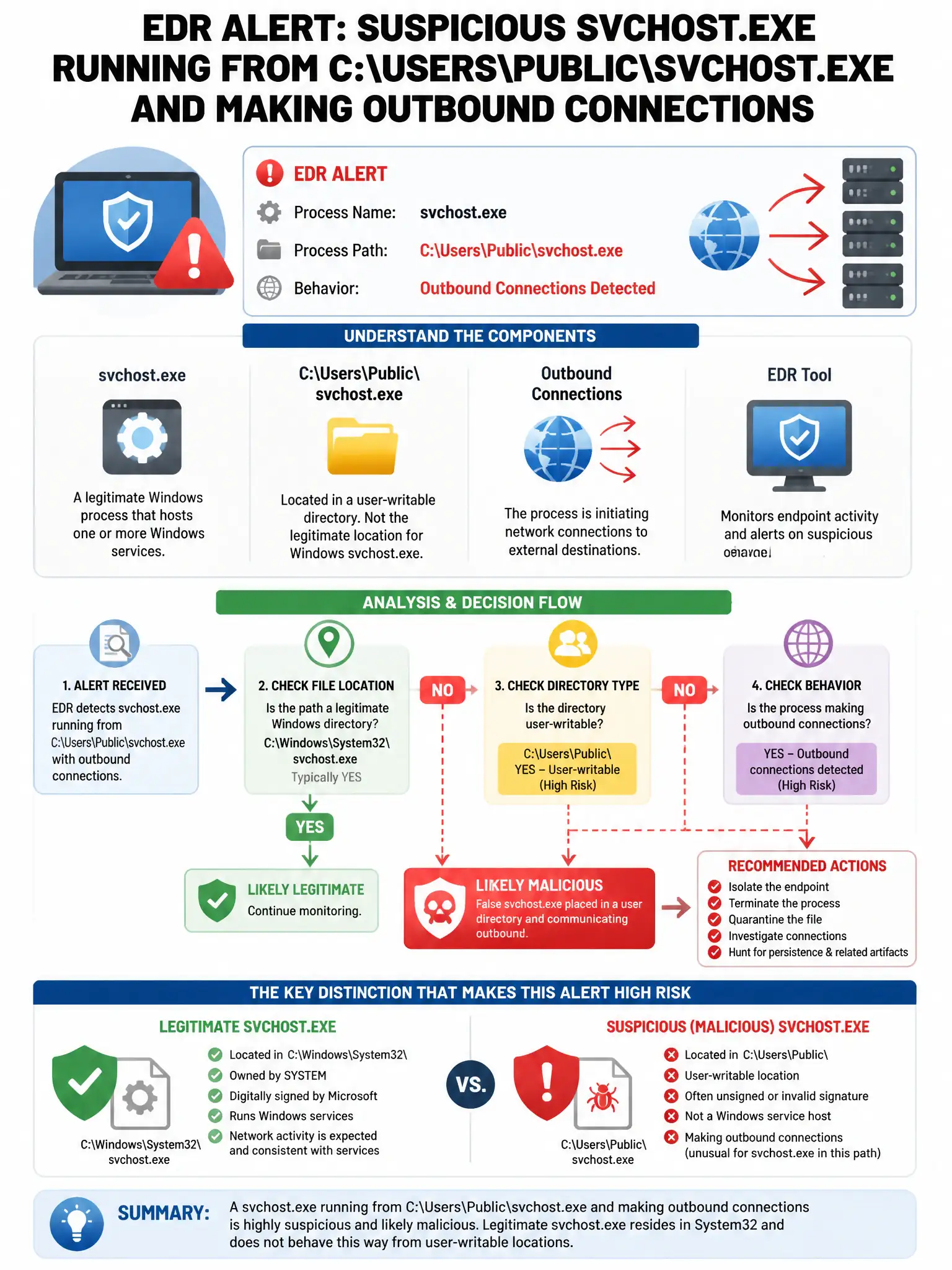
An endpoint detection and response (EDR) tool alerts that a process named 'svchost.exe' is running from the path 'C:\Users\Public\svchost.exe' and is making outbound connections. Why is this suspicious?
Select an answer to reveal the explanation.
Short Explanation
Here's the deal — you should worry because legitimate svchost.exe lives in C:\Windows\System32 (or SysWOW64). If it's running from C:\Users\Public, that's a classic masquerading trick where malware pretends to be a Windows system process.
Full Explanation
Legitimate svchost.exe only runs from C:\Windows\System32 (or SysWOW64), so running from a user-writable path indicates masquerading. Malware often disguises itself as a trusted Windows process by using the same executable name in an unexpected location such as C:\Users\Public. The option saying svchost.exe should never make network connections is wrong because legitimate svchost.exe does make network connections; the issue is the file path, not the network activity. The option saying the EDR is misconfigured and generating false alerts about system processes is wrong because the alert is valid; path-based anomalies are a strong indicator of masquerading. The option saying svchost.exe running from C:\Users\Public is normal for update processes is wrong because no legitimate Windows update mechanism places svchost.exe in user-accessible directories.