
A Windows endpoint protection team wants to prevent macro execution in Microsoft Office documents delivered via email. Which combination of controls provides defense in depth for this threat?
Select an answer to reveal the explanation.
Short Explanation
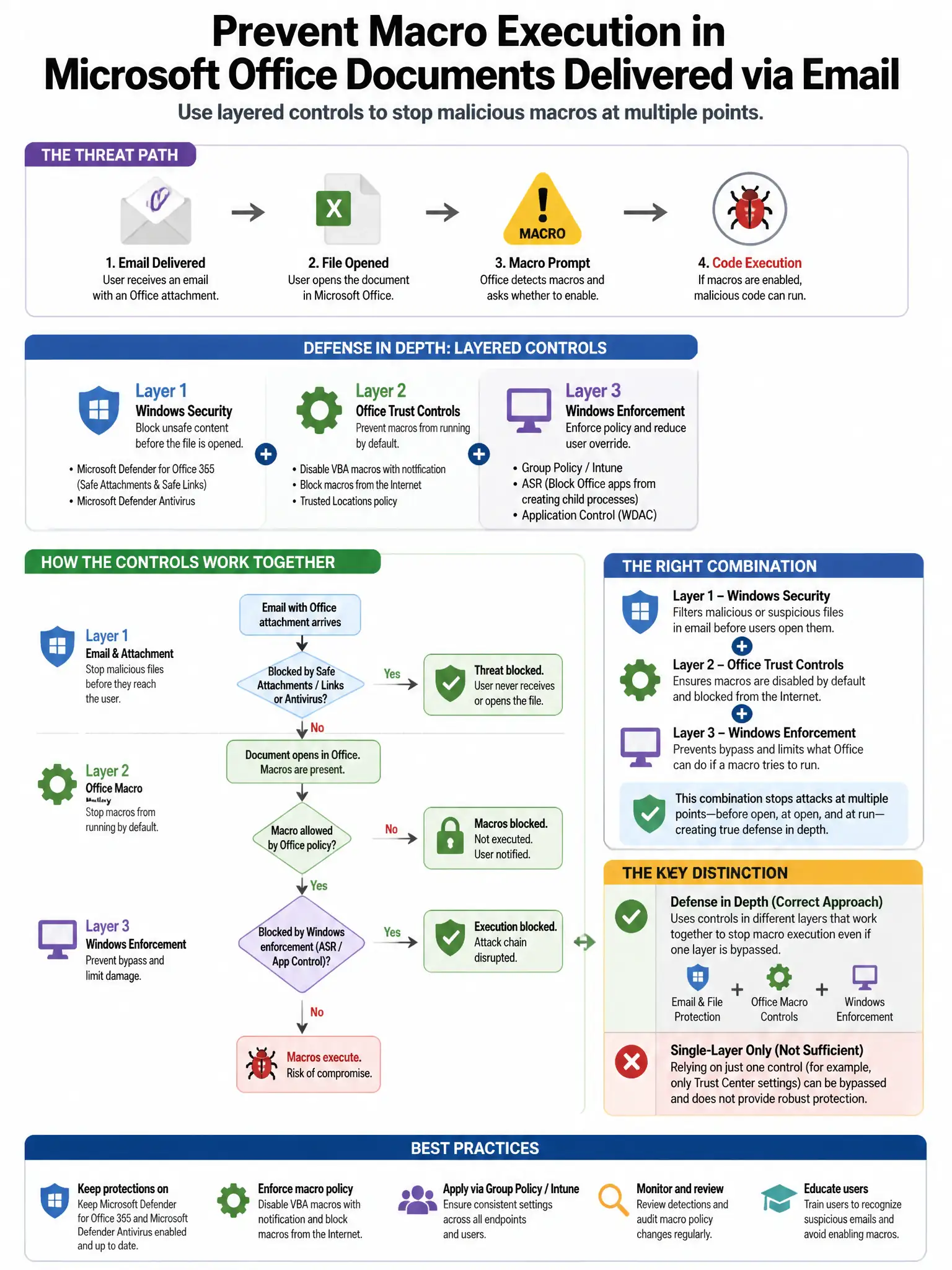
Here's the deal — you need layered controls that stop macro malware before it runs. Group Policy with Mark of the Web disables macros in internet-sourced Office files, Attack Surface Reduction rules block Office from spawning child processes like cmd.exe or wscript.exe, and email gateway filtering stops macro-enabled attachments early. Antivirus alone, blanket attachment blocking, or user training alone won't give you that defense in depth.
Full Explanation
The correct combination disables macros for internet-sourced Office documents via Group Policy Mark of the Web/MOTW enforcement, enables Attack Surface Reduction rules blocking Office child processes, and filters macro-enabled attachments at the email gateway. These layered controls address the threat at multiple points: Mark of the Web disables macros in externally sourced files, Attack Surface Reduction rules prevent Office from spawning malicious child processes such as cmd.exe and wscript.exe, and email gateway filtering stops macro-enabled files before delivery. The antivirus-only approach is wrong because signature detection alone is bypassed by obfuscated or novel macro code. The blanket attachment-blocking approach is wrong because blocking all email attachments is operationally unacceptable for most organizations. The user-training-only approach is wrong because training alone is insufficient; humans are successfully phished even with training, especially under social engineering pressure.