
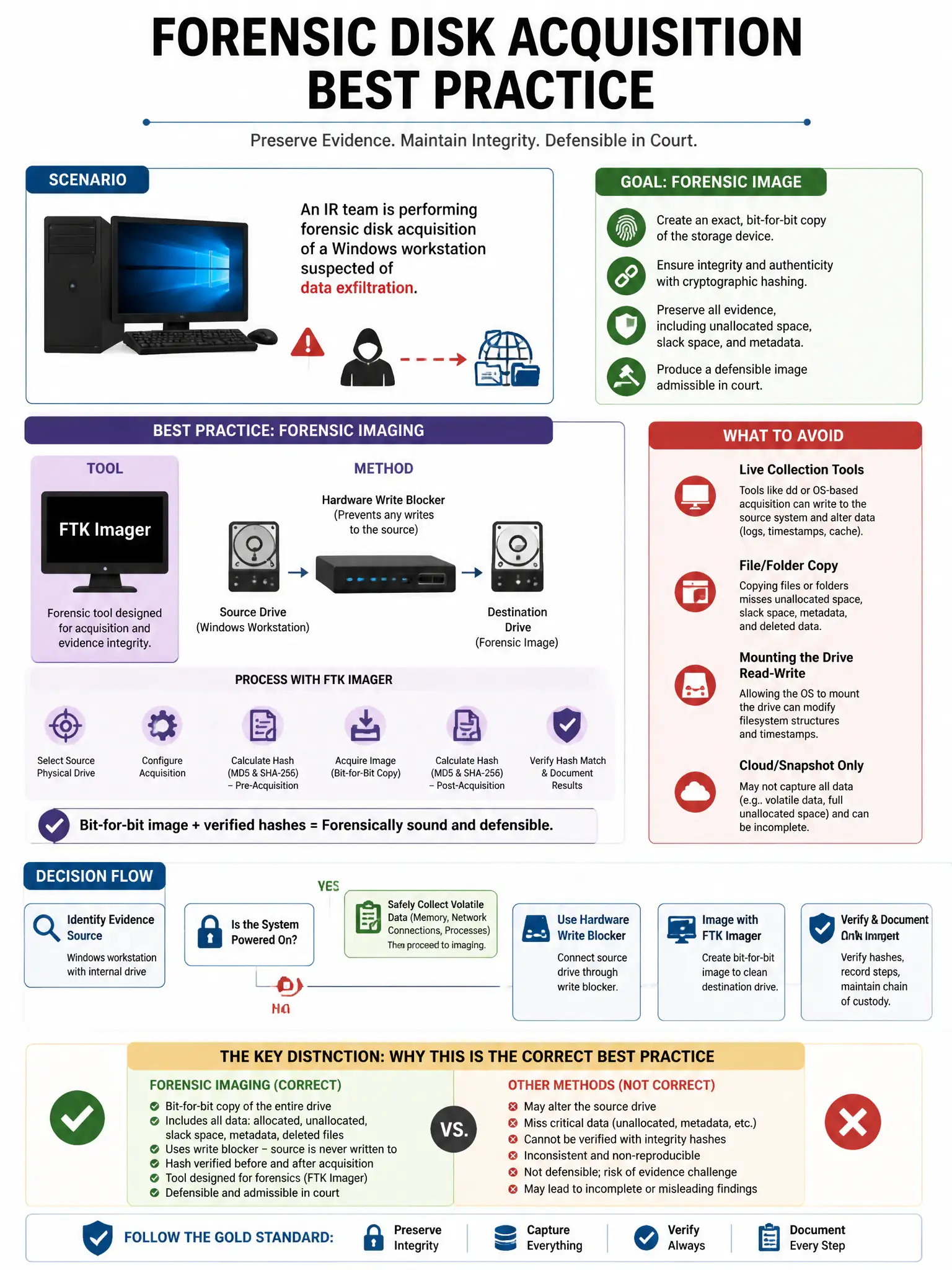
An IR team is performing forensic disk acquisition of a Windows workstation suspected of data exfiltration. Which tool and method represent best practice for forensic imaging?
Select an answer to reveal the explanation.
Short Explanation
Here's the deal — use a hardware write blocker on the removed drive, then image it with a forensic tool like FTK Imager or dc3dd. That gives you a bit-for-bit copy with hashes to prove nothing changed.
Full Explanation
The hardware write blocker with forensic imaging using a tool like FTK Imager or dc3dd is correct because the write blocker prevents any modification to the evidence drive, the forensic imaging tool captures a bit-for-bit copy including slack space and deleted files, and hashing before and after verifies the image is an exact copy, meeting forensic admissibility standards. Copying the C:\ drive with Windows Explorer to a USB drive is wrong because Windows Explorer only copies accessible files, misses deleted and system files, and modifies file access timestamps on the source. Booting the suspect machine from a live USB and using cp to copy all files is wrong because booting the suspect machine without a write blocker may modify the disk through swap, logs, and timestamps. Using Windows Backup to create a system image is wrong because Windows Backup creates a system restore image, not a forensic evidence image, and does not preserve deleted data.