
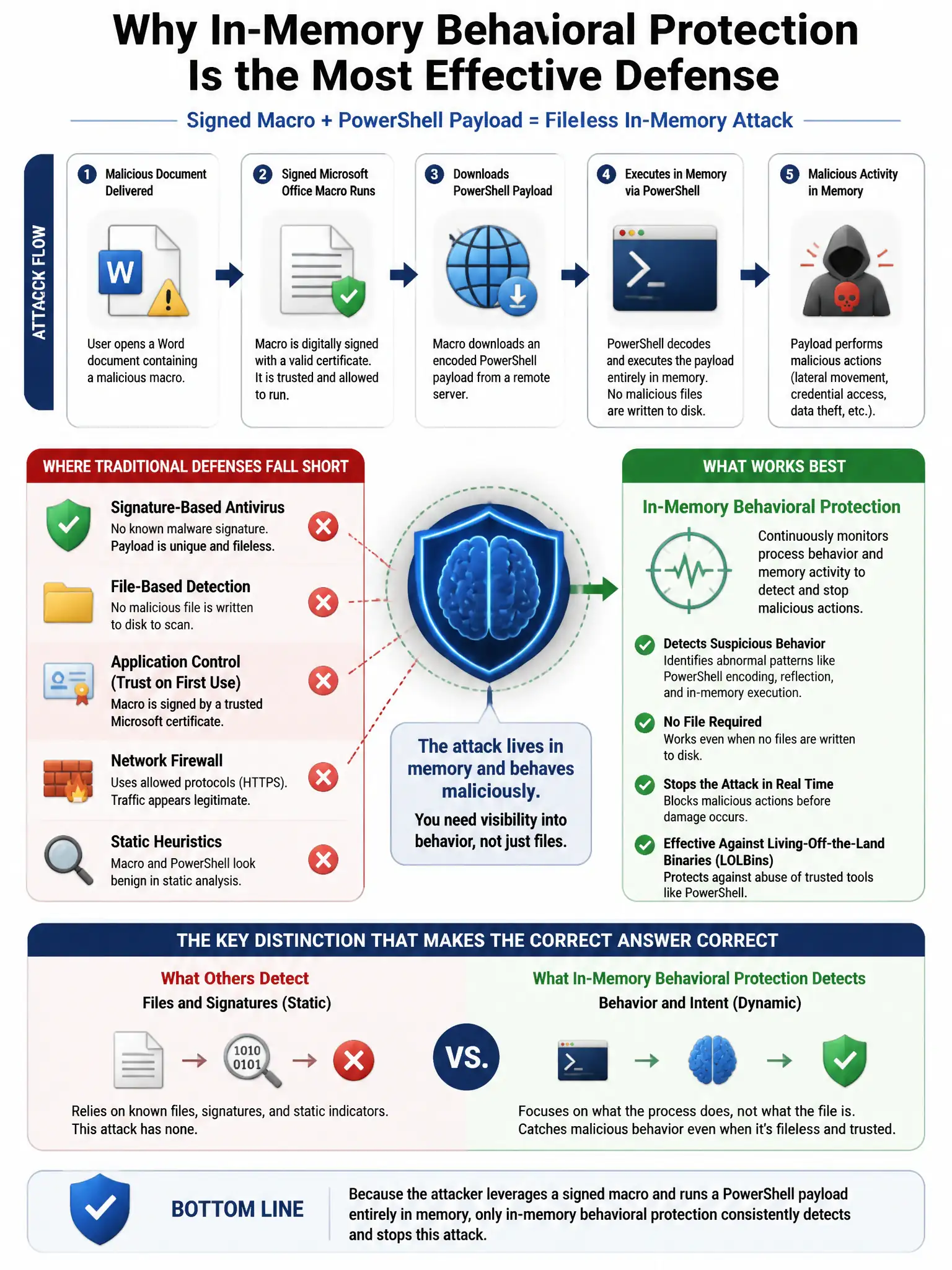
An attacker bypasses endpoint antivirus using a signed Microsoft Office macro to download a PowerShell payload that runs entirely in memory. Which endpoint defense capability MOST effectively detects this attack?
Select an answer to reveal the explanation.
Short Explanation
You need application control that stops Office macros from launching PowerShell, plus EDR behavioral monitoring to catch in-memory code. That combo blocks the macro-to-PowerShell stage and still sees fileless execution when there's no file to scan.
Full Explanation
The correct capability is application control blocking Office macros from spawning PowerShell combined with EDR behavioral monitoring of in-memory code execution. Attack Surface Reduction-style application control prevents the initial stage by stopping Office from spawning child processes such as PowerShell. EDR behavioral monitoring detects anomalous in-memory execution patterns even for completely fileless attacks. Traditional signature-based antivirus with daily definition updates is wrong because the payload runs entirely in memory and has no file to scan, so signatures are ineffective. Full disk encryption protecting sensitive data from unauthorized access is wrong because it protects data at rest and has no relevance to in-memory execution. Network-level content filtering that blocks Office document downloads is wrong because it may block some delivery vectors but does not prevent malicious macros within documents users legitimately receive and open.