
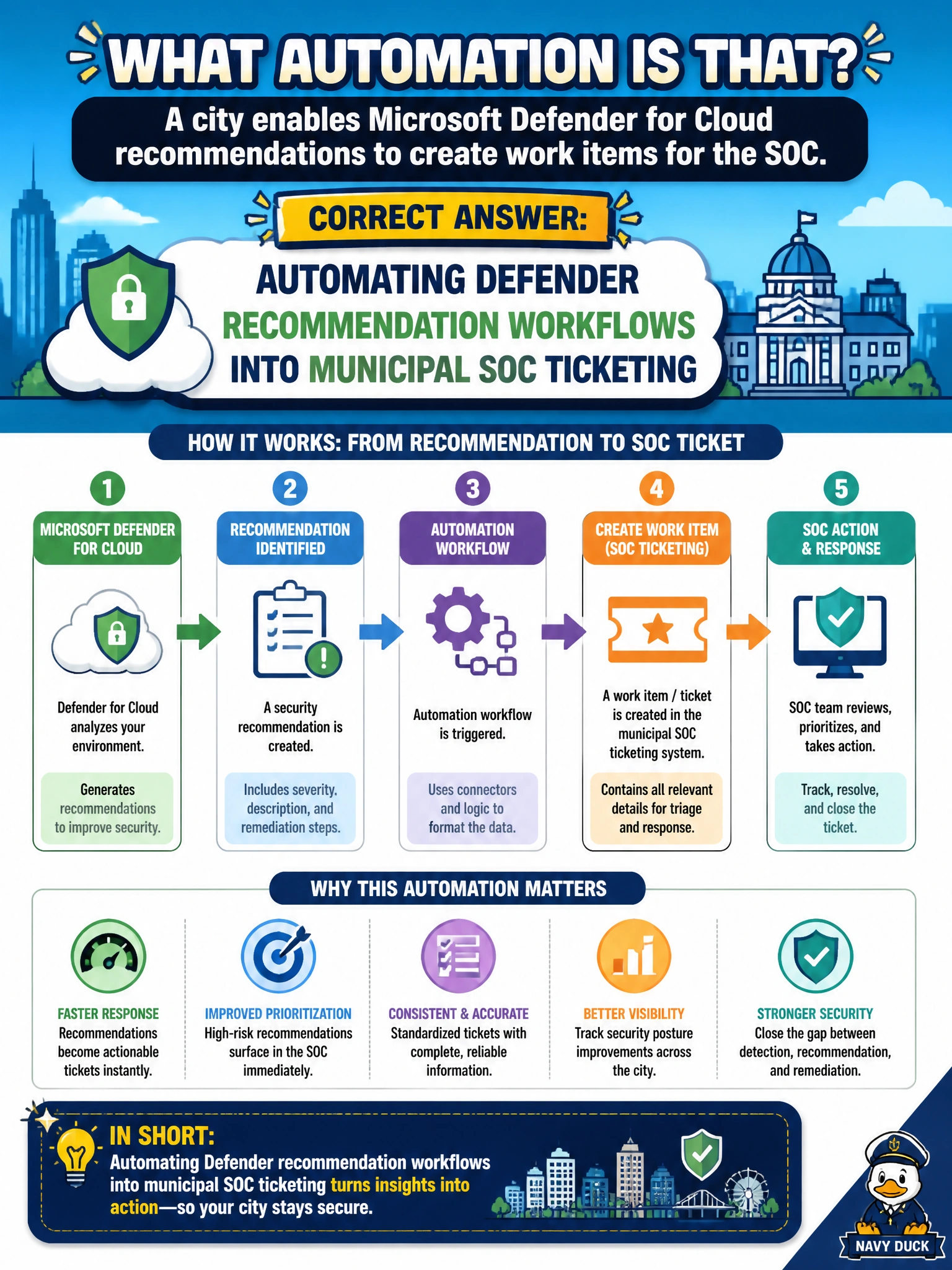
A city enables Microsoft Defender for Cloud recommendations to create work items for the SOC. What automation is that?
Select an answer to reveal the explanation.
Short Explanation
You'll get more value when Defender recommendations become SOC work items than when you're just automating Defender recommendation snapshots into municipal SOC ticketing, since snapshots are static copies, not live workflow tickets. Automate the handoff into the city's ticketing queue. Automating Defender recommendation governance rules into municipal SOC ticketing won't open tickets for you — it's accountability with owners and due dates, not workflow ticketing automation.
Full Explanation
Enabling Microsoft Defender for Cloud recommendations to create work items for the SOC is automation that turns posture findings into municipal operational workflow. Recommendations become trackable tickets with owners, SLAs, and evidence of closure instead of living only as unread blades in the Azure portal. For a city SOC, that integration connects secure-score and misconfiguration debt to the same queue that handles incidents, so hardening work competes fairly for attention and can be reported to leadership with completion metrics.
Automating Defender recommendation snapshots into municipal SOC ticketing fails this scenario: snapshotting captures point-in-time copies for record-keeping, not event-driven workflow automation that opens tracked SOC work items when recommendations trigger, and it does not route live findings to ticketing for remediation. Automating Defender recommendation governance rules into municipal SOC ticketing fails this scenario: setting governance rules establishes ownership, due dates and escalation but does not itself open tracked SOC work items from recommendations, and it still requires workflow automation to route findings to ticketing for remediation. Automating Defender recommendation telemetry into municipal SOC ticketing is a different control: it streams continuous recommendation data for analysis but does not create tracked work items in the SOC ticketing queue from Defender recommendations.
Exam caveat: Workflow automation should include severity-based routing, deduplication, and exemption handling. Not every recommendation is equally urgent; map critical/high items to SOC or cloud engineering SLAs, and use governance owners for longer-term architectural findings. Also remember recommendations can regenerate until the underlying misconfiguration is fixed—closing a ticket without fixing Azure state is theater.
Operational check: Configure Defender workflow automation or Logic Apps/ITSM connectors so new high-severity recommendations open SOC tickets with resource ID, subscription, and recommendation name; verify a test finding creates a work item; measure mean time to remediate; and report open recommendation age in the city's security metrics—not only the headline secure score percentage.
Prefer to study offline? Printable PDF study book + test engine ($7.50, unofficial). These questions stay free here.