
Which URL pattern generates a GitHub Actions workflow status badge for a specific workflow?
Select an answer to reveal the explanation.
Short Explanation and Infographic
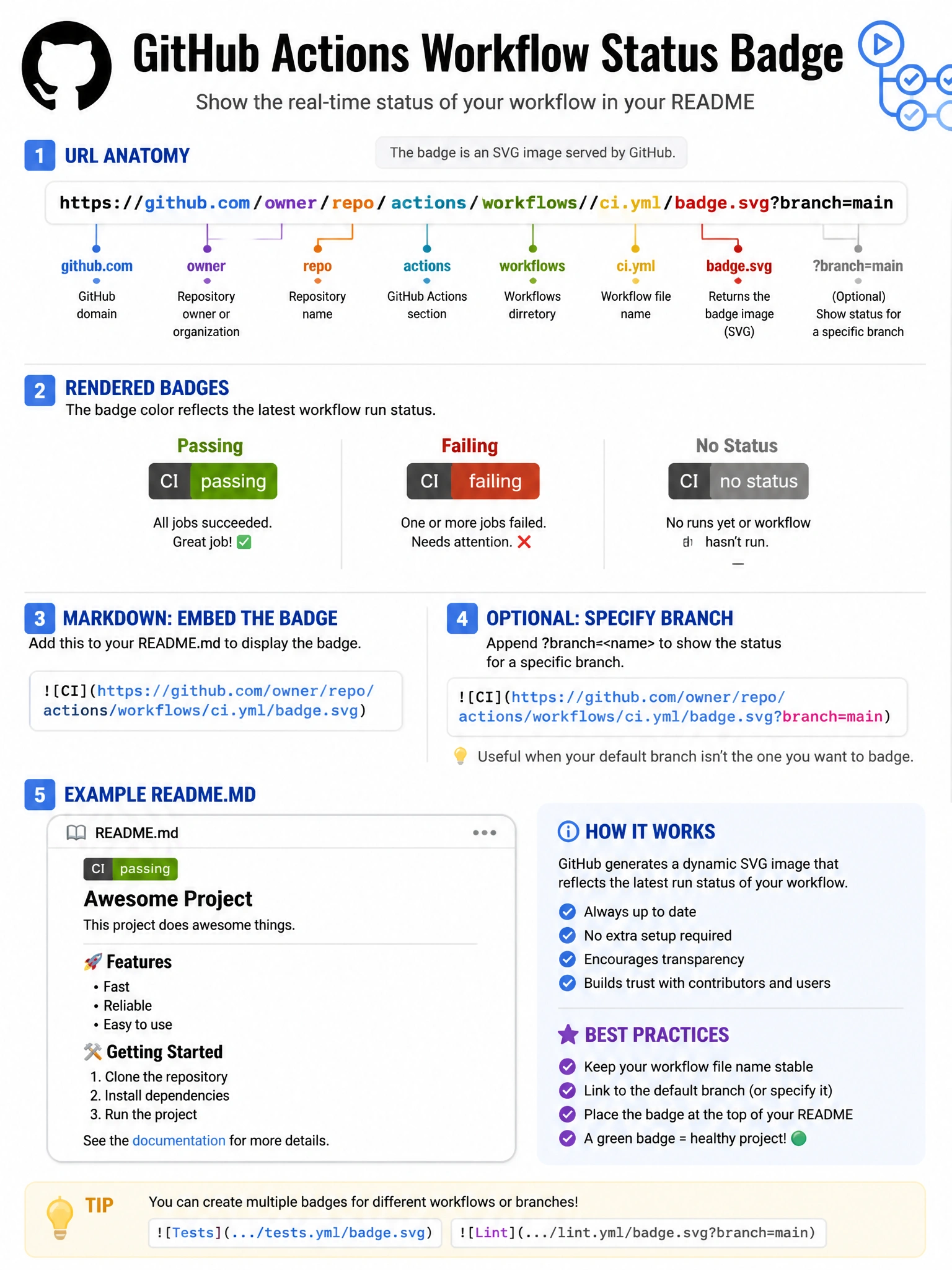
The badge URL mirrors the workflow file path: /actions/workflows/filename.yml/badge.svg — GitHub generates it automatically.
Full explanation below image
Full Explanation
GitHub automatically generates workflow status badges at the URL: 'https://github.com/{owner}/{repo}/actions/workflows/{workflow-file}.yml/badge.svg'. The badge shows the current status of the most recent run of that workflow on the default branch (or specify a branch with '?branch=main'). Add it to README.md with Markdown: '[](workflow-run-url)'. The URL uses the actual workflow filename (e.g., 'ci.yml', 'deploy.yml'). Shields.io can generate similar badges but requires their format. The GitHub badge URL only works for public repositories without authentication.