
When diagnosing self-hosted runner issues, which secret enables verbose runner infrastructure logging?
Select an answer to reveal the explanation.
Short Explanation and Infographic
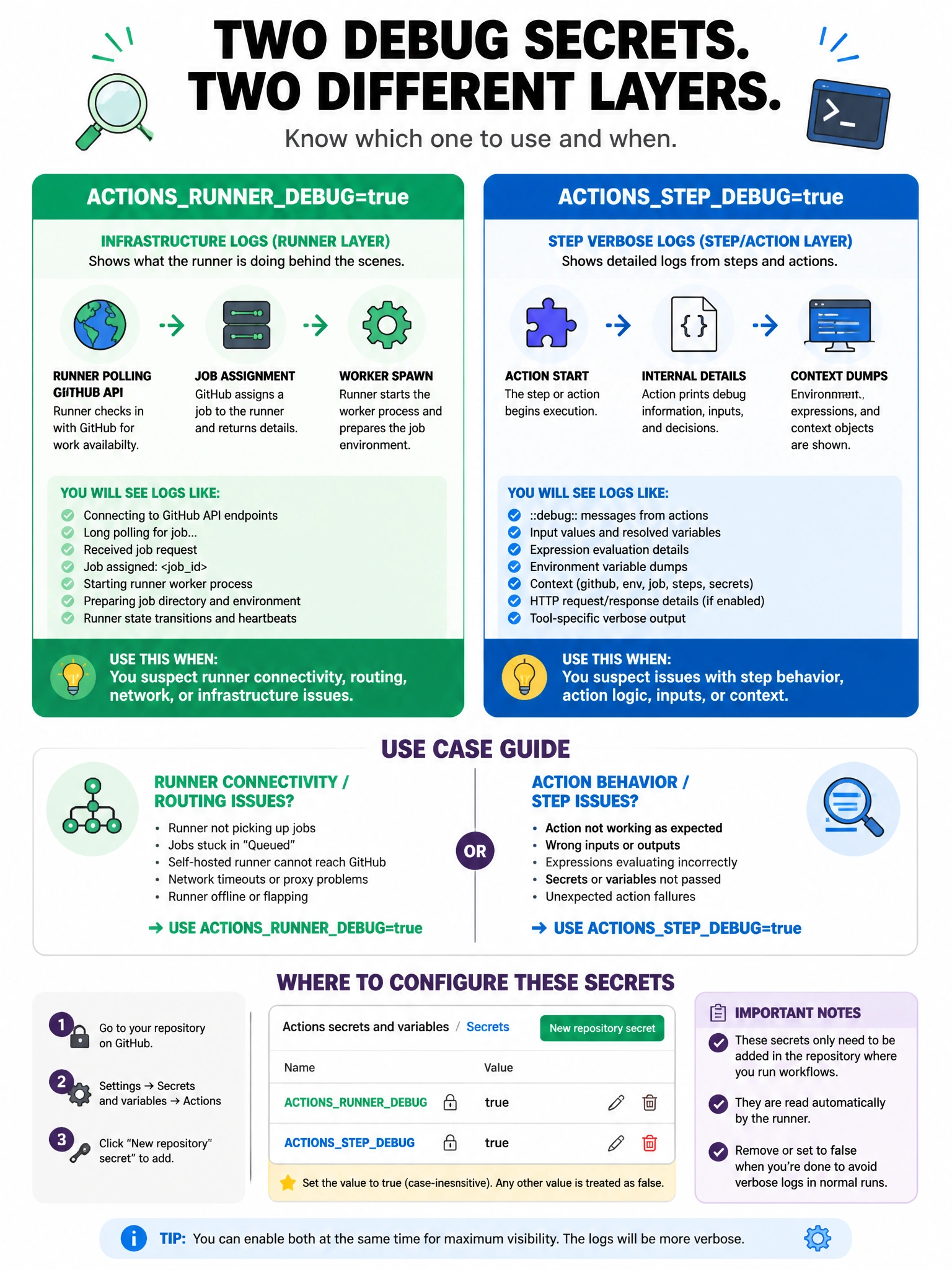
ACTIONS_RUNNER_DEBUG turns on the infrastructure firehose — you see runner heartbeats, job dispatching, and connection diagnostics.
Full explanation below image
Full Explanation
Two debug secrets exist for GitHub Actions: 'ACTIONS_RUNNER_DEBUG' enables runner diagnostic logging, which shows detailed infrastructure information like runner polling, job assignment, worker processes, and network activity. 'ACTIONS_STEP_DEBUG' enables step debug logging, showing verbose output from within each action and step. Both are set as secrets with value 'true'. For self-hosted runner issues (connectivity problems, registration failures, job routing), ACTIONS_RUNNER_DEBUG is more relevant. For action behavior issues, ACTIONS_STEP_DEBUG is more useful. Logs are downloadable from the workflow run page.