
When should an organization prefer code scanning advanced setup over default setup for GitHub Advanced Security?
Select an answer to reveal the explanation.
Short Explanation and Infographic
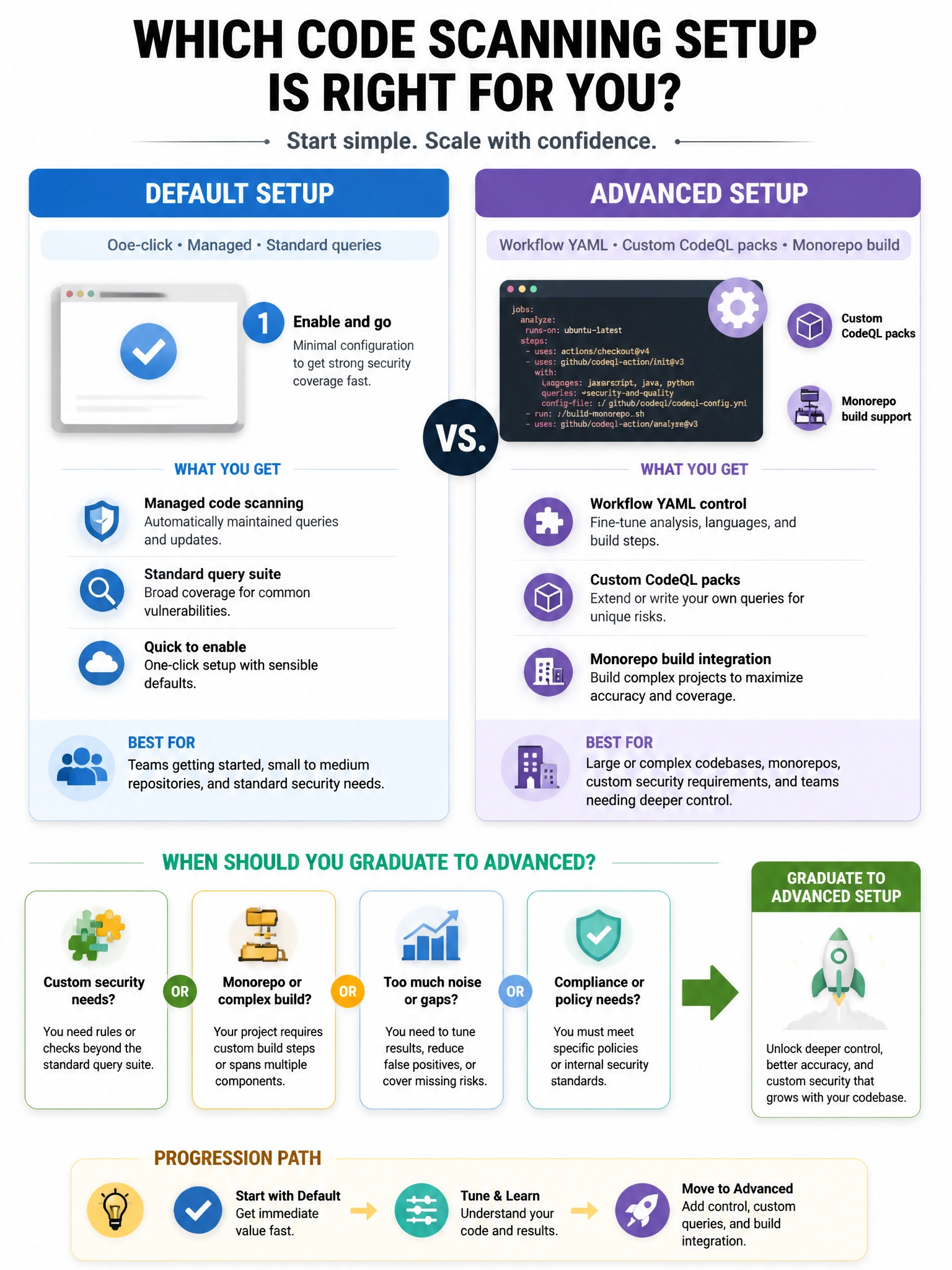
Default setup is the easy on-ramp for broad code scanning coverage; advanced setup is for custom CodeQL queries, tricky monorepo builds, and workflow-level control. Not for wiping alerts.
Full explanation below image
Full Explanation
Code scanning default setup enables GitHub-managed analysis with minimal configuration and is ideal for rapid coverage across many repositories. Advanced setup uses a repository workflow (typically CodeQL) so teams can customize languages, build steps, query suites, and scheduling for complex monorepos or specialized analysis. Prefer advanced setup when default setup cannot compile the code correctly or when custom queries are required for compliance. Advanced setup is not limited to empty binary-only repos, does not exist to hide alerts from Security Overview, and is not a Free-personal-account-only feature. Administrators often start with default setup at scale, then graduate high-value or complex repos to advanced workflows while keeping enterprise enablement policies consistent.