
What is the GitHub Enterprise 'verified domain' feature for organizations?
Select an answer to reveal the explanation.
Short Explanation and Infographic
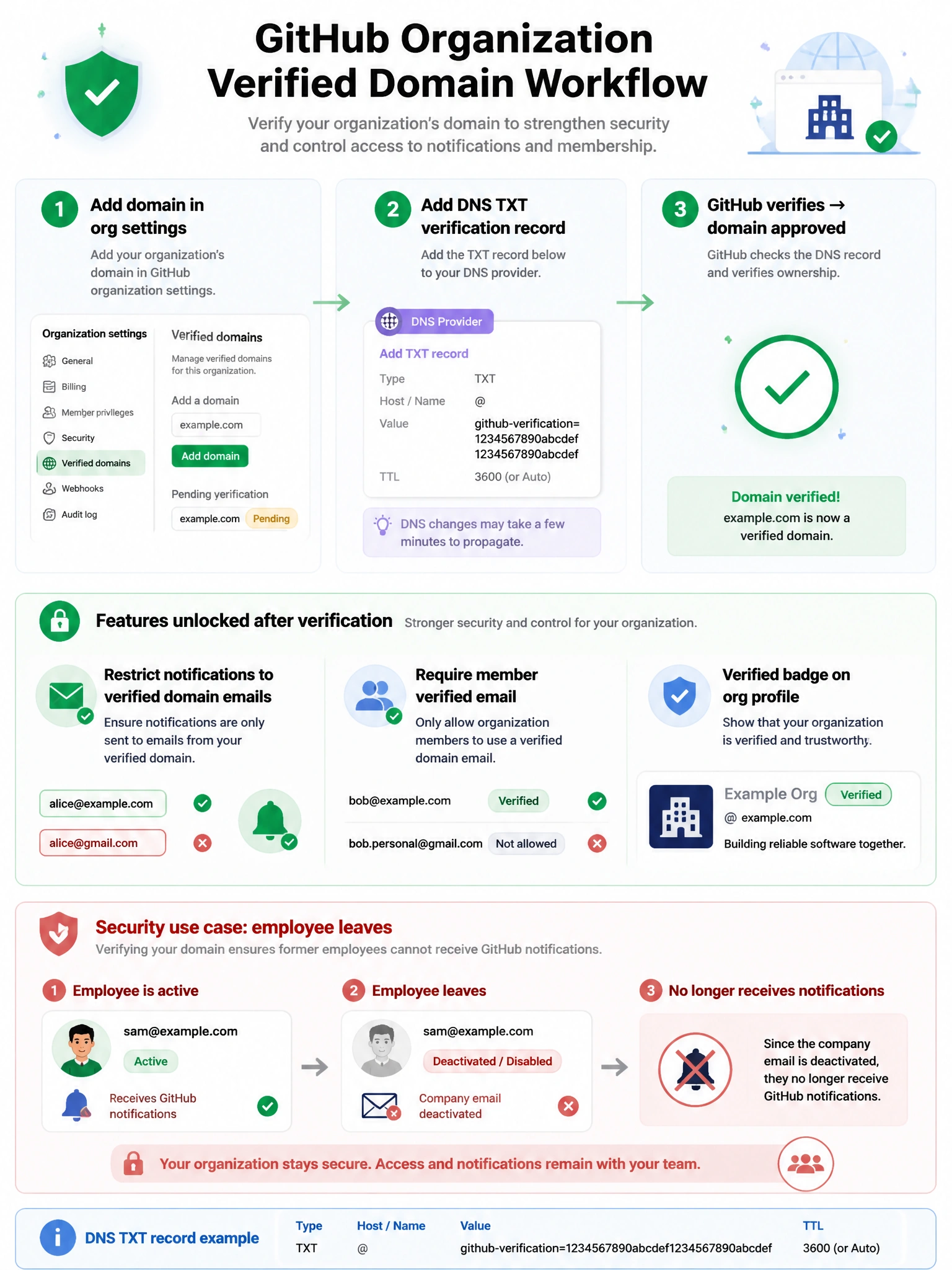
Verified domains let orgs take ownership of their email domain on GitHub. After DNS verification, you can require that members use company email addresses, restrict which emails receive GitHub notifications, and get a trust badge on the org profile. It's identity assurance for your organization.
Full explanation below image
Full Explanation
GitHub organization verified domains provide several security and identity benefits: (1) Verification process — org owners add a DNS TXT record to prove domain ownership. GitHub verifies the record. (2) Restrict notification email — once verified, org owners can restrict all GitHub notification emails to only go to verified domain addresses (preventing notifications to personal email accounts that leave the company). (3) Require member email — org owners can require that all members have at least one email on a verified domain on their GitHub accounts. (4) Approved email domain badge — the organization's profile shows a badge next to the verified domain. (5) Security benefit — ensures that departing employees lose access to org email notifications when their company email is deactivated. Multiple domains can be verified per organization.