
What is the GitHub Actions 'schedule' trigger and what format does it use?
Select an answer to reveal the explanation.
Short Explanation and Infographic
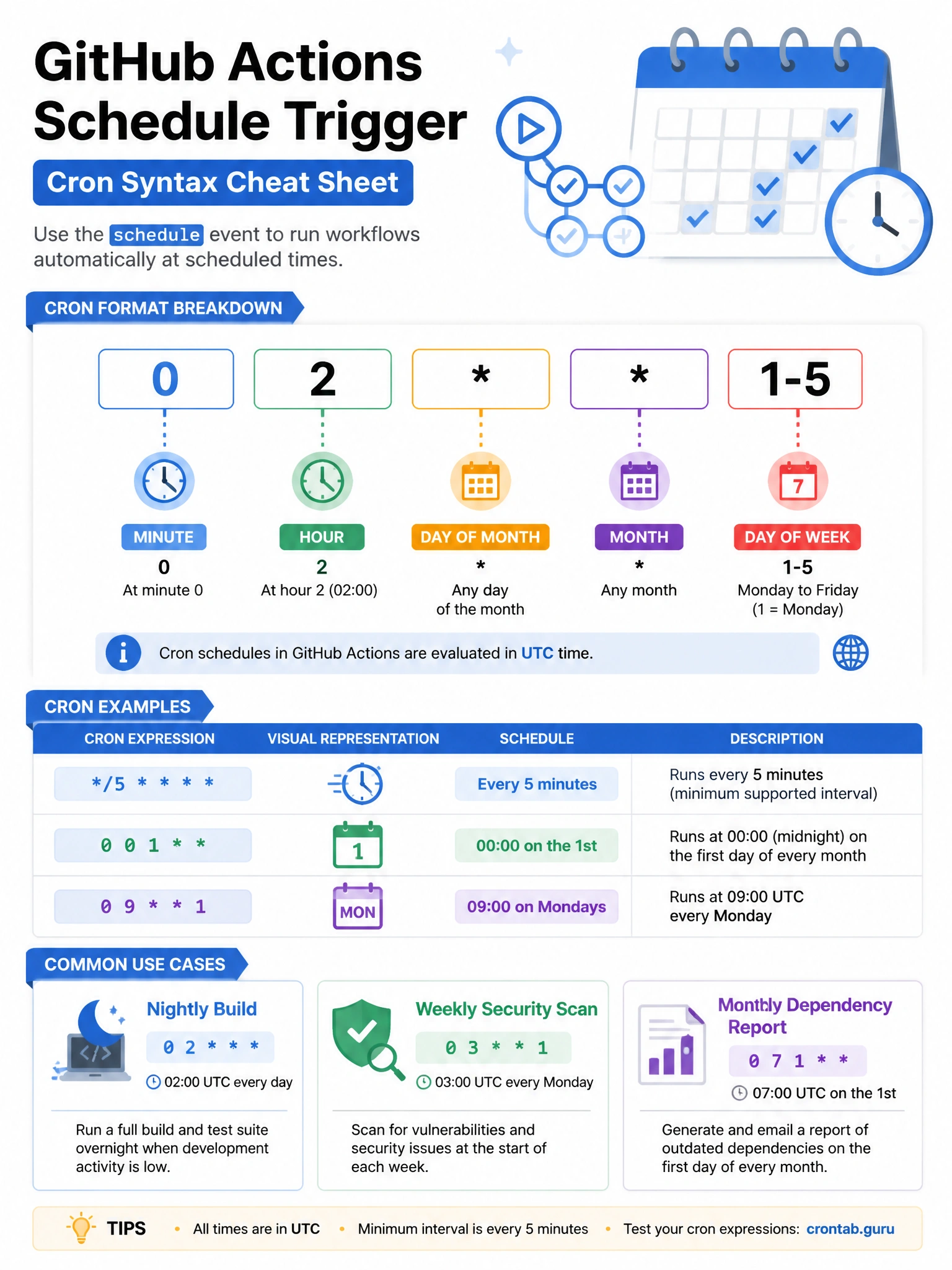
Scheduled workflows use standard cron syntax. '0 2 1-5' means 2 AM UTC, Monday through Friday. GitHub always interprets schedule times as UTC — no timezone conversion. Great for nightly builds, weekly dependency checks, or daily security scans.
Full explanation below image
Full Explanation
The 'schedule' trigger in GitHub Actions uses POSIX cron syntax to run workflows on a time-based schedule. Format: '- cron: "minute hour day-of-month month day-of-week"'. The five fields: minute (0-59), hour (0-23), day-of-month (1-31), month (1-12), day-of-week (0-6, 0=Sunday). All times are in UTC. Examples: '0 2 ' = 2:00 AM UTC daily, '0 0 0' = midnight UTC every Sunday, '/15 ' = every 15 minutes. Important notes: (1) The shortest interval is every 5 minutes. (2) Scheduled workflows only run on the default branch. (3) If no workflow run has occurred for 60 days, GitHub may disable the schedule. (4) During peak times, there can be delays.