
What are 'GitHub Actions environments' and how do they provide deployment protection?
Select an answer to reveal the explanation.
Short Explanation and Infographic
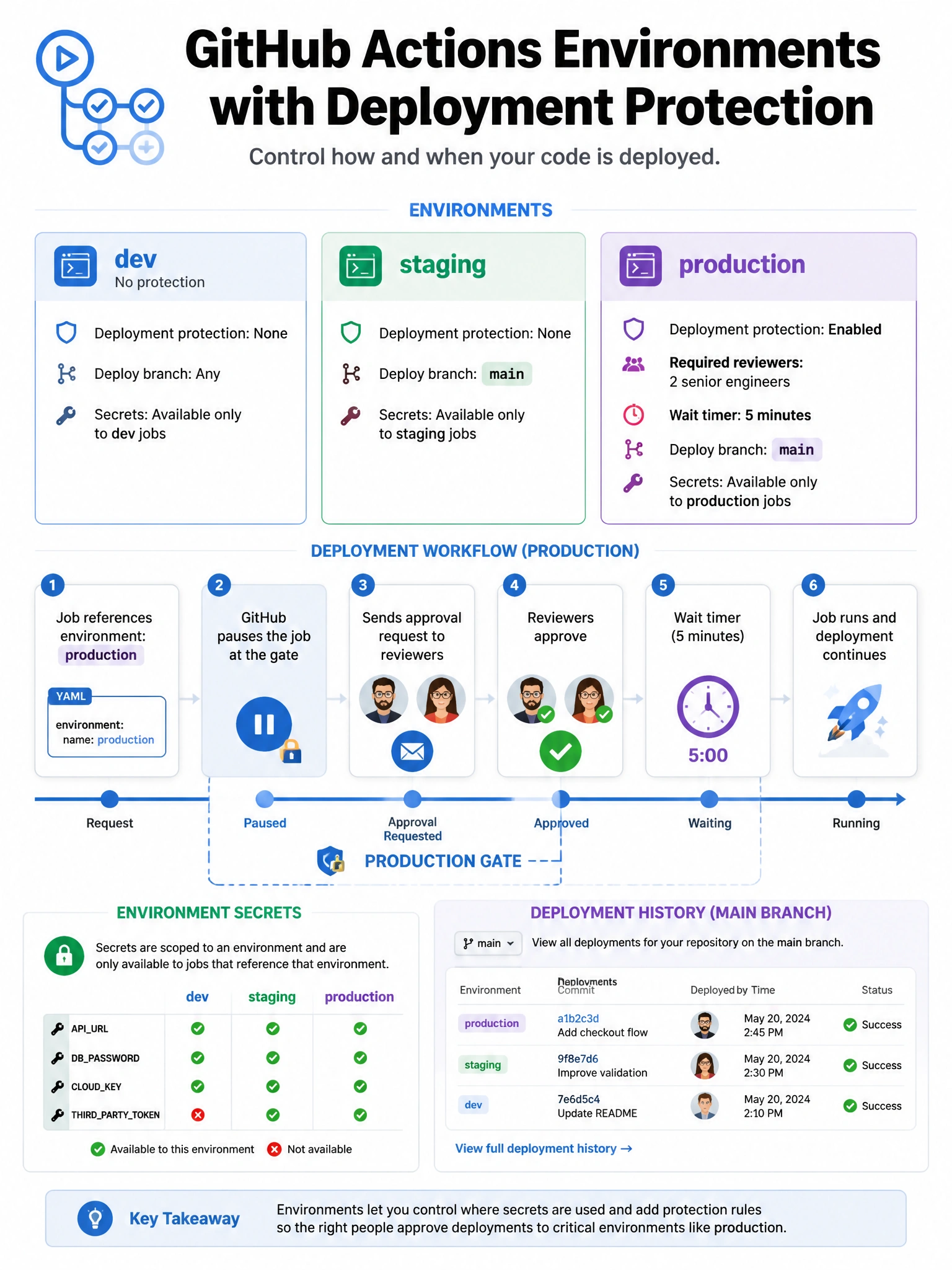
Environments in Actions are your deployment gates. Define a 'production' environment, require two specific approvers, and you've built a manual approval gate into your workflow. The job pauses, notifies reviewers, and only proceeds after they approve.
Full explanation below image
Full Explanation
GitHub Actions environments provide deployment protection for CD workflows. Features: (1) Protection rules — required reviewers (specific people/teams must approve before the job runs), wait timers (delay in minutes before the job runs), deployment branches (only specific branches can deploy to this environment). (2) Environment secrets — secrets scoped to the environment, only available during that job. More restrictive than repo-level secrets. (3) Environment variables — similar to secrets but not encrypted. (4) Deployment tracking — environments appear on the repository's main page showing deployment status for each environment. Typical pattern: define 'staging' and 'production' environments. Staging deploys automatically; production requires manual approval from senior engineers. Jobs reference environments via the 'environment:' key in workflow YAML.