
How does GitHub Enterprise Server handle SSL/TLS certificate configuration?
Select an answer to reveal the explanation.
Short Explanation and Infographic
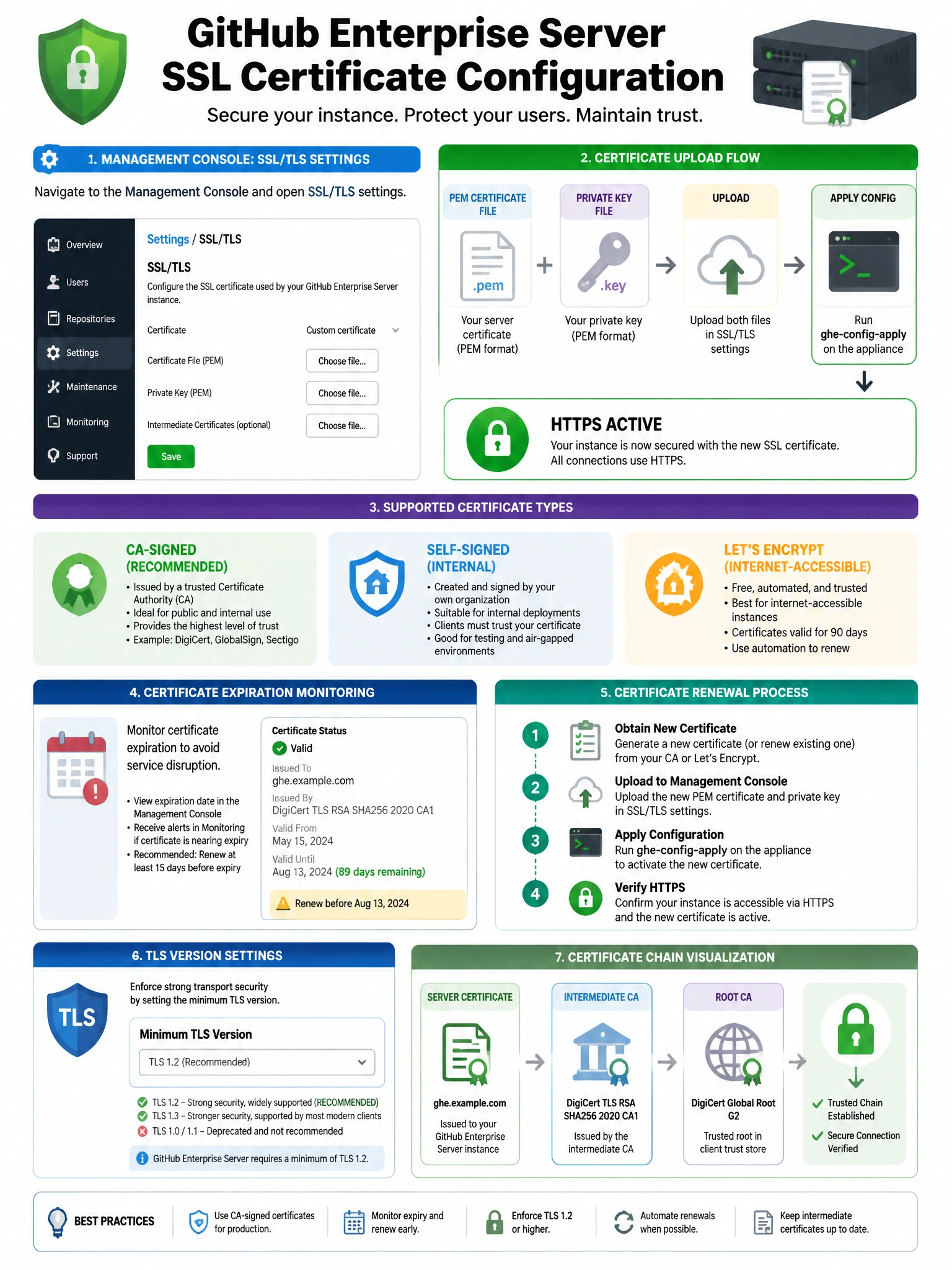
SSL configuration in GHES is done through the Management Console. You upload your certificate (PEM format) and private key there. GHES supports CA-signed certs from any authority and self-signed certs for internal use. Let's Encrypt requires some configuration to work.
Full explanation below image
Full Explanation
GitHub Enterprise Server SSL/TLS certificate management is handled through the Management Console (port 8443). Configuration options: (1) Upload a certificate — administrators upload a PEM-format certificate and private key for the GHES hostname. (2) Self-signed certificates — can be generated and used for internal deployments, though browsers will show trust warnings. (3) CA-signed certificates — from any trusted certificate authority (public or internal/corporate CA). (4) Let's Encrypt — can be configured for GHES instances accessible from the internet, requiring port 80 access for ACME challenges. After uploading or changing SSL certificates, ghe-config-apply is required to apply the changes. GHES also supports TLS 1.2 and 1.3 configuration. Wildcard certificates work for subdomain-based features.