
What does the GitHub Enterprise audit log 'hashed_token' field indicate?
Select an answer to reveal the explanation.
Short Explanation and Infographic
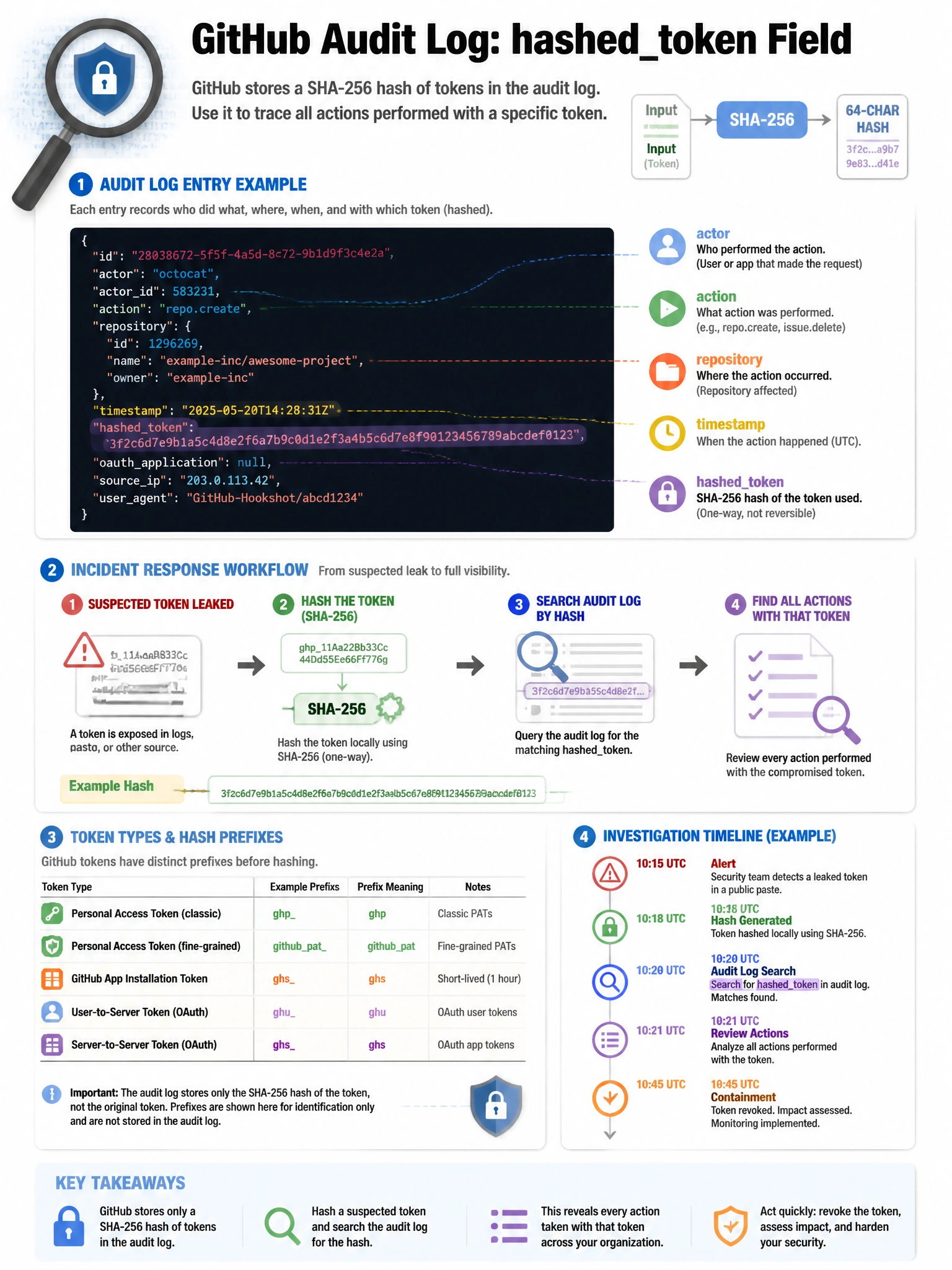
The hashed_token in audit log entries is your token fingerprint. If you suspect a stolen PAT was used to perform unauthorized actions, you hash the token and compare it against audit log entries to trace exactly which actions were taken with that token.
Full explanation below image
Full Explanation
The 'hashed_token' field in GitHub Enterprise audit log entries contains the SHA-256 hash of the authentication token used to perform the logged action. This is useful for: (1) Token attribution — when investigating suspicious activity, you can hash a suspected compromised token and search the audit log for entries with that hash to identify all actions performed with that token. (2) Privacy — the actual token value is never stored or logged; only its hash is recorded. (3) Forensics — determine the scope of what a compromised token accessed. (4) Token type identification — the hash format can indicate token type (PAT, OAuth, GitHub App). This feature is valuable for incident response: if a token is reported as compromised, defenders can quickly identify all API calls, pushes, and admin actions performed using that token.