
What is the 'permissions' key at the workflow level vs the job level in GitHub Actions?
Select an answer to reveal the explanation.
Short Explanation and Infographic
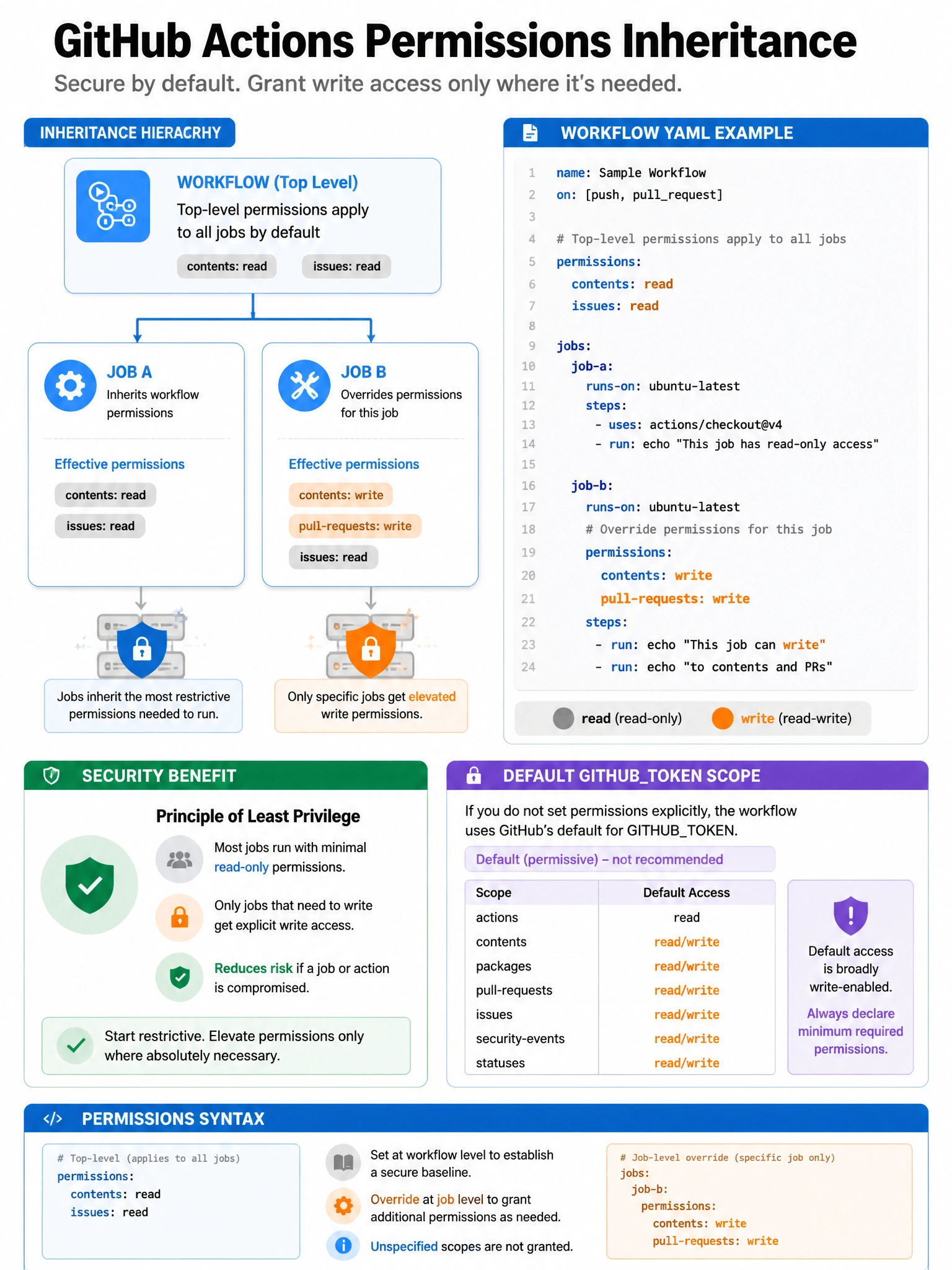
Permissions inheritance in Actions flows top-down: workflow-level sets the default for all jobs; job-level overrides the workflow default for just that job. Narrower permissions = smaller blast radius if a token is misused.
Full explanation below image
Full Explanation
GitHub Actions permissions can be configured at two levels with a clear inheritance model: (1) Workflow-level permissions — defined under the top-level 'permissions:' key. Apply to all jobs in the workflow as the default. (2) Job-level permissions — defined under 'jobs.<job_id>.permissions:'. Override the workflow-level permissions for that specific job only. Best practice: set minimal permissions at the workflow level (e.g., 'permissions: read-all' or 'permissions: {}') and then elevate permissions only for specific jobs that need them. This reduces the scope of the GITHUB_TOKEN in most jobs while allowing targeted jobs to have necessary write access. If no permissions are specified, jobs inherit the default repository permissions (which may be overly broad).