
What does the 'Allow auto-merge' setting in a repository do?
Select an answer to reveal the explanation.
Short Explanation and Infographic
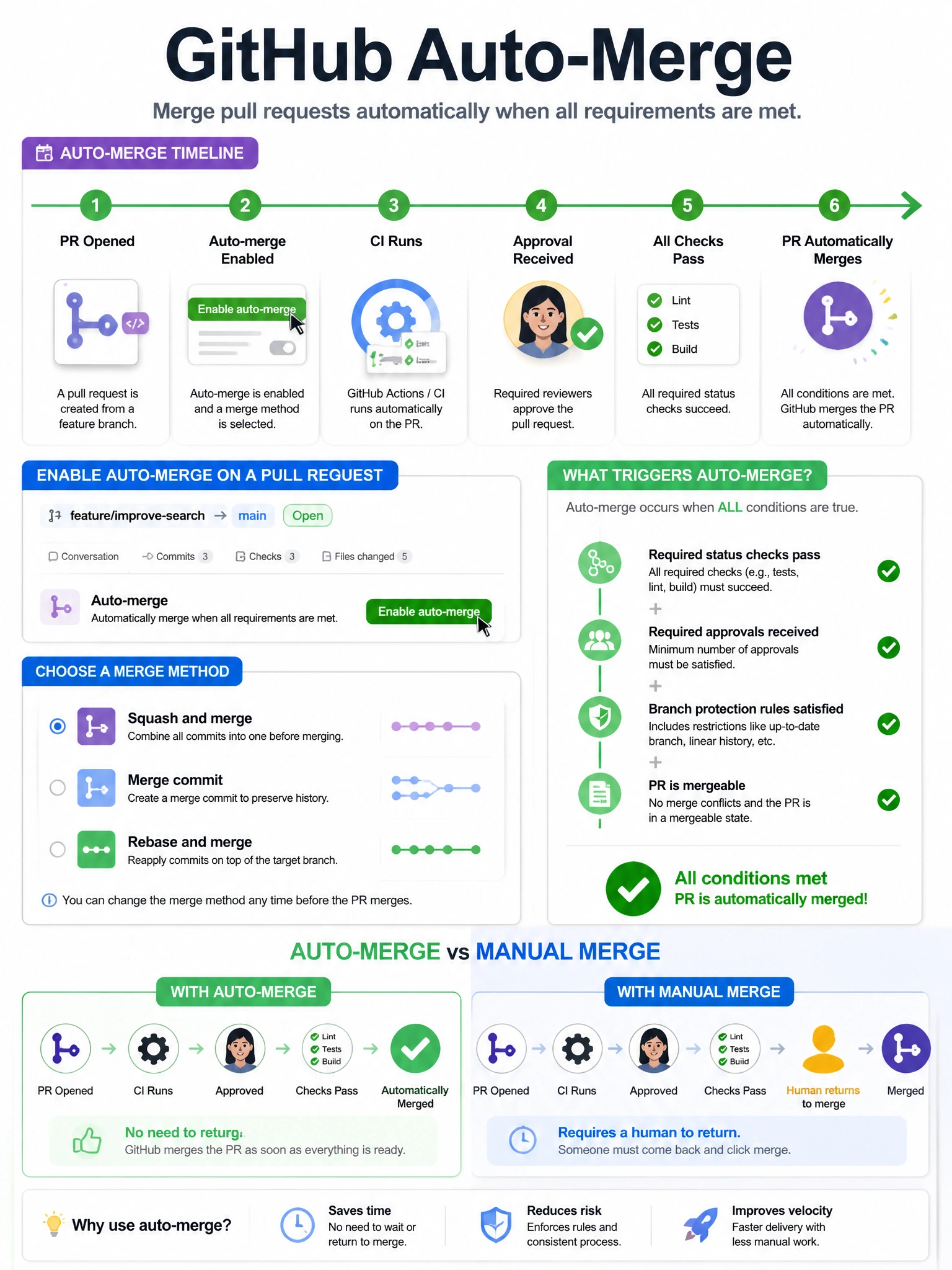
Auto-merge lets PR authors set it and forget it. Once enabled at the repo level, contributors can click 'Enable auto-merge' on their PR and it'll merge itself the moment all required checks pass and required approvals are in — no manual last step needed.
Full explanation below image
Full Explanation
The 'Allow auto-merge' repository setting enables a feature where pull request authors (and users with write access) can configure individual PRs to automatically merge when all required conditions are satisfied. When auto-merge is enabled on a PR: (1) The PR will automatically merge when all required status checks pass. (2) Required approvals are received. (3) All required conversations are resolved (if that protection is enabled). (4) The merge conflicts are resolved. The PR author can choose the merge method (merge commit, squash, or rebase) at the time of enabling auto-merge. This reduces the manual step of returning to merge a PR after waiting for CI. Repository admins must enable the 'Allow auto-merge' setting in repository settings before PR authors can use it on individual PRs.