
What is the function of GitHub's 'auto-link references' feature in organizations?
Select an answer to reveal the explanation.
Short Explanation and Infographic
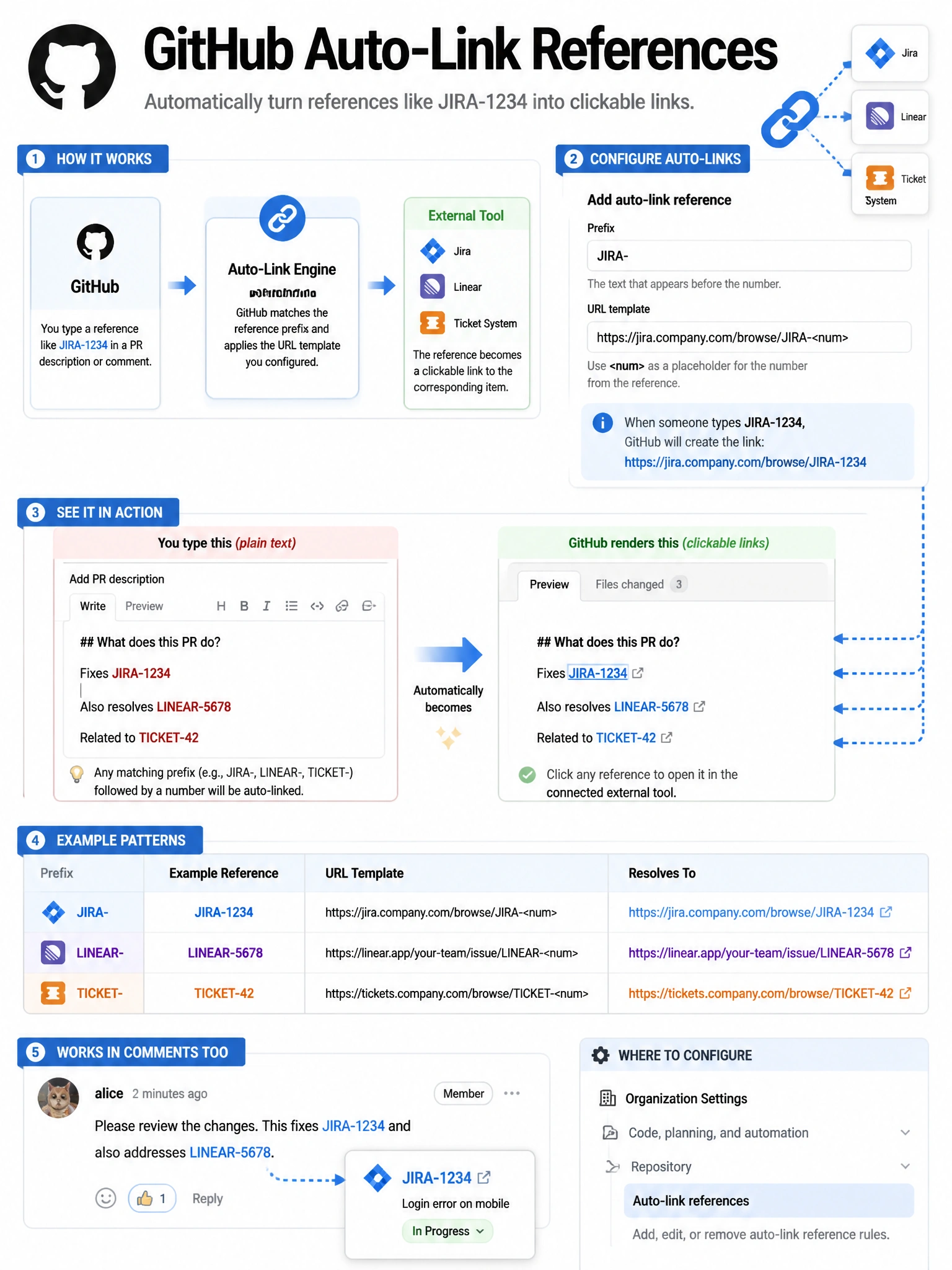
Auto-link references are your Jira-to-GitHub bridge. Configure a prefix pattern like 'JIRA-' and a URL template, and every time someone types JIRA-1234 in a comment or commit message, GitHub turns it into a clickable link to your Jira ticket.
Full explanation below image
Full Explanation
GitHub auto-link references allow organizations to configure automatic hyperlinking of specific text patterns to external systems. Configuration: (1) Define a reference prefix (e.g., 'JIRA-', 'TICKET-', 'PROJ-'). (2) Define a URL template with the numeric placeholder (e.g., 'https://jira.company.com/browse/PROJ-<num>'). (3) Any occurrence of that prefix followed by a number in GitHub (issues, PRs, commits, comments) automatically becomes a clickable hyperlink to the external system. This is configured in Organization Settings > Auto-link references. Use cases: linking GitHub commits/PRs to Jira tickets, Linear issues, ServiceNow tickets, or any URL-based tracking system. Multiple auto-link patterns can be configured for different project management tools.