
What is GitHub Enterprise's 'private mode' setting in GitHub Enterprise Server?
Select an answer to reveal the explanation.
Short Explanation and Infographic
Private mode is your GHES fence. When enabled, anonymous users can't even see that GitHub is there — everything requires authentication. Public repos on your GHES become invisible to the unauthenticated world.
Full explanation below image
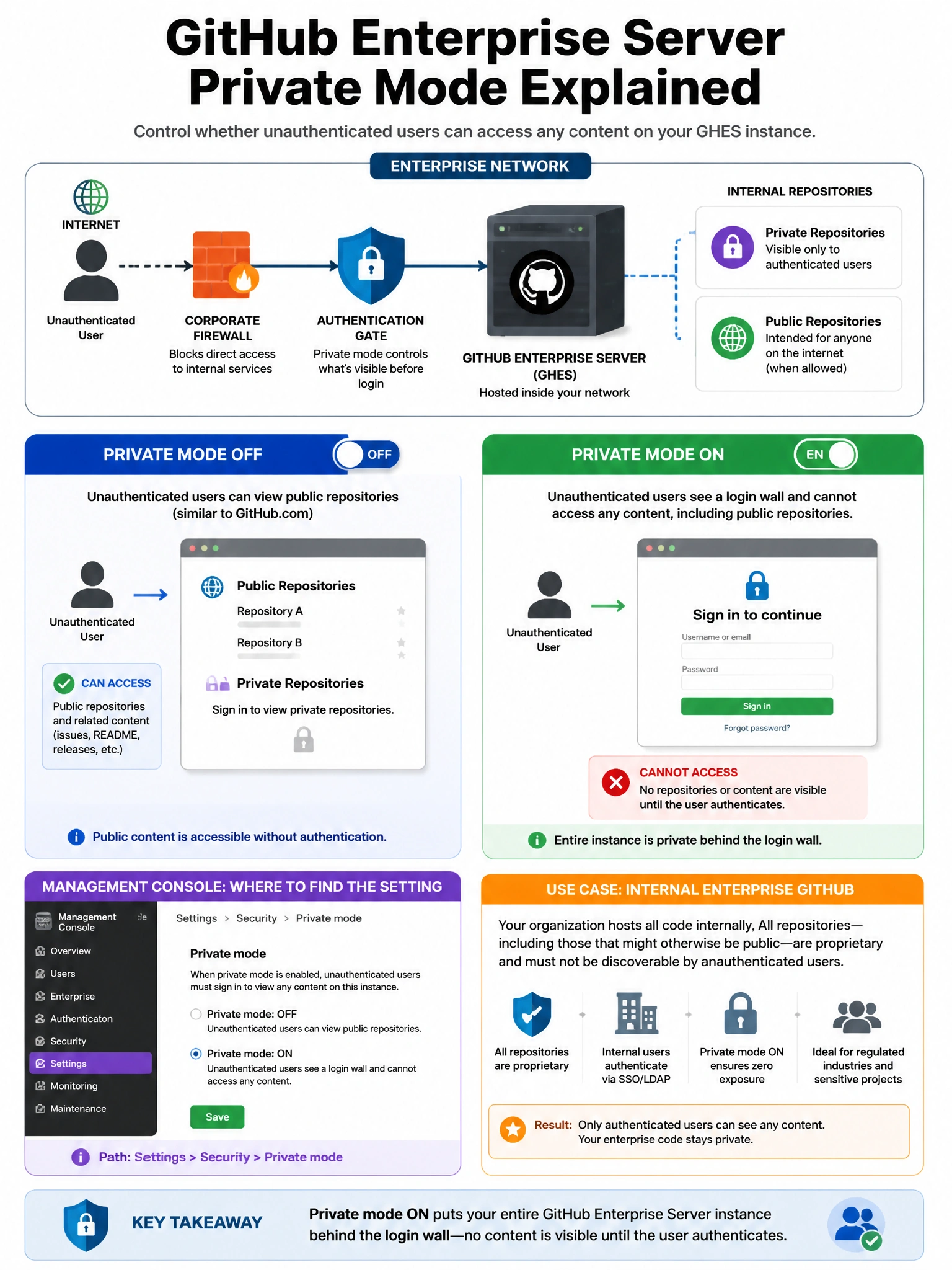
Full Explanation
GitHub Enterprise Server's 'Private mode' setting (configured in the Management Console under Privacy) requires authentication for all access to the GHES instance. When private mode is enabled: (1) Anonymous users cannot access any content — not even repositories marked as 'public' within the instance. (2) All repository listings, profiles, and content require login. (3) The GHES instance appears to require authentication before revealing any information. (4) API access also requires authentication. This is appropriate for internal enterprise deployments where GitHub should not be accessible to unauthenticated users. When private mode is disabled (the default), 'public' repositories on the instance can be viewed without authentication — similar to GitHub.com's behavior.