
How should GitHub Enterprise administrators handle a security incident where a user's account may be compromised?
Select an answer to reveal the explanation.
Short Explanation and Infographic
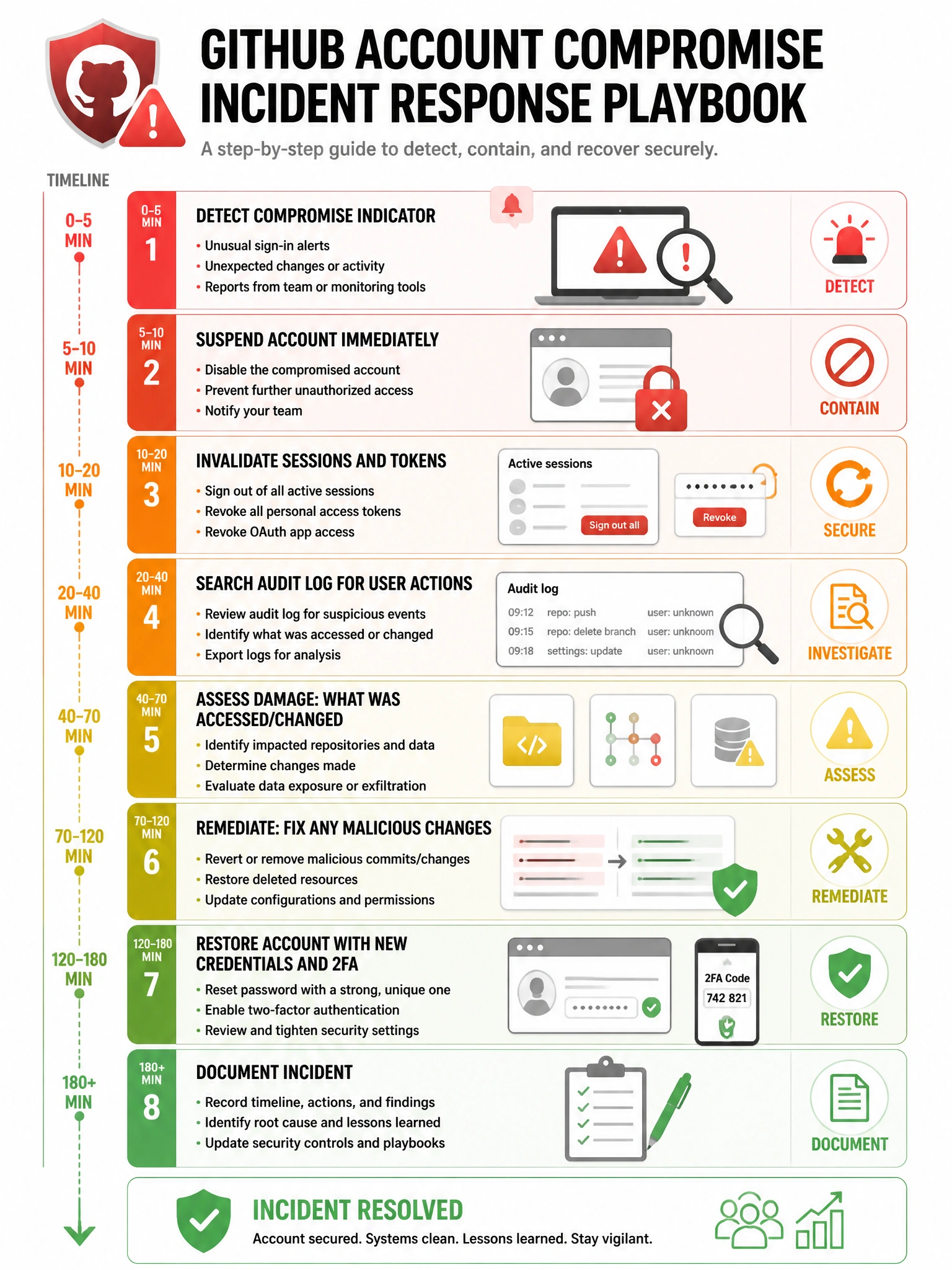
A compromised account response has a clear playbook: suspend first (stops the bleeding), revoke tokens and sessions (cuts off access), then dig into the audit log to understand what happened and what was accessed. Then re-secure and restore the account.
Full explanation below image
Full Explanation
When responding to a potentially compromised GitHub Enterprise account, the recommended incident response steps are: (1) Immediately suspend the user account via site admin panel or ghe-user-suspend to prevent further potentially malicious activity. (2) Invalidate active sessions by forcing session expiration (logout all sessions). (3) Revoke any OAuth tokens, GitHub App installations, and Personal Access Tokens associated with the account. (4) Review the audit log filtering by the affected user to understand what actions were taken, what was accessed, and timeline of suspicious activity. (5) Check for any changes to repositories, organizations, or settings made by the account. (6) After investigation, restore access through secure channels once the account is re-secured (new password, 2FA re-enrollment). (7) Document the incident for compliance reporting.