
What is the maximum job execution timeout for GitHub-hosted runners in GitHub Actions?
Select an answer to reveal the explanation.
Short Explanation and Infographic
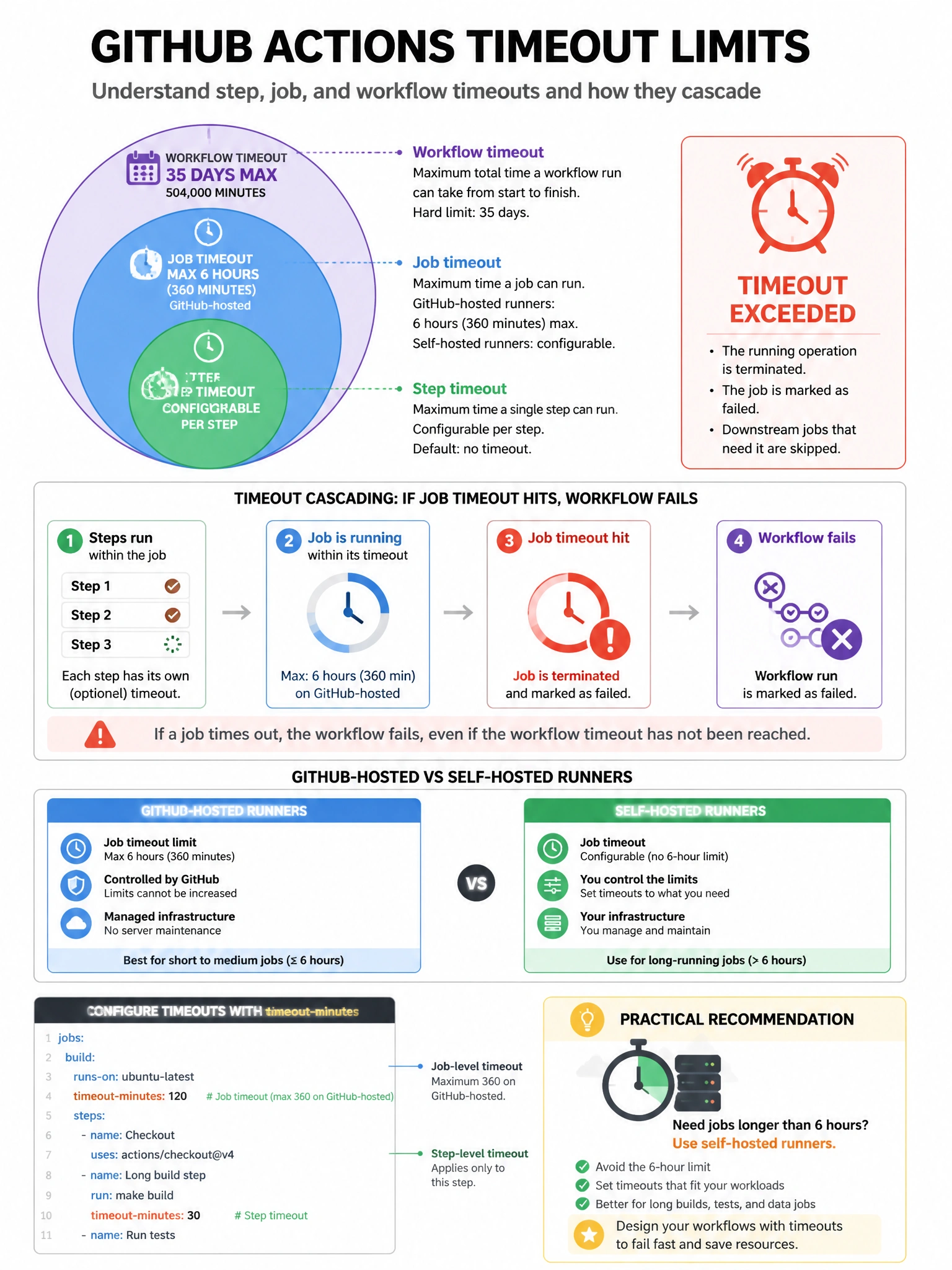
GitHub-hosted runners cut you off after 6 hours. If your job runs longer than that, GitHub terminates it. For truly long-running jobs, you'll need self-hosted runners where you control the timeout settings.
Full explanation below image
Full Explanation
GitHub-hosted runners in GitHub Actions have a maximum job execution time of 6 hours (360 minutes). Individual steps within a job can also have their own timeout configured (timeout-minutes at the step level). If a job exceeds the 6-hour limit, it is automatically cancelled by GitHub. Additionally, there's a total workflow run timeout of 35 days (though practically jobs expire long before). For workflows requiring longer execution (integration tests, builds, long-running data processing), organizations use self-hosted runners where timeout limits are configurable through the runner application settings. The job-level 'timeout-minutes' setting can be used to set shorter timeouts for better pipeline hygiene.