
What is the GitHub Enterprise Server 'maintenance mode' and when is it used?
Select an answer to reveal the explanation.
Short Explanation and Infographic
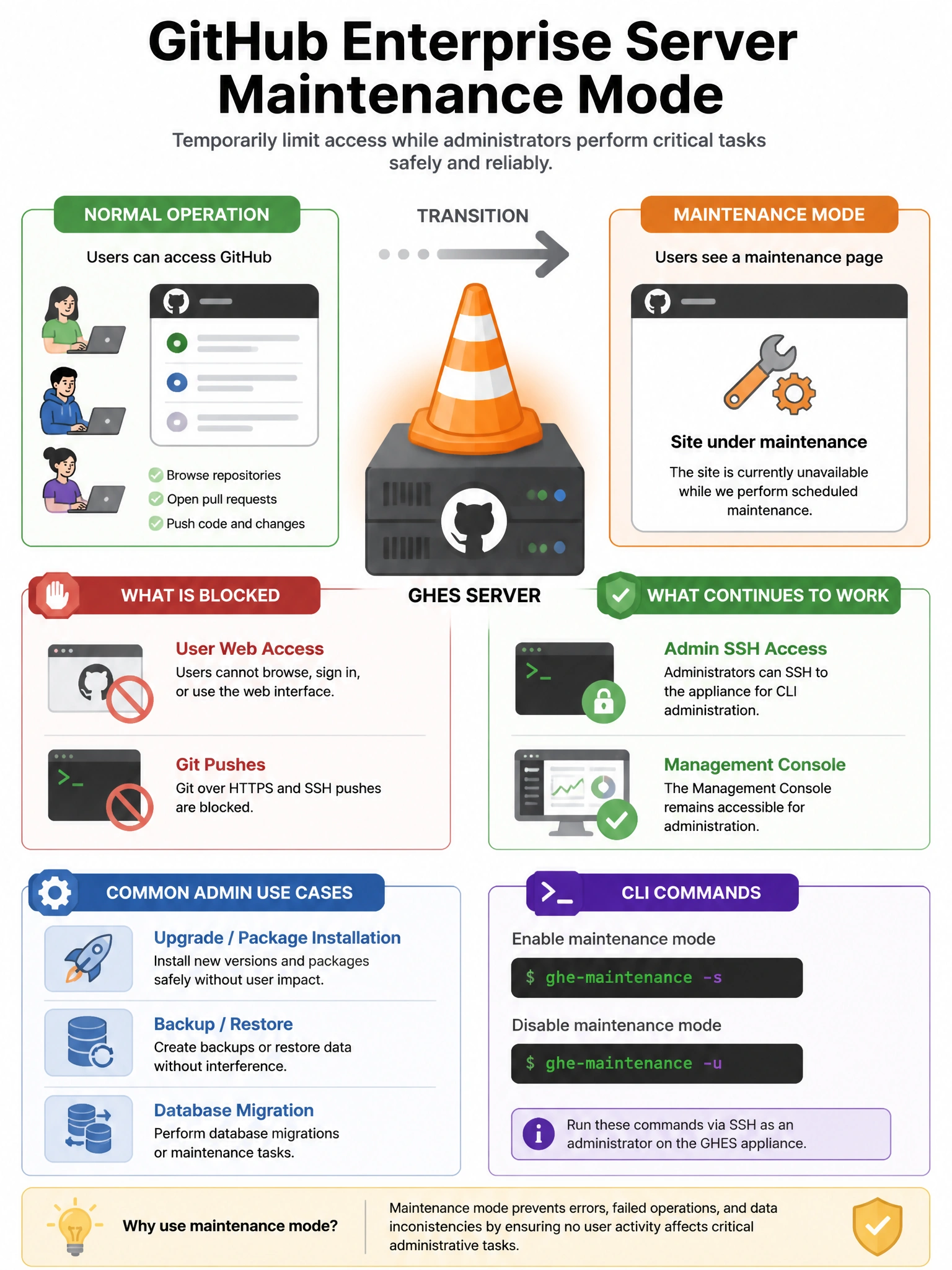
Maintenance mode is the 'everyone out of the pool' signal for GHES. When you enable it, users get a maintenance page instead of GitHub, and you can safely perform operations like upgrades, database migrations, or restores without worrying about data corruption from concurrent writes.
Full explanation below image
Full Explanation
GitHub Enterprise Server's maintenance mode is an operational state where the instance displays a maintenance page to users while administrators perform system operations. When maintenance mode is enabled: (1) All user-facing web requests receive a maintenance page, (2) Git push operations are rejected, (3) Background jobs continue running, (4) Administrators can still access the system via SSH and Management Console. Maintenance mode is required for: major version upgrades, database migrations, restoring from backup, and other operations that require exclusive system access. It can be enabled from the Management Console or via command line with 'ghe-maintenance -s'. GitHub Actions workflows are paused when maintenance mode is active.