
What happens when an organization's repository is forked by a member?
Select an answer to reveal the explanation.
Short Explanation and Infographic
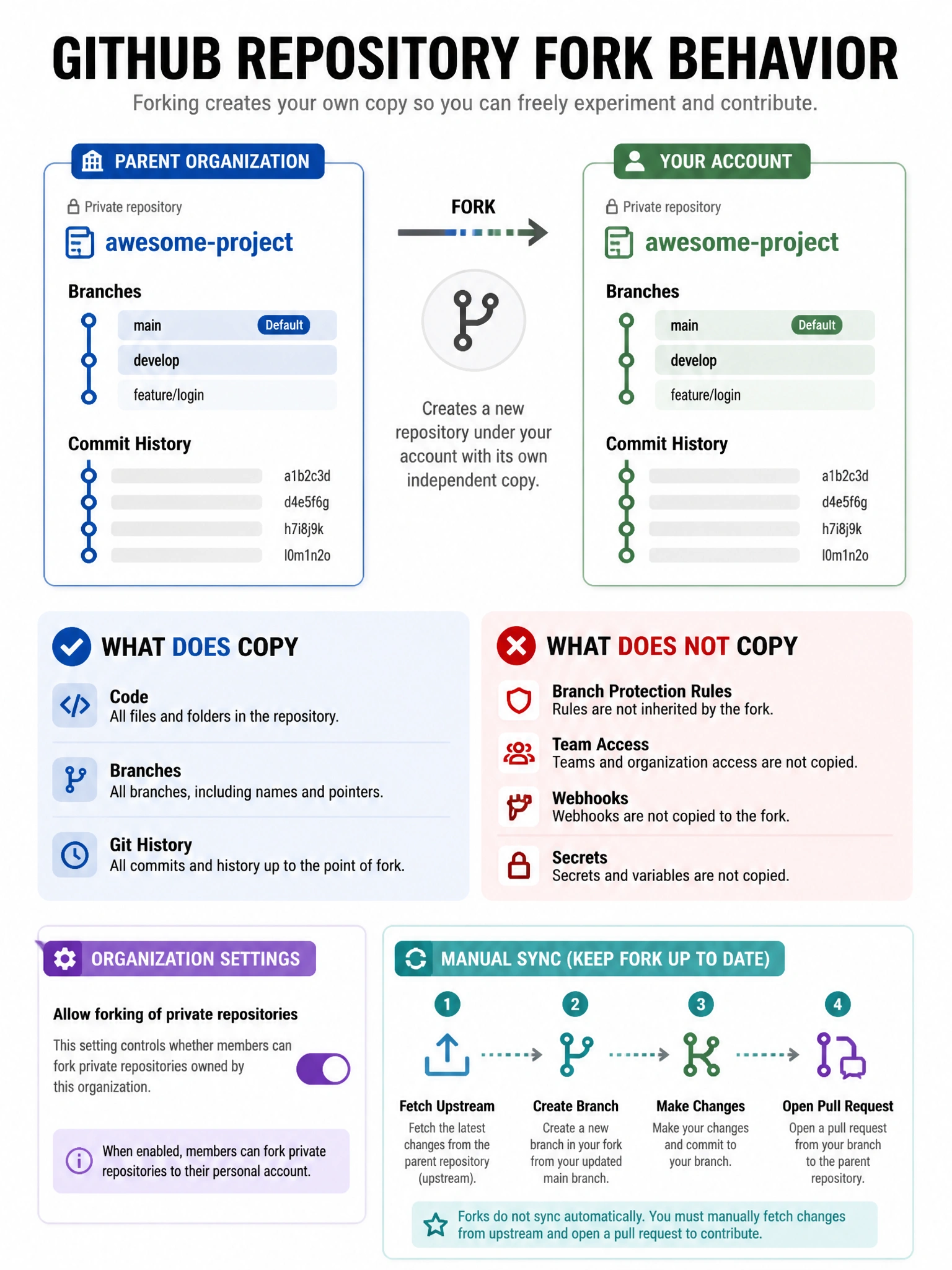
A fork is a fresh start — the forking user gets their own copy of the repository under their personal account or another org. It's independent of the original. Branch protections, team access, all that stays with the parent.
Full explanation below image
Full Explanation
When a GitHub repository is forked, the fork becomes a separate, independent repository. The fork owner (the person who forked it) has admin access to their fork. The original repository's branch protection rules, team access, webhooks, and other settings do NOT carry over to the fork. The fork does not automatically stay synchronized — the owner must manually sync or create pull requests. Importantly, organization admins CAN restrict forking of private repositories in organization settings, preventing members from forking private repos to their personal accounts. This is a key governance control for protecting proprietary code.