
Which permission level in GitHub allows a user to push to protected branches and manage repository settings?
Select an answer to reveal the explanation.
Short Explanation and Infographic
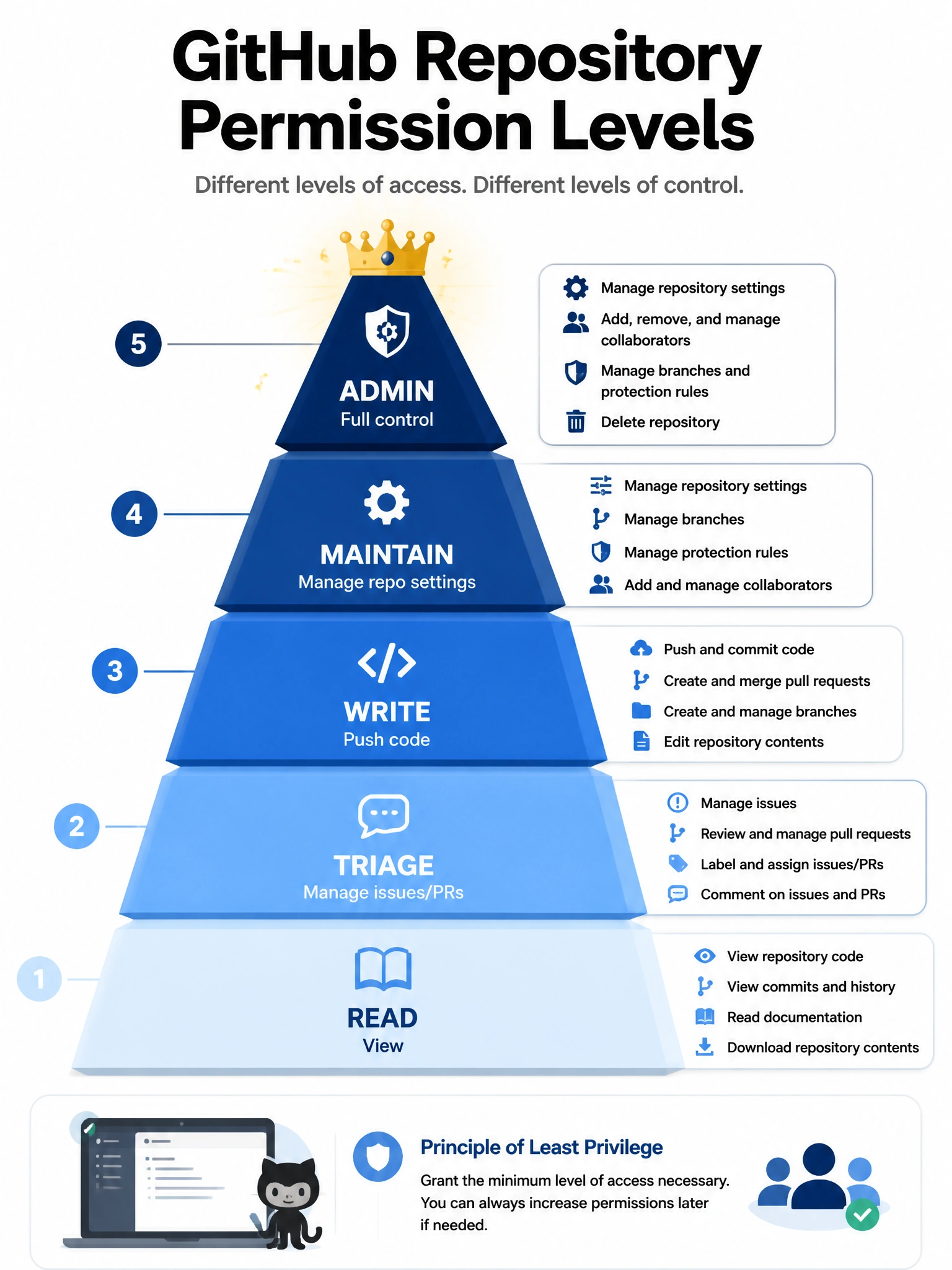
Admin is the top of the repository permission pyramid. Admins can do everything — push to protected branches, change settings, add collaborators, even delete the repo. It's the 'owns the keys' level.
Full explanation below image
Full Explanation
GitHub repository permission levels from lowest to highest are: Read, Triage, Write, Maintain, Admin. Admin permission is the highest level and grants full control: pushing to protected branches (bypassing protections), managing repository settings, adding and removing collaborators, changing repository visibility, enabling/disabling features, and deleting the repository. Write permission allows pushing to non-protected branches and merging PRs but cannot manage settings. Maintain allows most repository management without destructive actions. Triage is limited to managing issues and PRs without write access to code.