
An organization uses LDAP for authentication. What is the function of LDAP group sync in GitHub Enterprise Server?
Select an answer to reveal the explanation.
Short Explanation and Infographic
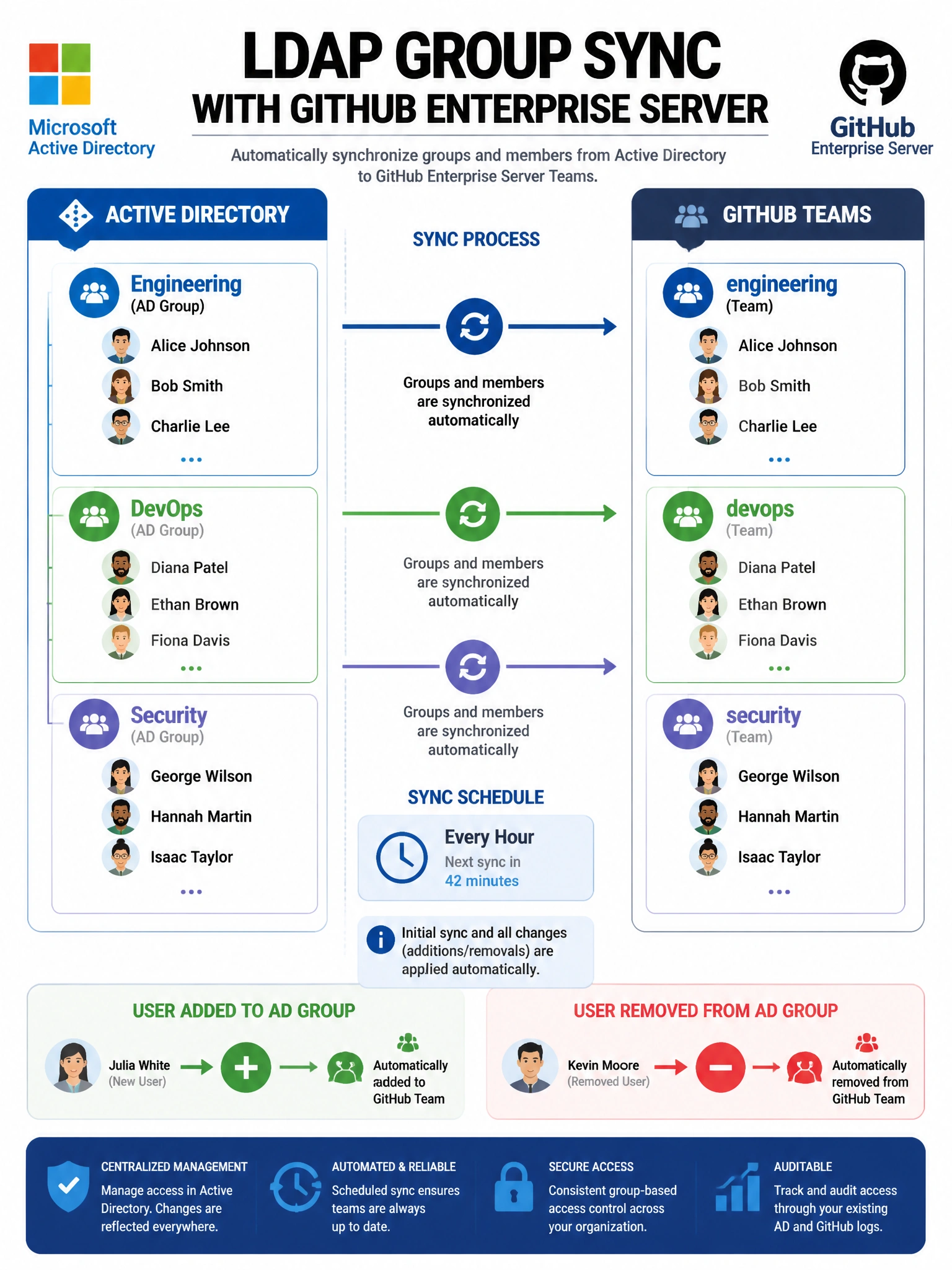
LDAP group sync is the dream for enterprise IT teams — when someone joins the 'Developers' group in Active Directory, they automatically get added to the matching GitHub team. No manual membership maintenance required.
Full explanation below image
Full Explanation
LDAP group sync in GitHub Enterprise Server automatically synchronizes LDAP/Active Directory group membership to GitHub team membership. When enabled, GitHub periodically queries the LDAP server and updates team membership to match the corresponding LDAP group. This means when an employee is added or removed from an AD group, their GitHub team access updates automatically. It does NOT sync SSH keys (that's a separate feature), does NOT replicate the entire LDAP directory, and enabling LDAP authentication is separate from group sync. LDAP authentication handles login; LDAP sync handles team membership management.