
A parks-and-recreation class-registration agent keeps mismatching similarly named classes when residents type informal phrasing. What should the team add to the in-console prompt template to resolve this recurring ambiguity?
Select an answer to reveal the explanation.
Short Explanation
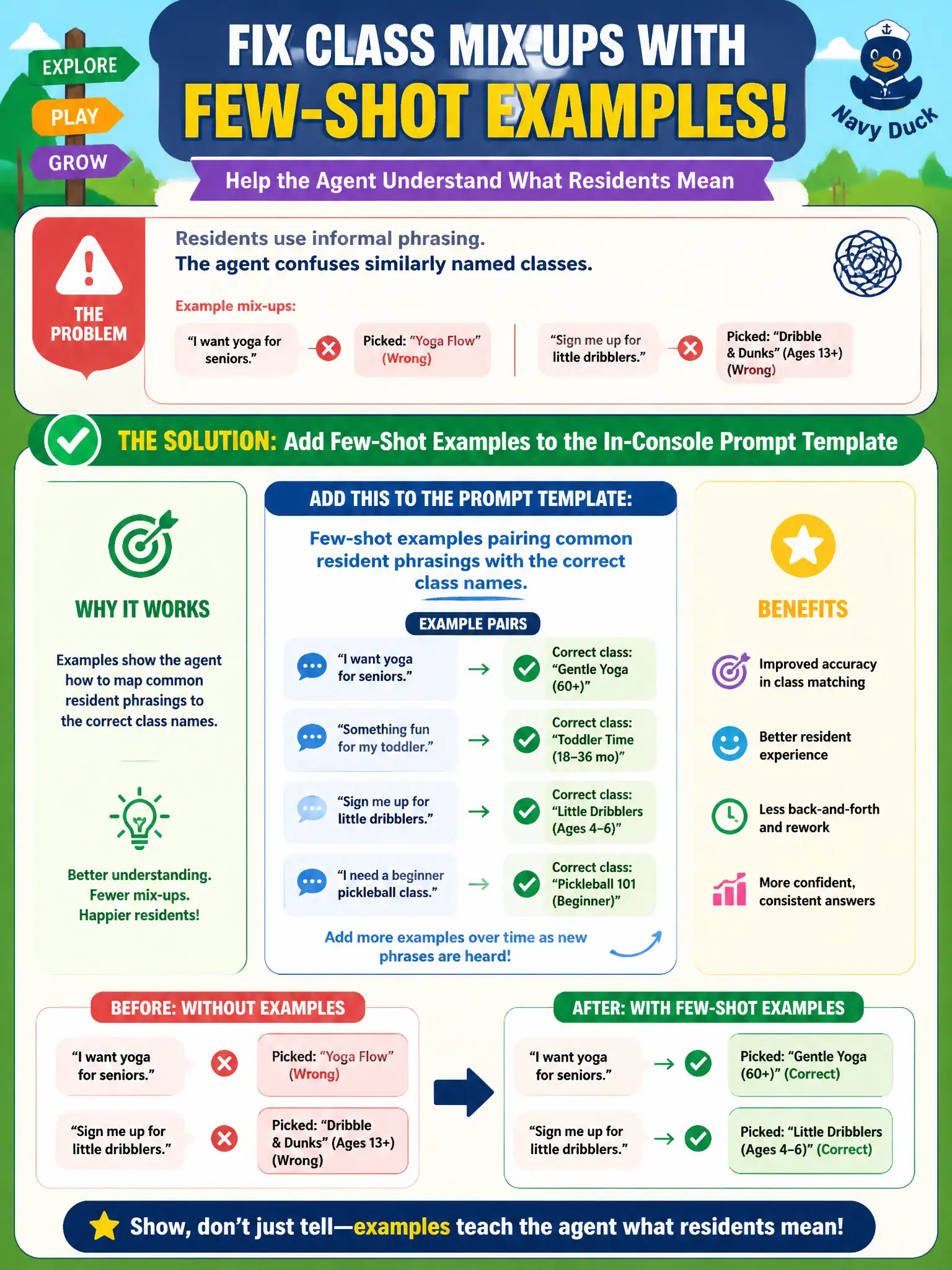
When residents type informal shorthand for a class name, the agent needs concrete examples of that shorthand mapped to the real thing, not just a rule to lean on. Few-shot examples do exactly that, giving the agent worked pairs of casual phrasing and correct class names to pattern-match against.
Full Explanation
Few-shot examples work by showing the model direct pairs of input and desired output within the prompt, which is the right fix when the actual problem is ambiguous phrasing mapping to specific known entities — informal class nicknames resolving to the correct catalog names. A no-match handler that defaults to the most popular class doesn't resolve ambiguity at all; it silently guesses, which risks registering a resident for the wrong class without them noticing until the schedule doesn't match what they expected. A transition route that skips class-name matching entirely removes the step where the mismatch happens rather than fixing it, leaving the agent unable to confirm what the resident actually wants. A chain-of-thought instruction about scheduling conflicts addresses a different problem — resolving competing time slots — not disambiguating which class name a phrase refers to in the first place. Scope caveat: few-shot examples should be refreshed as the class catalog changes each season, since stale examples can reinforce outdated name mappings. Operational check: test the agent against the specific informal phrasings that triggered past mismatches and confirm each now resolves to the intended class.