
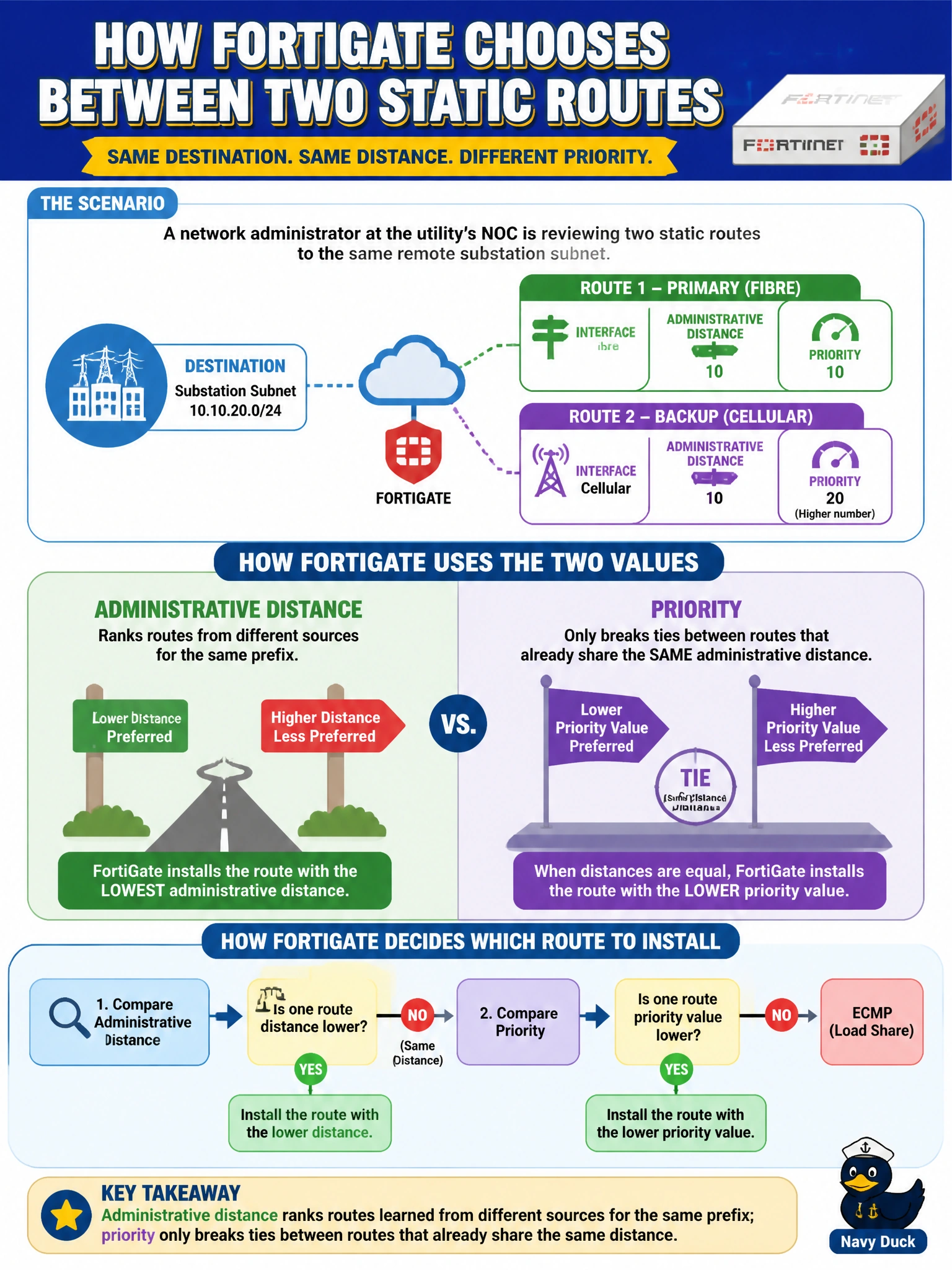
A network administrator at the utility's NOC is reviewing two static routes to the same remote substation subnet: one via the fibre interface with administrative distance 10, and one via the cellular backup interface also with administrative distance 10 but a higher priority value. How does the FortiGate use these two values differently when deciding which route to install?
Select an answer to reveal the explanation.
Short Explanation
Distance is like comparing a police officer's directions to a random stranger's — you trust the more credible source first. Priority only gets used once two directions come from equally credible sources, like two officers disagreeing, where the lower number wins as the tiebreaker.
Full Explanation
Administrative distance is the primary selector: it ranks routes to the same destination that come from different sources (static versus a dynamic protocol, or two static routes an admin explicitly assigns different distances to), and the lowest distance is installed as the active route in the routing table. Priority only comes into play as a secondary tiebreaker among routes that already share the same administrative distance — for example, two static routes to the same substation subnet, one over fibre and one over cellular, both left at the default distance, where the lower-priority route is preferred and the higher-priority one sits as standby until link health monitoring marks the primary down. The second option simply reverses this order and is the single most common point of confusion in FortiGate routing. The third and fourth options misrepresent both fields as redundant or protocol-specific, which they are not — both apply per-route regardless of IP version. A good operational check is to inspect the routing table's distance and priority columns for both entries and confirm only the lower-priority route shows as selected while distance is tied.