
When deep inspection is active on the FortiGate protecting the NOC, how does the FortiGate present a certificate to an internal workstation browsing to an external HTTPS site?
Select an answer to reveal the explanation.
Short Explanation
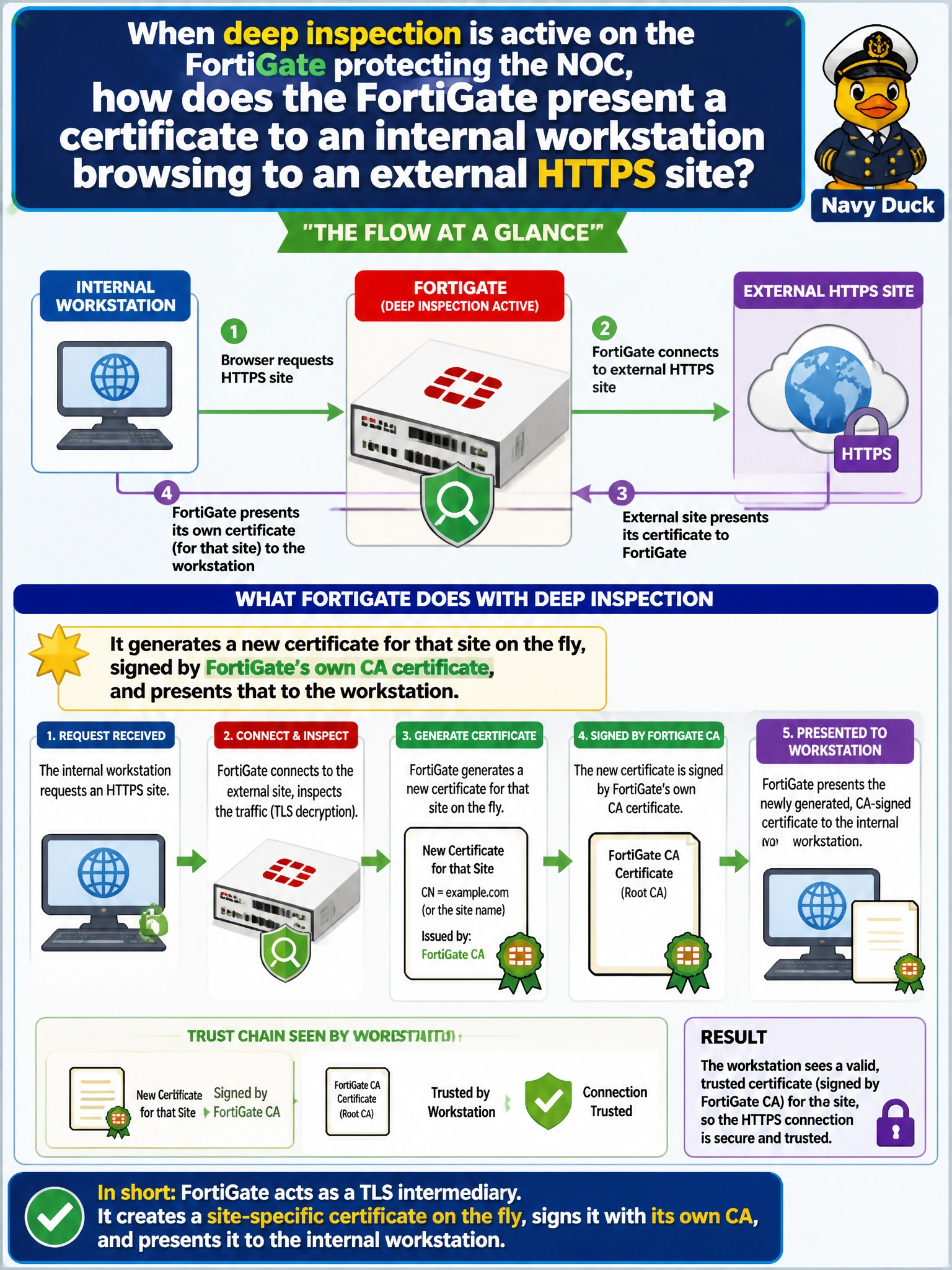
Under deep inspection, FortiGate plays middleman on purpose: it terminates the original TLS session, then mints its own certificate for that site, signed by its own CA. That's the mechanism that lets it decrypt and re-encrypt traffic on the fly. It only works smoothly if that CA certificate is already trusted on the workstation.
Full Explanation
Deep inspection requires FortiGate to actively terminate the client's TLS connection and establish a separate TLS session to the real destination on the client's behalf, which means it must present its own certificate to the workstation rather than passing through the original server's certificate. To do that, FortiGate dynamically generates a certificate for the requested hostname and signs it using its configured deep-inspection CA certificate, presenting that generated certificate to the browser in real time for each new site visited. If it instead forwarded the original certificate unchanged, it would have no way to decrypt the session, which defeats the entire purpose of deep inspection — so that option describes behavior closer to no inspection at all or certificate inspection, not deep inspection. Blocking the connection until manual approval is not how deep inspection works in normal operation; it would make ordinary browsing unusable and isn't a documented behavior. There is no 'cached certificate list' concept tied to the certificate-inspection profile that substitutes for this on-the-fly generation process. As a caveat, this dynamic certificate generation is exactly why the FortiGate's CA certificate must be distributed and trusted on client devices, and administrators can confirm the mechanism is working by inspecting a browser's certificate chain and seeing the FortiGate's CA listed as the issuer.