
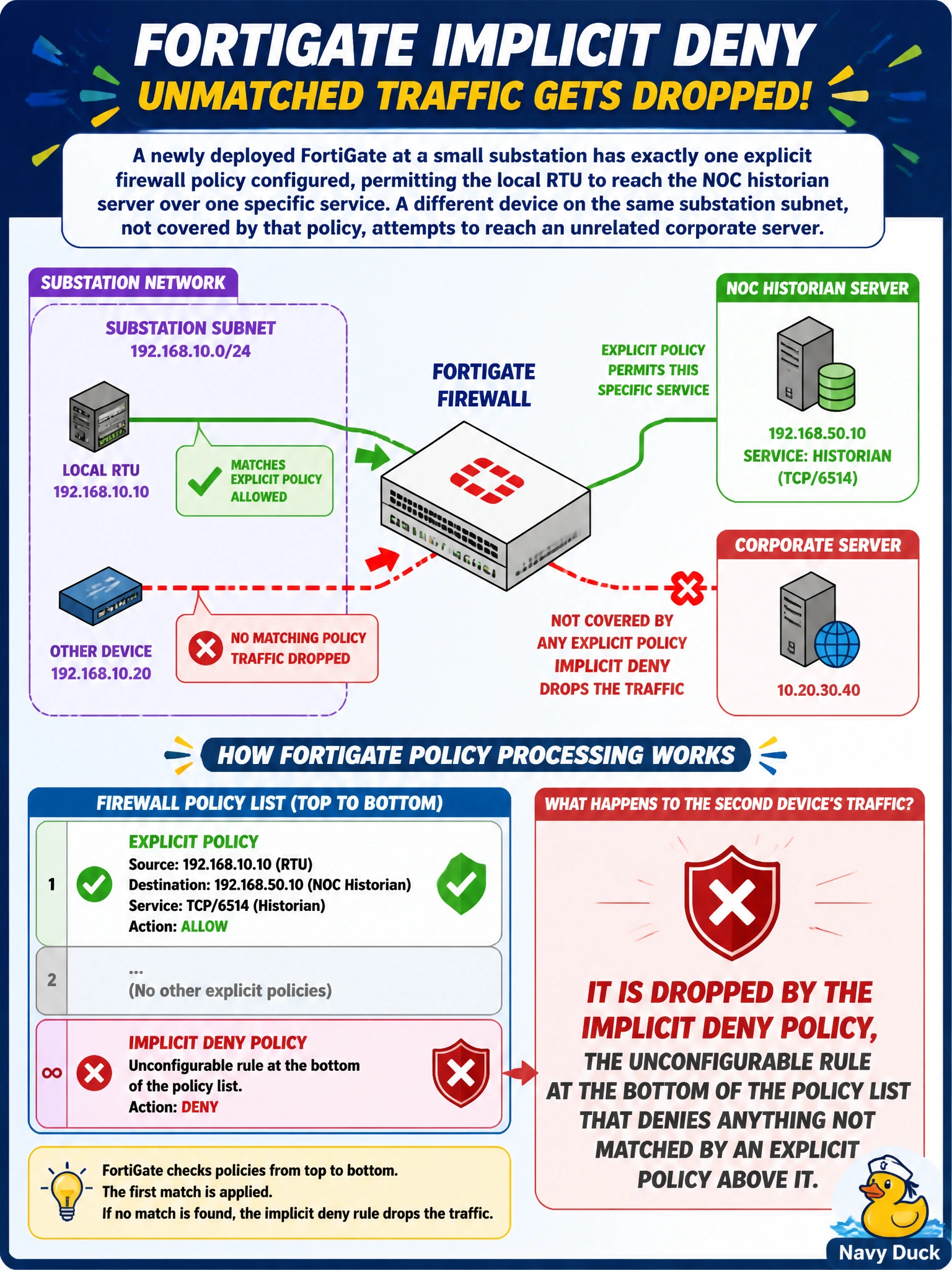
A newly deployed FortiGate at a small substation has exactly one explicit firewall policy configured, permitting the local RTU to reach the NOC historian server over one specific service. A different device on the same substation subnet, not covered by that policy, attempts to reach an unrelated corporate server. What happens to that second device's traffic?
Select an answer to reveal the explanation.
Short Explanation
Every FortiGate ships with a silent bouncer standing at the very end of the policy list: the implicit deny. If nothing above it says yes, it says no — automatically, with no extra configuration needed.
Full Explanation
FortiOS enforces a default-deny security posture: after traffic is checked against every explicit policy in order and none of them matches, the implicit deny policy at the bottom of the list drops the session. This policy is not something an administrator creates, it always exists, cannot be deleted, and cannot be moved, which is what makes it a reliable safety net rather than something that could accidentally be misconfigured out of existence. The idea that FortiOS defaults to permit is the opposite of how the platform actually behaves, and assuming it would leave a network wide open to any traffic an administrator forgot to explicitly block. Traffic is never queued for manual classification, FortiGate makes an immediate stateful permit-or-deny decision per session; it does not hold packets waiting for human input. And while the implicit deny can be configured to log denied sessions, logging is not enabled for it by default in the way that would flag it for review automatically; an administrator has to turn that logging on deliberately if they want visibility into what the implicit deny is catching. For the scenario described, the second device's traffic is simply dropped, silently, unless implicit-deny logging has been enabled. An engineer can confirm this by checking the traffic log with implicit-deny logging turned on and looking for a deny action against that device's session.