
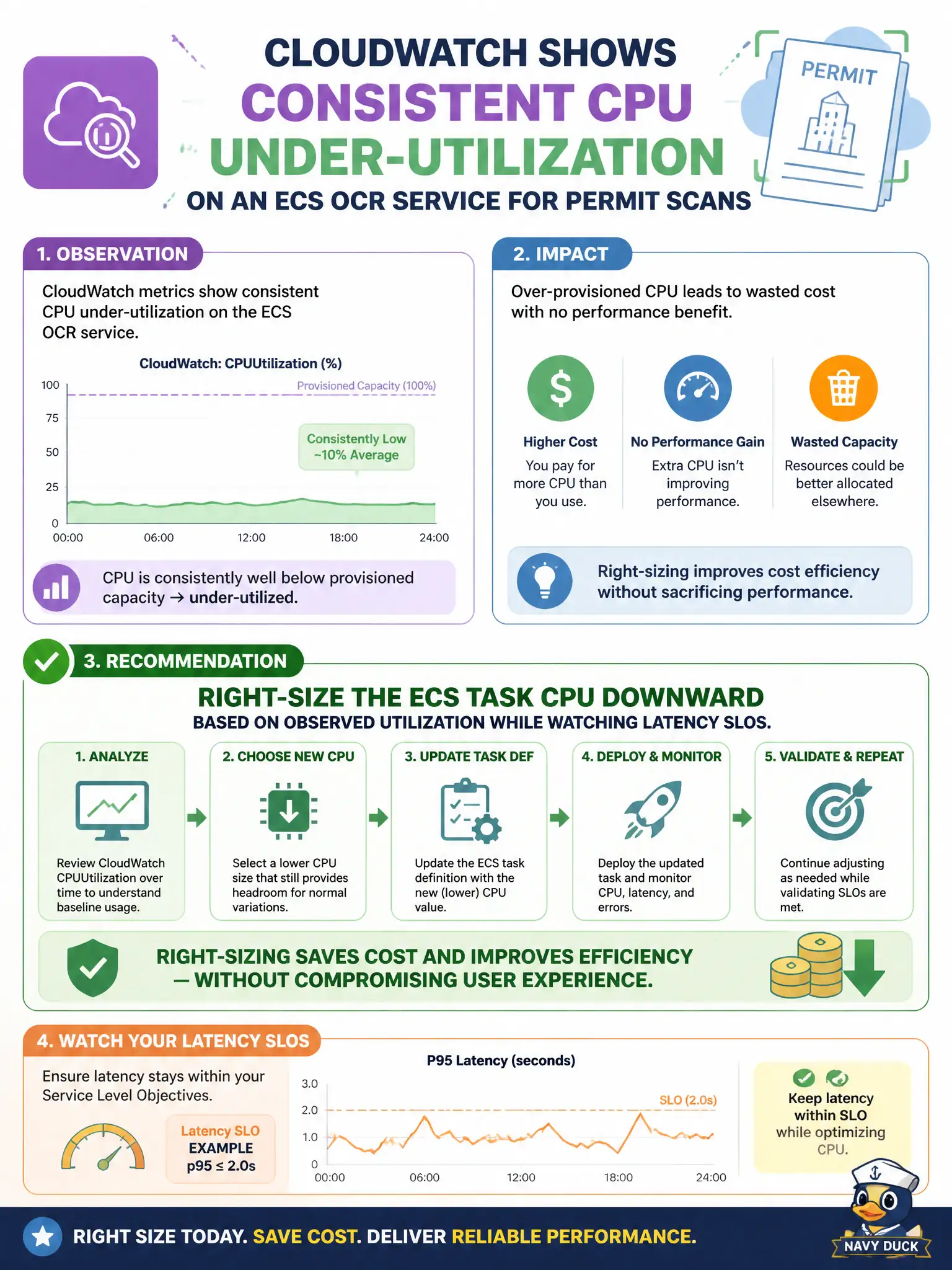
CloudWatch shows consistent CPU under-utilization on an ECS OCR service for permit scans. What should the team do?
Select an answer to reveal the explanation.
Short Explanation
Paying for idle OCR CPUs is like staffing ten scanners for two pages a day. Right-size the ECS task CPU from the CloudWatch story, and keep an eye on latency. Metrics should drive the dial, not hope.
Full Explanation
When CloudWatch shows consistent CPU under-utilization on an ECS OCR service for permit scans, the team should right-size the ECS task CPU downward based on observed utilization while watching latency SLOs. Over-provisioned CPU wastes municipal budget; rightsizing uses metrics, not folklore, and keeps scan latency within bounds after the reduction.
Doubling task CPU on every deploy regardless of metrics increases cost without evidence of need.
Deleting CloudWatch metrics so under-utilization is no longer visible removes the feedback loop for capacity management.
Moving OCR to a larger always-on EC2 instance without measuring demand ignores the utilization evidence already collected on ECS.
Exam caveat: Right-size from observed utilization and validate against latency SLOs—classic performance/cost hygiene.
Operational check: Lower task CPU in a staging OCR service, replay permit-scan load, confirm p95 latency remains acceptable, then roll to production with alarms on CPU and latency. Keep the civic/municipal context in mind: OCR fleets for permits can quietly overspend for years if nobody acts on sustained low utilization charts. Document the finding in the municipal incident ticket so the next on-call engineer inherits evidence rather than folklore.