
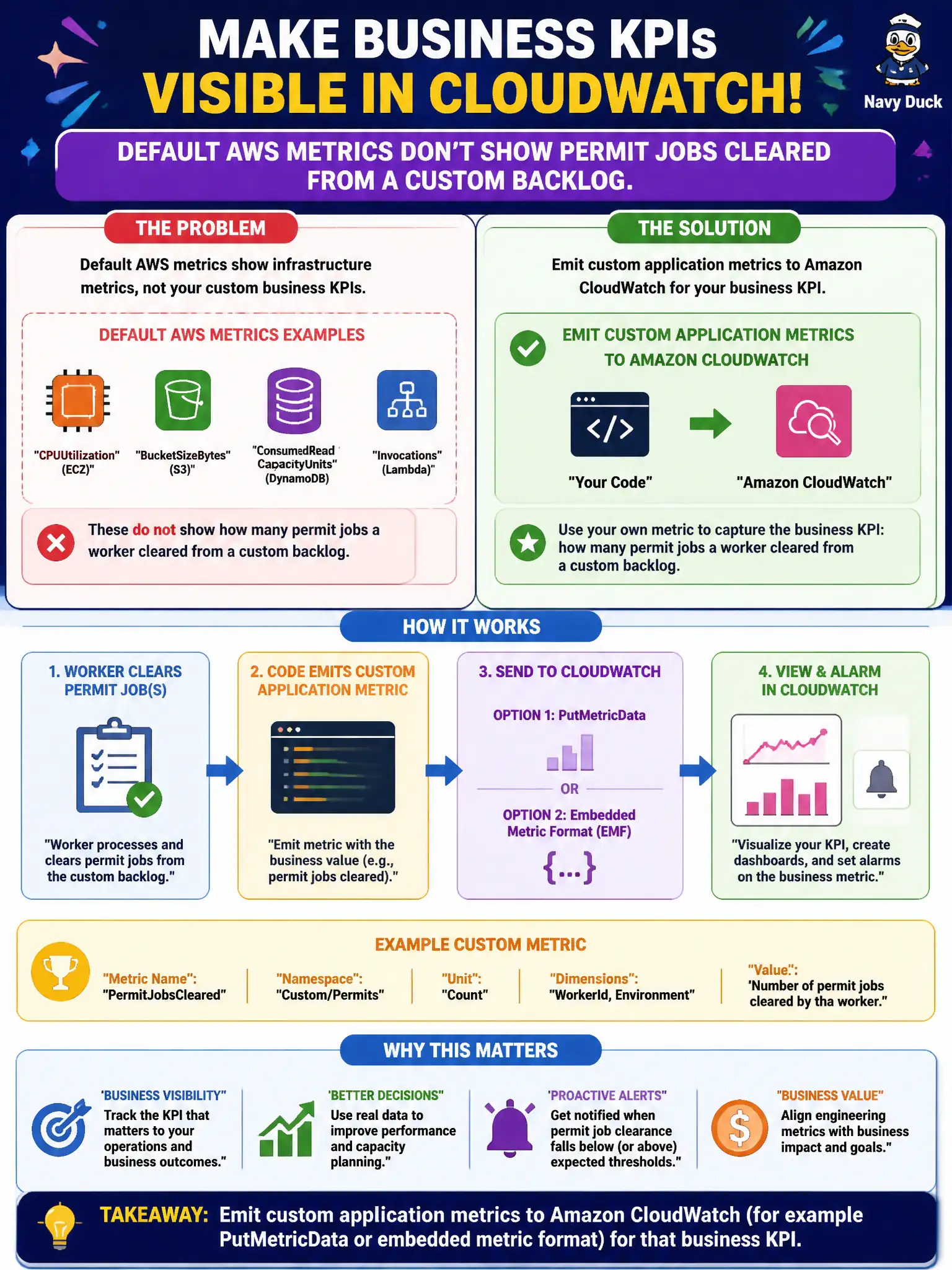
Default AWS metrics do not show how many permit jobs a worker cleared from a custom backlog. What should the code emit?
Select an answer to reveal the explanation.
Short Explanation
AWS ships lots of infrastructure meters, not your permit-backlog KPI. Emit a custom CloudWatch metric from the app when the business number matters.
Full Explanation
When default AWS metrics do not show how many permit jobs a worker cleared from a custom backlog, the code should emit custom application metrics to CloudWatch—via PutMetricData or embedded metric format—for that business KPI. Service metrics cover infrastructure; business KPIs like jobs cleared require application instrumentation so municipal supervisors can see throughput against staffing plans.
AWS Health Dashboard events describe AWS service health; they do not replace app-level queue-depth KPIs.
Renaming VPC Flow Logs as permit-queue-depth metrics does not create a true application KPI.
Route 53 query logs measure DNS lookups, not worker job clearance from an application backlog.
Exam caveat: Custom metrics bridge the gap between AWS service metrics and business KPIs developers care about.
Operational check: Emit a CloudWatch metric for jobs cleared (and backlog depth if available), chart it on an ops dashboard, alarm on stalled clearance during business hours, and validate with a known test batch of permit jobs. Keep the civic/municipal context in mind: backoffice supervisors manage staffing from these KPIs during seasonal permit rushes. Document the finding in the municipal incident ticket so the next on-call engineer inherits evidence rather than folklore.