
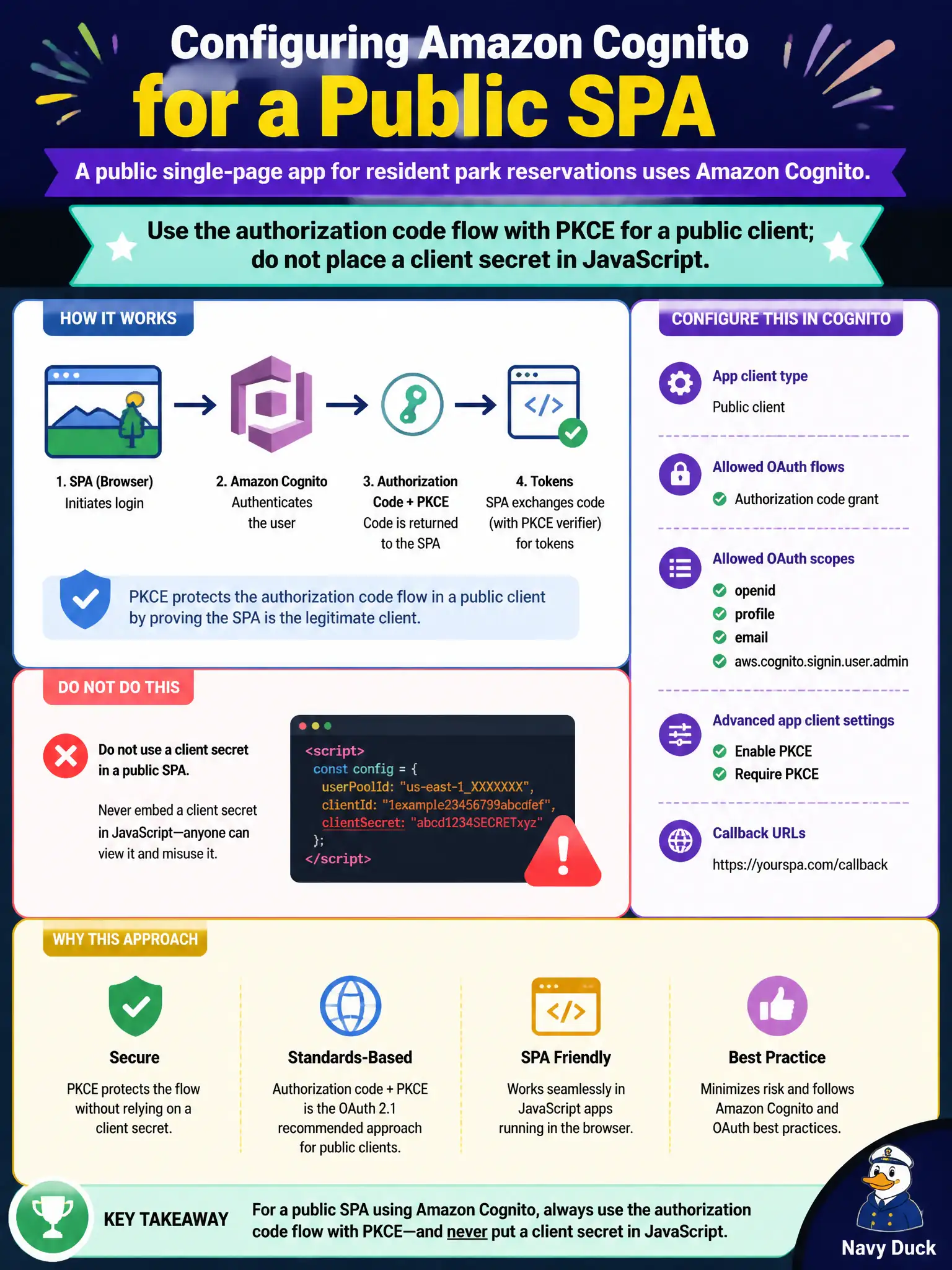
A public single-page app for resident park reservations uses Amazon Cognito. How should the Cognito app client be configured for that SPA?
Select an answer to reveal the explanation.
Short Explanation
A browser is a glass fishbowl—anything you ship in JavaScript is public. Use auth code plus PKCE for the SPA and keep client secrets out of the bundle. Password-in-every-header and IAM keys in the browser are non-starters.
Full Explanation
A public single-page app for resident park reservations cannot keep a client secret confidential in browser JavaScript. Configure Cognito as a public app client using the authorization code flow with PKCE so the SPA completes OAuth without embedding a client secret. Residents authenticate through Cognito (hosted UI or a custom UI that calls Cognito), and the SPA exchanges the authorization code with the PKCE code verifier for tokens. That is the browser-safe pattern for municipal citizen portals.
Marking the client confidential and embedding the client secret in the JavaScript bundle exposes the secret to anyone who views source or intercepts the download. Disabling OAuth and sending the user pool password in every API header turns every request into a password replay risk. Sharing one IAM access key with every browser session bypasses Cognito user authentication entirely and places long-lived AWS credentials in an untrusted client.
Exam caveat: confidential clients with secrets belong on servers, not SPAs; PKCE is the expected public-client safeguard in modern Cognito guidance for single-page apps. Operational check: complete login from the SPA with no client secret present in the bundle, capture the authorization-code plus PKCE exchange, confirm the token endpoint rejects a code redemption that omits the correct code verifier, and verify API Gateway still validates the resulting JWT on park-reservation calls.