
Public-works as-built PDF plan sets are large. How should a developer persist them alongside DynamoDB case metadata?
Select an answer to reveal the explanation.
Short Explanation
Giant plan sets belong in object storage. Keep the pointer and searchable metadata in DynamoDB; park the PDF bytes in S3.
Full Explanation
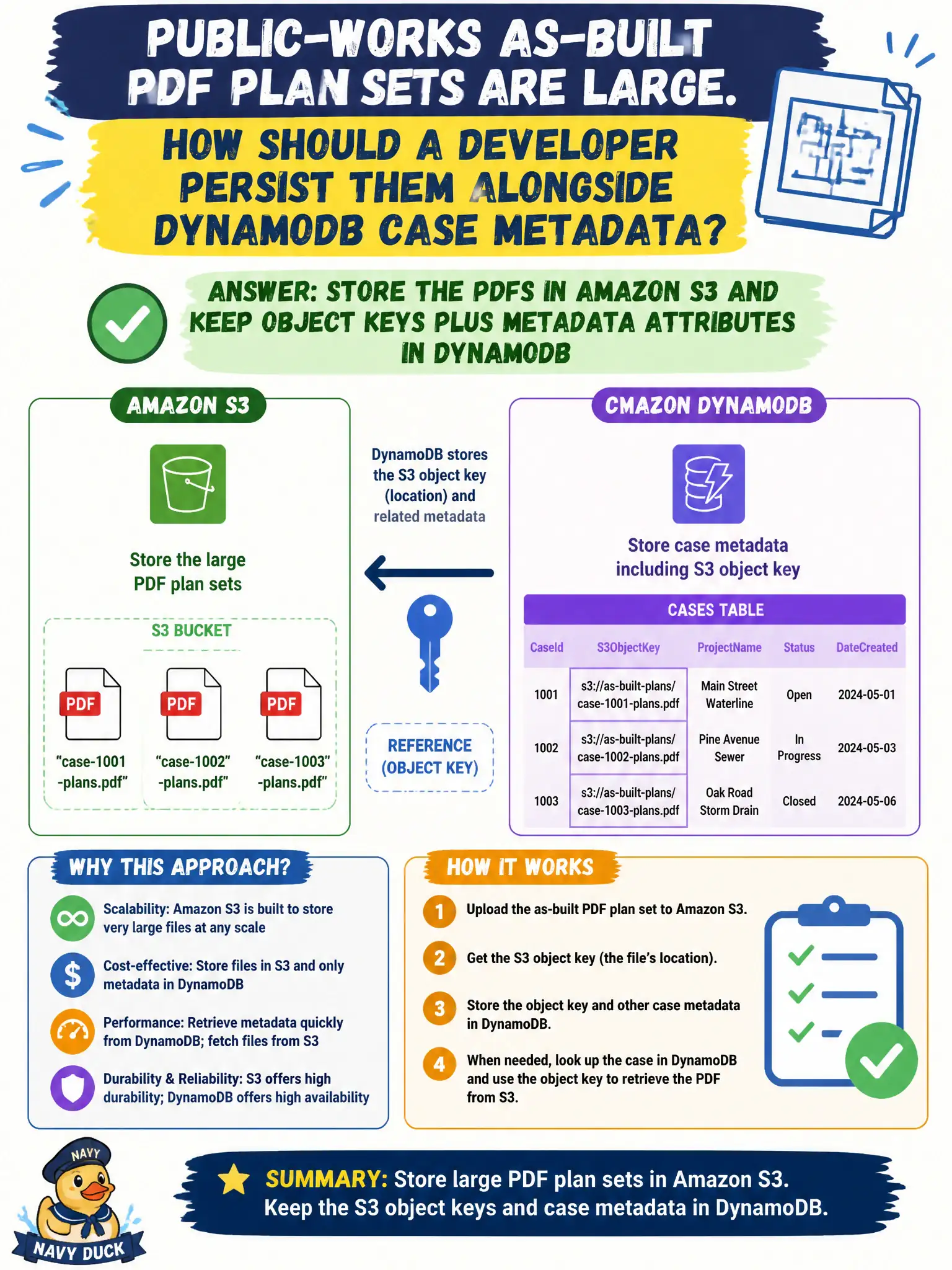
Large as-built PDF plan sets belong in object storage, not as oversized DynamoDB attributes. Store the PDFs in Amazon S3 and keep object keys plus case metadata attributes in DynamoDB so public-works case records stay small, queryable, and cheap while the binary payload lives where large objects are meant to live. Case workers still open a case by key in DynamoDB; the application then fetches or pre-signs the S3 object when someone needs the drawing set.
Embedding multi-megabyte PDFs as Binary attributes hits DynamoDB item size limits (400 KB), inflates RCU/WCU costs, and slows every metadata read even when the clerk only needed status fields. EBS volumes attached to every API Lambda are ephemeral per execution environment, do not share cleanly across scaled functions, and are the wrong durability model for permanent plan sets that outlive any single compute instance. Splitting a PDF into 400 KB DynamoDB items linked only by filename convention invents fragile reassembly logic, multiplies writes, and still abuses DynamoDB as a blob store.
Exam caveat: remember the 400 KB item size limit and prefer the S3-plus-pointer pattern for large civic documents; pre-signed URLs often complete the download path without proxying bytes through Lambda. Operational check: upload a representative multi-megabyte plan set to S3, store only the object key and metadata in DynamoDB, retrieve via the app, and confirm the DynamoDB item size stays well under the limit while the PDF opens intact from S3.