
Before the team enables SupportAssist, the customer asks exactly what will leave the appliance when it is turned on. What is the correct way to handle that question?
Select an answer to reveal the explanation.
Short Explanation
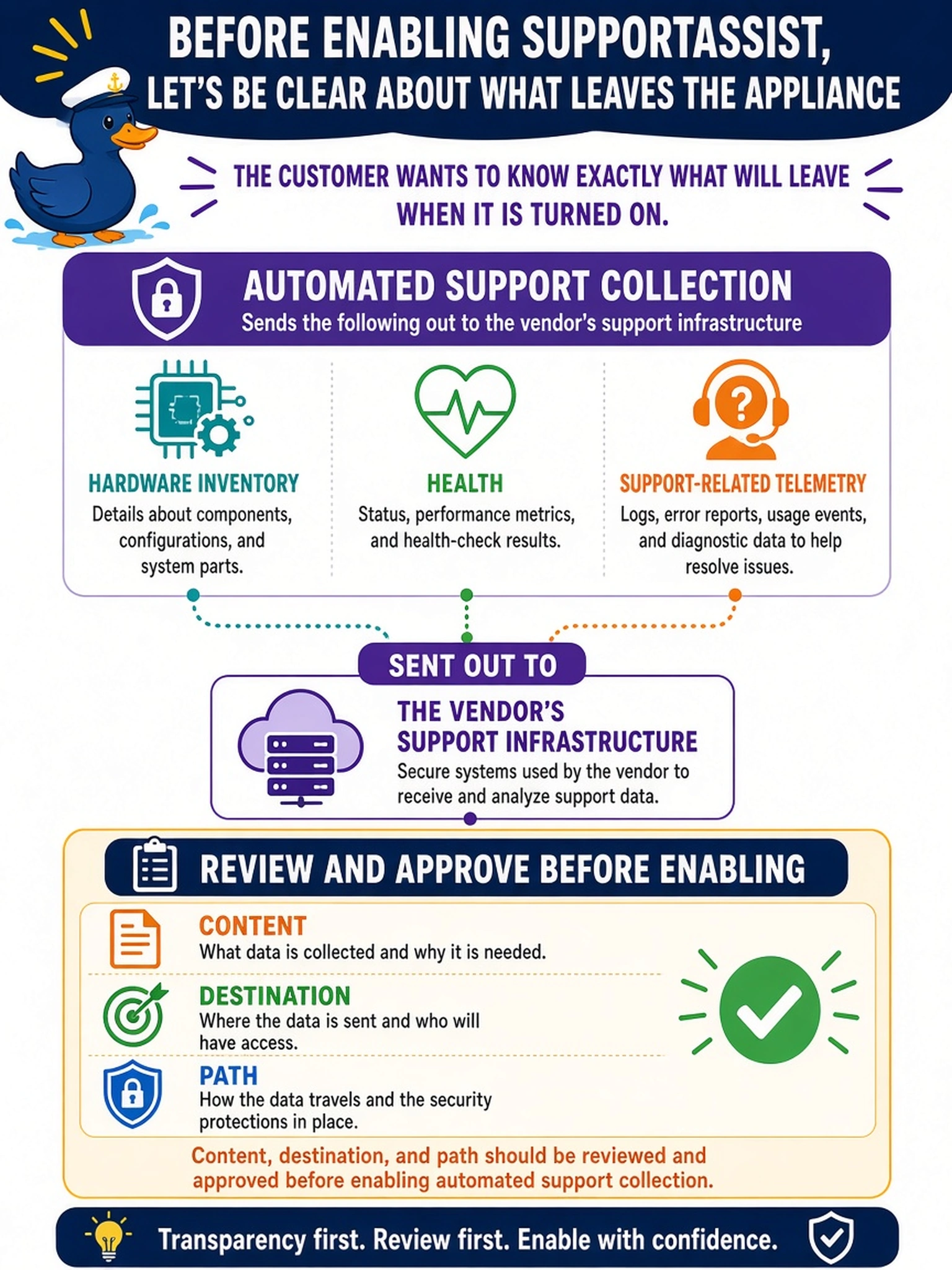
'What leaves the box?' is exactly the right question to ask before any support automation — and you should be able to answer it in one breath. SupportAssist streams device health and support telemetry out over an outbound path, so your customer approves the data, the destination, and the direction before it's on. If you can't explain it to the security officer, it doesn't get enabled on their network.
Full Explanation
Automated support collection is a deliberate outbound access path, so the pre-enable answer must cover content, destination, and route. What leaves is support telemetry — hardware inventory, component health, fault and diagnostic information — flowing to the vendor's support infrastructure over a defined outbound network path; the security review sees that list, that endpoint, and those firewall requirements, and the decision is recorded in the as-built and network policy before enablement. Per-incident manual approval fails on operating model: once enabled, the feature reports continuously; per-case approval describes a different, manual support-data workflow, and conflating them misrepresents what the customer is approving. Bulk export of full configuration and backup metadata fails on data scope — telemetry is device health and identity information, not a dump of customer data, and overstating scope corrupts the risk review as surely as understating it. An inbound vendor VPN reading local telemetry fails on direction: the model is appliance-initiated outbound, and inbound paths into the production fabric are precisely what the design must not quietly accept. Exam caveat: describing what an integration sends and where it sends it is itself part of the deployment access task. Operational check: write the data items, destination endpoints, and required outbound rules on one page, obtain sign-off, enable, and verify a first test submission reaches the support portal.