A Python script uses the built-in pickle library to persist a trained scikit-learn model object to disk, then loads it back later in a separate script. What is pickle's role in this workflow?
Select an answer to reveal the explanation.
Short Explanation and Infographic
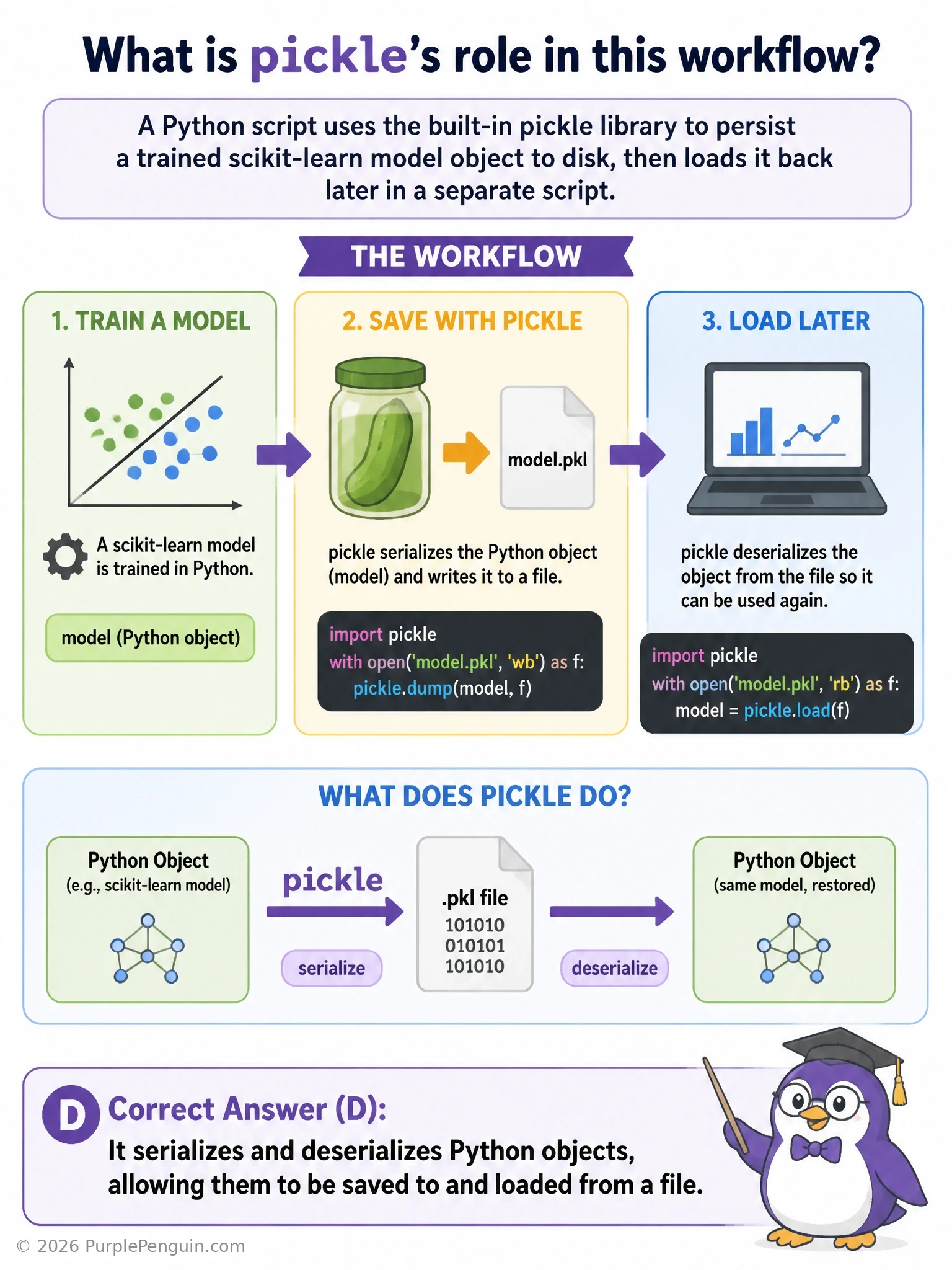
pickle is Python's built-in tool for serialization — turning a live Python object sitting in memory (weights, structure, whatever state a trained model holds) into a byte stream that can be written to a file, and later read back and reconstructed into that same object again. Call pickle.dump(model, file) to save it, pickle.load(file) to bring it back, and you've got your trained model ready to use again without retraining. That's exactly 'serializes and deserializes Python objects' — the correct answer. It has nothing to do with compiling code for GPUs; pickle just deals with saving/loading data structures, not executing or optimizing code. It doesn't touch hyperparameters or tuning at all — it just stores whatever object you hand it, as-is. And it's not a mobile deployment format either; that's a job for tools like TensorFlow Lite or ONNX, which restructure a model specifically for constrained devices, quite different from generic object persistence.
Full explanation below image
Full Explanation
pickle is a module in Python's standard library used for serialization and deserialization of Python objects. Serialization ('pickling') converts a Python object — which can be something as simple as a list or dictionary, or as complex as a trained scikit-learn model containing learned parameters and internal state — into a byte stream that can be written to a file or transmitted elsewhere. Deserialization ('unpickling') reverses this process, reading that byte stream back and reconstructing an equivalent Python object in memory, with the same attributes and state it had when it was saved. In a typical deep learning or machine learning workflow, pickle.dump(model, open('model.pkl', 'wb')) is used to persist a trained model object to disk after training completes, and pickle.load(open('model.pkl', 'rb')) is used later, potentially in an entirely separate script or session, to reload that exact trained model without needing to retrain it from scratch. This is especially common with scikit-learn models and is also usable, with some caveats, for other Python objects including certain custom classes, though large neural network frameworks like PyTorch and TensorFlow typically provide their own specialized save/load mechanisms (such as torch.save/torch.load, which use pickle internally in PyTorch's case, or TensorFlow's SavedModel format) that are often preferred for their better handling of framework-specific objects like tensors and optimizer states.
pickle does not compile Python code into any faster or GPU-executable binary form. It has no role in code compilation, optimization, or hardware acceleration; its entire function is limited to converting Python objects to and from a byte-stream representation for storage or transmission, with no execution or performance implications for the code itself.
pickle also performs no hyperparameter tuning whatsoever. It simply saves and restores whatever object is given to it, exactly as it exists in memory at that moment, including whatever hyperparameter values the model object already has; it has no logic for evaluating, searching over, or adjusting those values.
Converting a trained model into a format required for mobile or edge deployment (such as a .tflite file for TensorFlow Lite, or an ONNX file) is an entirely separate, specialized conversion process performed by dedicated conversion tools, which restructure and often optimize/quantize the model specifically for constrained-device inference. This is a fundamentally different concern from pickle's generic, framework-agnostic object serialization, and a pickled model file is not directly usable as a mobile deployment artifact without such a separate conversion step.