Why do many data scientists prefer developing and exploring a deep learning model inside a Jupyter Notebook rather than a plain script?
Select an answer to reveal the explanation.
Short Explanation and Infographic
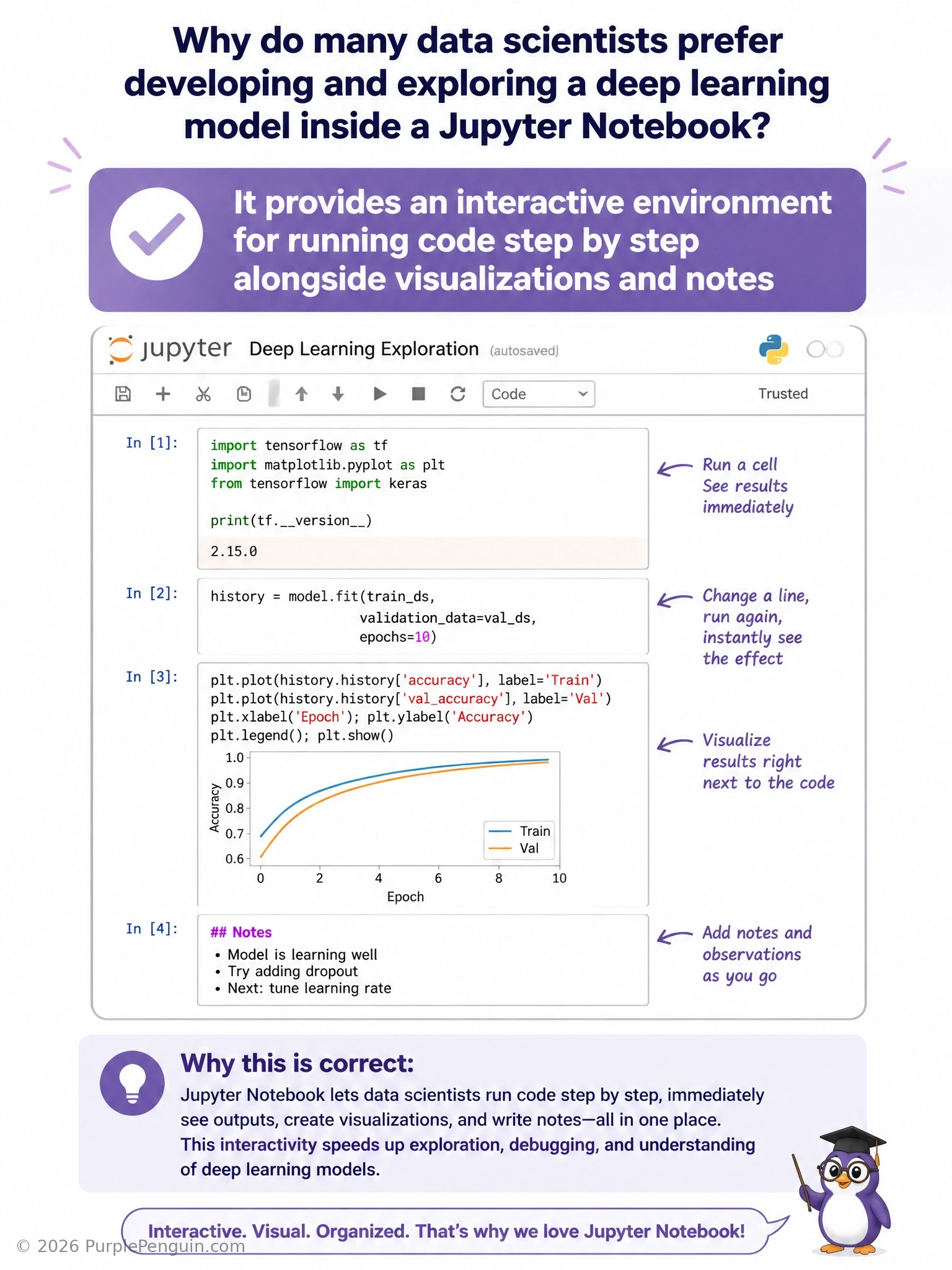
Jupyter Notebooks are popular for one big reason: they let you work interactively. You run one cell at a time, see the output immediately — a plot, a DataFrame preview, a printed tensor shape — and keep experimenting without rerunning your whole script from scratch. Mix in markdown notes right alongside the code, and you get a document that's part experiment log, part explanation, part scratchpad. That interactive, step-by-step, visualization-friendly workflow is exactly what makes notebooks so useful, and that's the correct answer. They don't deploy anything to production on their own — that's a separate packaging and serving step. They don't compile Python into a faster binary either; it's still regular interpreted Python running underneath. And they definitely don't replace a GPU — notebooks are just an interface, the actual training compute still depends on whatever hardware is behind the kernel.
Full explanation below image
Full Explanation
A Jupyter Notebook provides an interactive computing environment where code is organized into cells that can be executed individually and in any order, with output — including printed values, tables, plots, and images — displayed immediately beneath each cell. This makes it especially well suited to the exploratory, iterative nature of deep learning development: a data scientist can load and inspect data in one cell, visualize a distribution in the next, prototype a preprocessing function, test it on a small sample, and adjust before scaling up, all without re-running an entire script from the top each time. Notebooks also support markdown cells, allowing prose explanations, section headers, and even mathematical notation to be interleaved directly with code and results, which makes them valuable for documentation, teaching, and sharing reproducible analyses alongside the actual implementation.
Automatically deploying a trained model to a production server is not something a notebook does inherently. Deployment typically requires separate tooling — containerization, model-serving frameworks (such as TensorFlow Serving, TorchServe, or a custom API), and infrastructure orchestration — that exists outside the scope of what a notebook environment provides, even though a notebook might be used to prototype the model that is eventually deployed elsewhere.
Compiling Python code into a faster, statically typed binary describes ahead-of-time or just-in-time compilation techniques (such as those used by tools like Numba, Cython, or PyTorch's TorchScript/torch.compile), which are unrelated to what a notebook does. A Jupyter Notebook still executes standard interpreted Python via a kernel; it does not alter Python's fundamental execution model or introduce static typing.
Replacing the need for a GPU during training confuses the development interface with the underlying compute resources. A notebook can connect to a kernel running on a machine with or without a GPU, but the notebook interface itself has no bearing on whether GPU acceleration is available or used; that depends entirely on the hardware and software environment behind the kernel, not on the choice to use a notebook versus a plain script.
Memory aid: Jupyter Notebooks are valued for the tight feedback loop they create between writing code and seeing results, combined with the ability to weave narrative and visualization directly into that workflow — an interactive lab notebook for code, not a production deployment tool, compiler, or hardware accelerator.