
In Unity Catalog's model registry, what replaces stage-based lifecycle management (Staging/Production) for model versioning?
Select an answer to reveal the explanation.
Short Explanation and Infographic
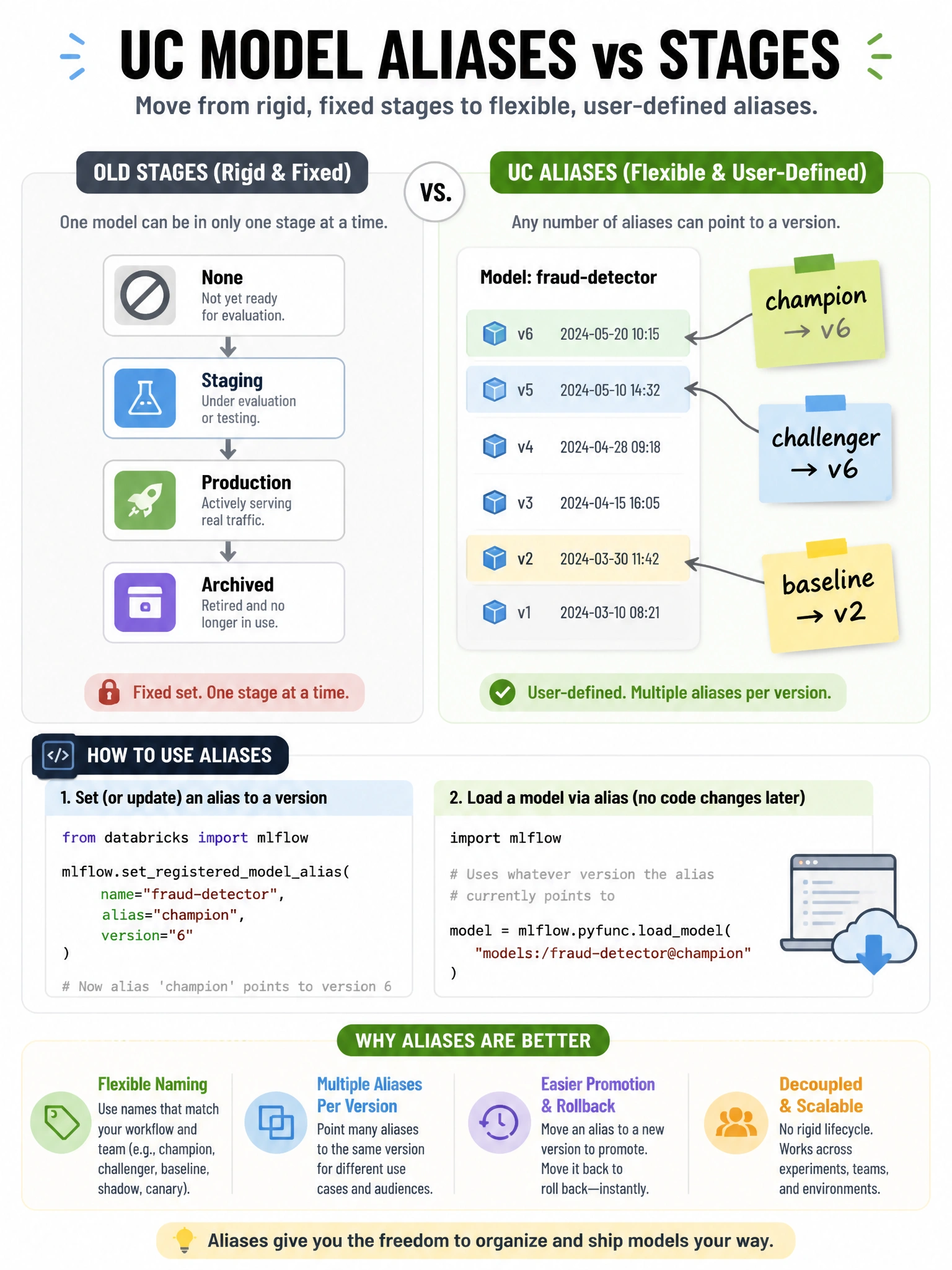
Unity Catalog dropped the fixed stage names and replaced them with flexible aliases — you pick your own names like 'champion' or 'challenger' and point them at any version, making the lifecycle model fit your team's actual workflow.
Full explanation below image
Full Explanation
Unity Catalog (UC) models use aliases instead of the fixed stages (None/Staging/Production/Archived) used in workspace-level registry. Aliases are: mutable — you can move 'champion' from v3 to v5 when a new model wins. Named by you — common conventions: 'champion' (current best), 'challenger' (being evaluated), 'baseline' (minimum acceptable). Set with: MlflowClient().set_registered_model_alias('prod.ml.churn', 'champion', version=5). Load by alias: mlflow.pyfunc.load_model('models:/prod.ml.churn@champion'). Benefits over stages: more flexible naming, multiple aliases per version (a model can be both 'champion' and 'approved-for-finance'), no forced workflow (you're not forced into Staging → Production). Model version tags provide additional searchable metadata per version. The fixed stages still work in workspace-level registry but are deprecated in favor of UC aliases.