
When logging training loss during a neural network's epochs using MLflow, which parameter in mlflow.log_metric() enables plotting the metric over training iterations?
Select an answer to reveal the explanation.
Short Explanation and Infographic
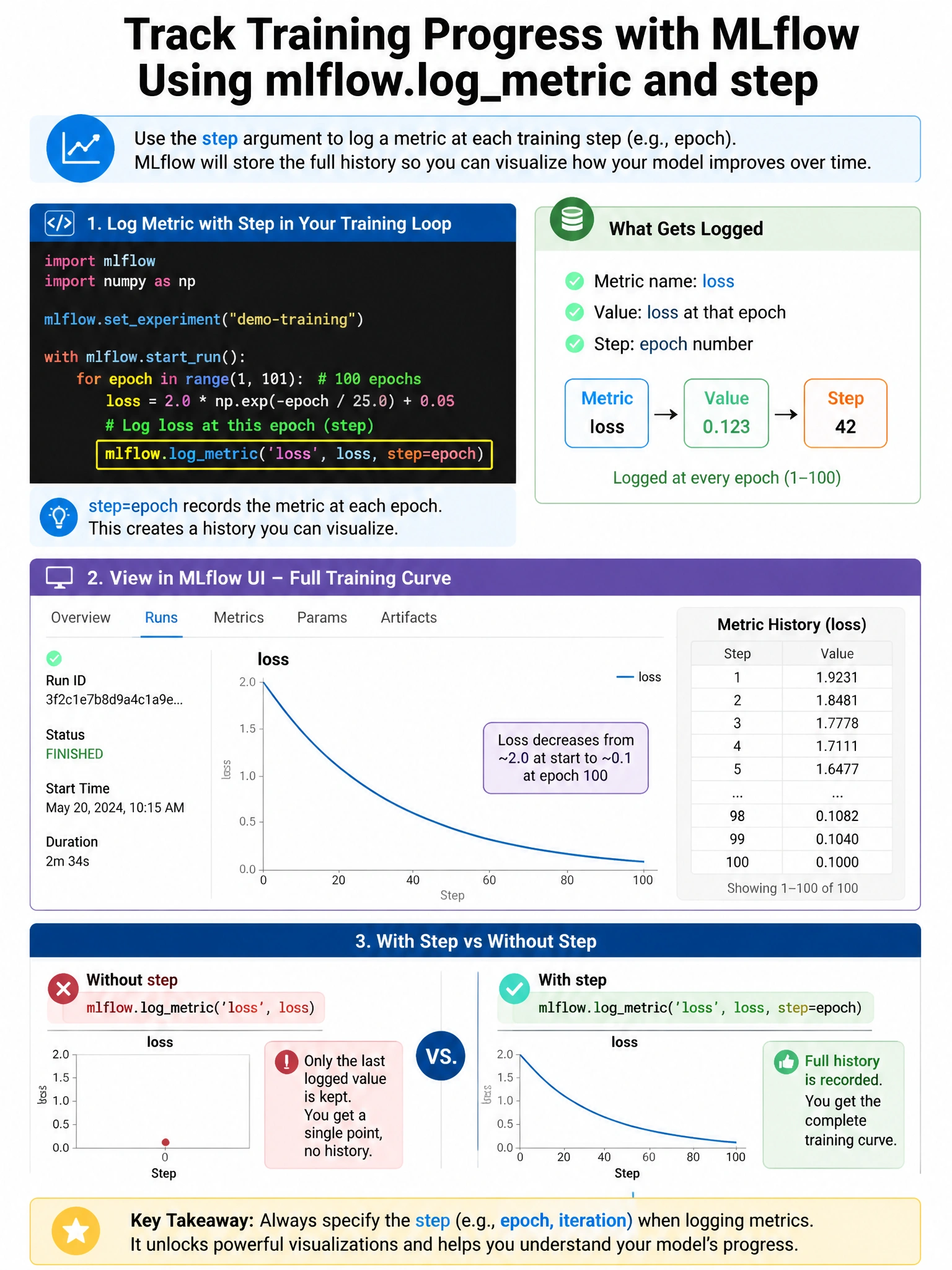
The step parameter is what turns a single metric value into a training curve — use it to stamp each loss/accuracy log with the epoch number and MLflow plots the whole trajectory.
Full explanation below image
Full Explanation
mlflow.log_metric(key, value, step=None) — the step parameter (integer) represents the training step or epoch. When you log the same metric multiple times with different step values, MLflow stores all values and plots them as a time-series curve in the UI. Example: for epoch in range(100): loss = train_one_epoch(); mlflow.log_metric('train_loss', loss, step=epoch). This enables visualizing training curves, learning rate schedules, or any metric that evolves during training. Without step, only the latest value is meaningfully displayed (though all are stored). The step parameter is also critical for comparing runs with different numbers of epochs — you can align curves by step. epoch=, iteration=, and time= are not valid parameter names in mlflow.log_metric().